В этом разделе
Визуальный инструмент, который позволяет выбирать и искать текст на PDF странице, DOCX, DOC или XLSX в просмотрщике изображений.
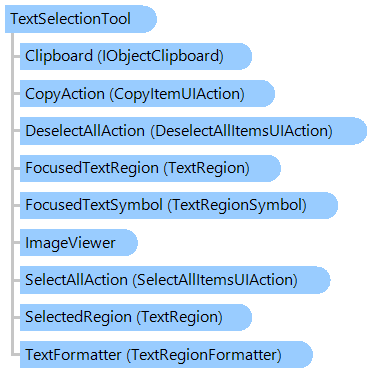
Объектная модель
Синтаксис
Пример
Вот C#/VB.NET код, который демонстрирует, как искать текст в документе, загруженном в программу просмотра изображений.
Public Partial Class TextSelectionForm
    Inherits System.Windows.Forms.Form

    Private _imageViewer As Vintasoft.Imaging.UI.ImageViewer = Nothing
    Private _textSelectionTool As Vintasoft.Imaging.UI.VisualTools.TextSelectionTool = Nothing


    Public Sub New()
        ' ...

        ' create the text selection tool
        _textSelectionTool = New Vintasoft.Imaging.UI.VisualTools.TextSelectionTool(New System.Drawing.SolidBrush(System.Drawing.Color.FromArgb(56, System.Drawing.Color.Blue)))

        ' subscribe to the text selection tool events
        AddHandler _textSelectionTool.SelectionChanged, New System.EventHandler(AddressOf _textSelectionTool_SelectionChanged)

        ' set the text selection tool as the current tool in image viewer
        _imageViewer.VisualTool = _textSelectionTool
    End Sub


    ''' <summary>
    ''' Text selection is changed.
    ''' </summary>
    Private Sub _textSelectionTool_SelectionChanged(sender As Object, e As System.EventArgs)
        ' if text selection is not empty
        If _textSelectionTool.SelectedRegion IsNot Nothing Then
            ' show the text selection content
            System.Windows.Forms.MessageBox.Show(_textSelectionTool.SelectedRegion.TextContent)
        End If
    End Sub

End Class
public partial class TextSelectionForm : System.Windows.Forms.Form
{

    Vintasoft.Imaging.UI.ImageViewer _imageViewer = null;
    Vintasoft.Imaging.UI.VisualTools.TextSelectionTool _textSelectionTool = null;


    public TextSelectionForm()
    {
        // ...

        // create the text selection tool
        _textSelectionTool = new Vintasoft.Imaging.UI.VisualTools.TextSelectionTool(
            new System.Drawing.SolidBrush(
                System.Drawing.Color.FromArgb(56, System.Drawing.Color.Blue)));

        // subscribe to the text selection tool events
        _textSelectionTool.SelectionChanged += new System.EventHandler(_textSelectionTool_SelectionChanged);

        // set the text selection tool as the current tool in image viewer
        _imageViewer.VisualTool = _textSelectionTool;
    }


    /// <summary>
    /// Text selection is changed.
    /// </summary>
    private void _textSelectionTool_SelectionChanged(object sender, System.EventArgs e)
    {
        // if text selection is not empty
        if (_textSelectionTool.SelectedRegion != null)
            // show the text selection content
            System.Windows.Forms.MessageBox.Show(_textSelectionTool.SelectedRegion.TextContent);
    }

}
Иерархия наследования
Требования
Целевые платформы: .NET 11; .NET 10; .NET 9; .NET 8; .NET 6; .NET Framework 4.8, 4.7, 4.6, 4.5, 4.0, 3.5
Смотрите также