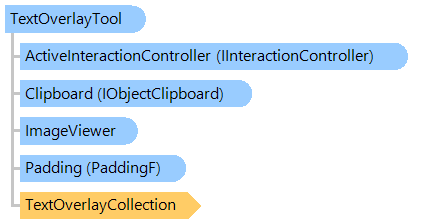
Визуальный инструмент для отображения статических текстовых графических объектов в просмотрщике изображений.
Вот C#/VB.NET код, который демонстрирует, как отображать статический текст в просмотрщике изображений.
''' <summary>
''' Shows the static text in image viewer.
''' </summary>
''' <param name="viewer">An image viewer.</param>
Public Shared Sub ShowStaticTextExample(viewer As Vintasoft.Imaging.UI.ImageViewer)
    ' create the text overlay visual tool
    Dim textOverlayTool As New Vintasoft.Imaging.UI.VisualTools.TextOverlayTool()

    ' text anchor: viewer center
    Dim textAnchor As Vintasoft.Imaging.AnchorType = Vintasoft.Imaging.AnchorType.Bottom Or Vintasoft.Imaging.AnchorType.Left Or Vintasoft.Imaging.AnchorType.Right Or Vintasoft.Imaging.AnchorType.Top

    ' create the text overlay object
    Dim textOverlay As New Vintasoft.Imaging.UI.VisualTools.TextOverlay(textAnchor, "Text Overlay Example", New System.Drawing.Font(System.Drawing.FontFamily.GenericMonospace, 24F), New System.Drawing.SolidBrush(System.Drawing.Color.DarkGreen))

    ' add text overlay object to the text overlay collection of text overlay visual tool
    textOverlayTool.TextOverlayCollection.Add(textOverlay)

    ' set visual tool as the active visual tool of image viewer
    viewer.VisualTool = textOverlayTool
End Sub
/// <summary>
/// Shows the static text in image viewer.
/// </summary>
/// <param name="viewer">An image viewer.</param>
public static void ShowStaticTextExample(Vintasoft.Imaging.UI.ImageViewer viewer)
{
    // create the text overlay visual tool
    Vintasoft.Imaging.UI.VisualTools.TextOverlayTool textOverlayTool =
        new Vintasoft.Imaging.UI.VisualTools.TextOverlayTool();

    // text anchor: viewer center
    Vintasoft.Imaging.AnchorType textAnchor =
        Vintasoft.Imaging.AnchorType.Bottom |
        Vintasoft.Imaging.AnchorType.Left |
        Vintasoft.Imaging.AnchorType.Right |
        Vintasoft.Imaging.AnchorType.Top;

    // create the text overlay object
    Vintasoft.Imaging.UI.VisualTools.TextOverlay textOverlay =
        new Vintasoft.Imaging.UI.VisualTools.TextOverlay(
            textAnchor,
            "Text Overlay Example",
            new System.Drawing.Font(System.Drawing.FontFamily.GenericMonospace, 24f),
            new System.Drawing.SolidBrush(System.Drawing.Color.DarkGreen));

    // add text overlay object to the text overlay collection of text overlay visual tool
    textOverlayTool.TextOverlayCollection.Add(textOverlay);

    // set visual tool as the active visual tool of image viewer
    viewer.VisualTool = textOverlayTool;
}
Целевые платформы: .NET 11; .NET 10; .NET 9; .NET 8; .NET 6; .NET Framework 4.8, 4.7, 4.6, 4.5, 4.0, 3.5