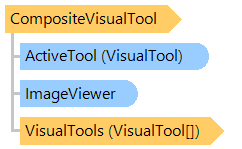
Класс CompositeVisualTool
Представляет визуальный инструмент, сочетающий в себе поведение нескольких визуальных инструментов.
Вот C#/VB.NET код, который демонстрирует, как установить CompositeVisualTool в качестве активного визуального элемента в просмотрщике изображений с аннотациями.
''' <summary>
''' Adds the visual tool, which allows to change annotations and scroll images in viewer,
''' to the annotation viewer.
''' </summary>
''' <param name="annotationViewer">Annotation viewer.</param>
Public Sub AddCompositeVisualToolToAnnotationViewer(annotationViewer As Vintasoft.Imaging.Annotation.UI.AnnotationViewer)
    ' create composite visual tool, which will combine the following visual tools:
    ' - annotation visual tool
    ' - annotation selection tool
    ' - scroll pages
    Dim compositeVisualTool As New Vintasoft.Imaging.UI.VisualTools.CompositeVisualTool(annotationViewer.AnnotationVisualTool, annotationViewer.AnnotationSelectionTool, New ScrollPages())
    ' set the tool as active tool in image viewer
    annotationViewer.VisualTool = compositeVisualTool
    ' specify that image viewer must not show context menu when the right mouse button is pressed
    annotationViewer.VisualTool.DisableContextMenu = False
End Sub
/// <summary>
/// Adds the visual tool, which allows to change annotations and scroll images in viewer,
/// to the annotation viewer.
/// </summary>
/// <param name="annotationViewer">Annotation viewer.</param>
public void AddCompositeVisualToolToAnnotationViewer(
    Vintasoft.Imaging.Annotation.UI.AnnotationViewer annotationViewer)
{
    // create composite visual tool, which will combine the following visual tools:
    // - annotation visual tool
    // - annotation selection tool
    // - scroll pages
    Vintasoft.Imaging.UI.VisualTools.CompositeVisualTool compositeVisualTool =
        new Vintasoft.Imaging.UI.VisualTools.CompositeVisualTool(
        annotationViewer.AnnotationVisualTool,
        annotationViewer.AnnotationSelectionTool,
        new ScrollPages());
    // set the tool as active tool in image viewer
    annotationViewer.VisualTool = compositeVisualTool;
    // specify that image viewer must not show context menu when the right mouse button is pressed
    annotationViewer.VisualTool.DisableContextMenu = false;
}
Целевые платформы: .NET 11; .NET 10; .NET 9; .NET 8; .NET 6; .NET Framework 4.8, 4.7, 4.6, 4.5, 4.0, 3.5