VintaSoft Barcode .NET SDK 16.0: Документация для Веб разработчика
В этом разделе
Распознавание штрих-кодов из изображения в приложении "Angular и ASP.NET Core"
В этом разделе
Данное руководство демонстрирует, как создать пустое приложение "Angular и ASP.NET Core" в Visual Studio .NET 2026 и распознать штрих-коды из изображения в приложении "Angular и ASP.NET Core".

Вот шаги, которые необходимо выполнить:
  1. Создайте пустое приложение "Angular и ASP.NET Core".

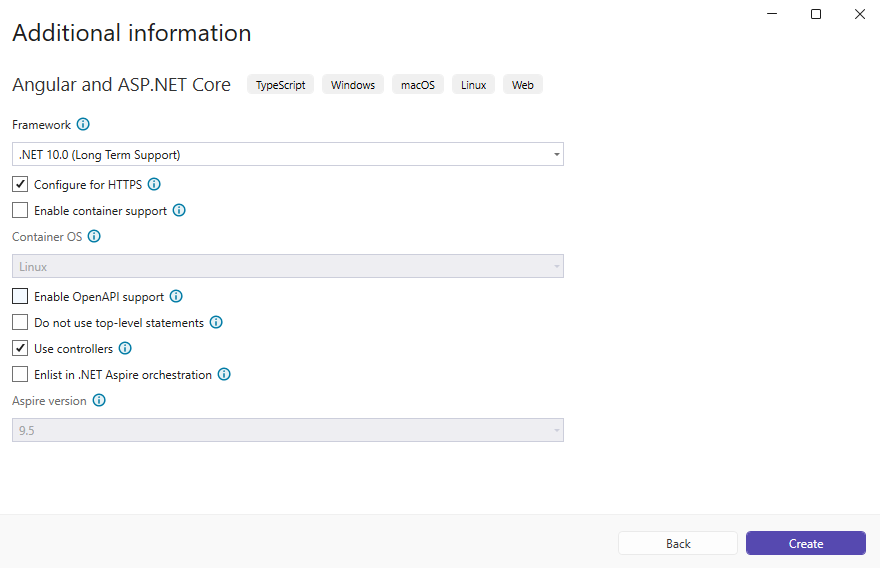
    Откройте Visual Studio .NET 2026 и создайте новый проект приложения типа "Angular and ASP.NET Core":
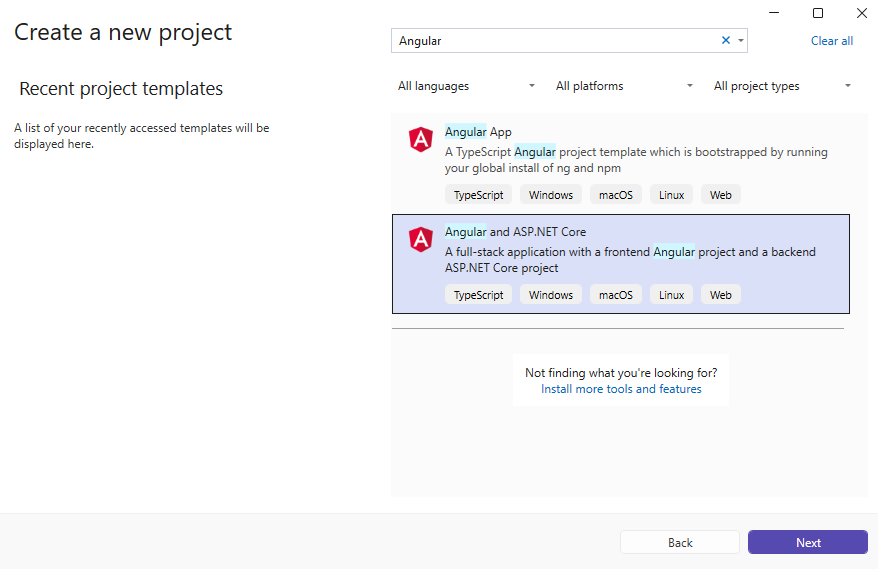
    Настройте проект для использования .NET 10.0:
  2. Проект "AngularApp1.Server": Добавьте ссылки на сборки Vintasoft.

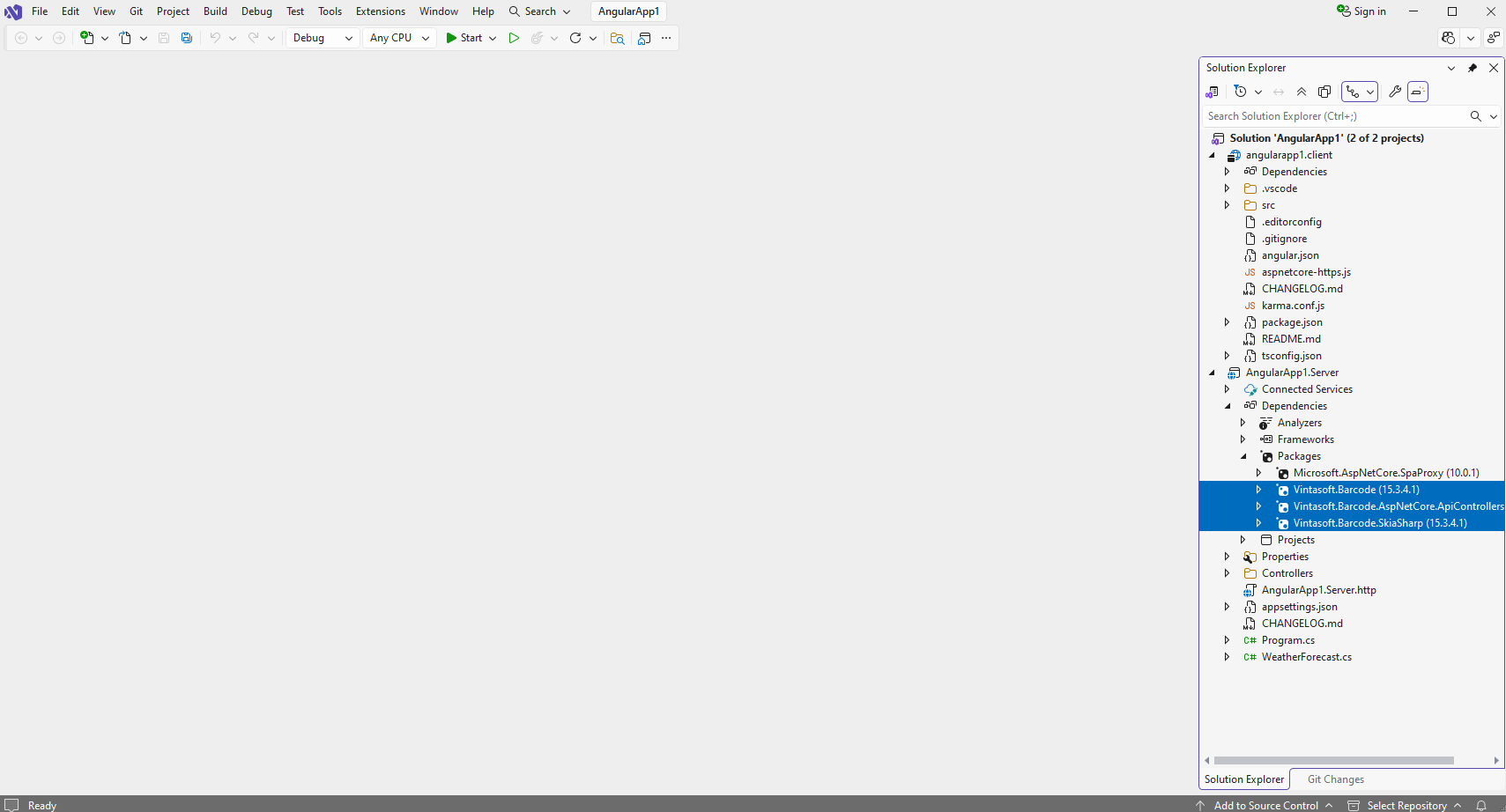
    Добавьте ссылки на nuget-пакеты Vintasoft.Barcode , Vintasoft.Barcode.SkiaSharp и Vintasoft.Barcode.AspNetCore.ApiControllers в проект "AngularApp1.Server".

    Если вы хотите использовать ИИ для обнаружения областей штрих-кода, добавьте ссылку на пакеты nuget Vintasoft.Barcode.AI.1D , Vintasoft.Barcode.AI.2D , Microsoft.ML.OnnxRuntime v1.23.0 , Microsoft.ML.OnnxRuntime.Managed v1.23.0 в проект ASP.NET Core.
  3. Проект "AngularApp1.Server": Создайте веб-сервис для распознавания штрих-кодов.

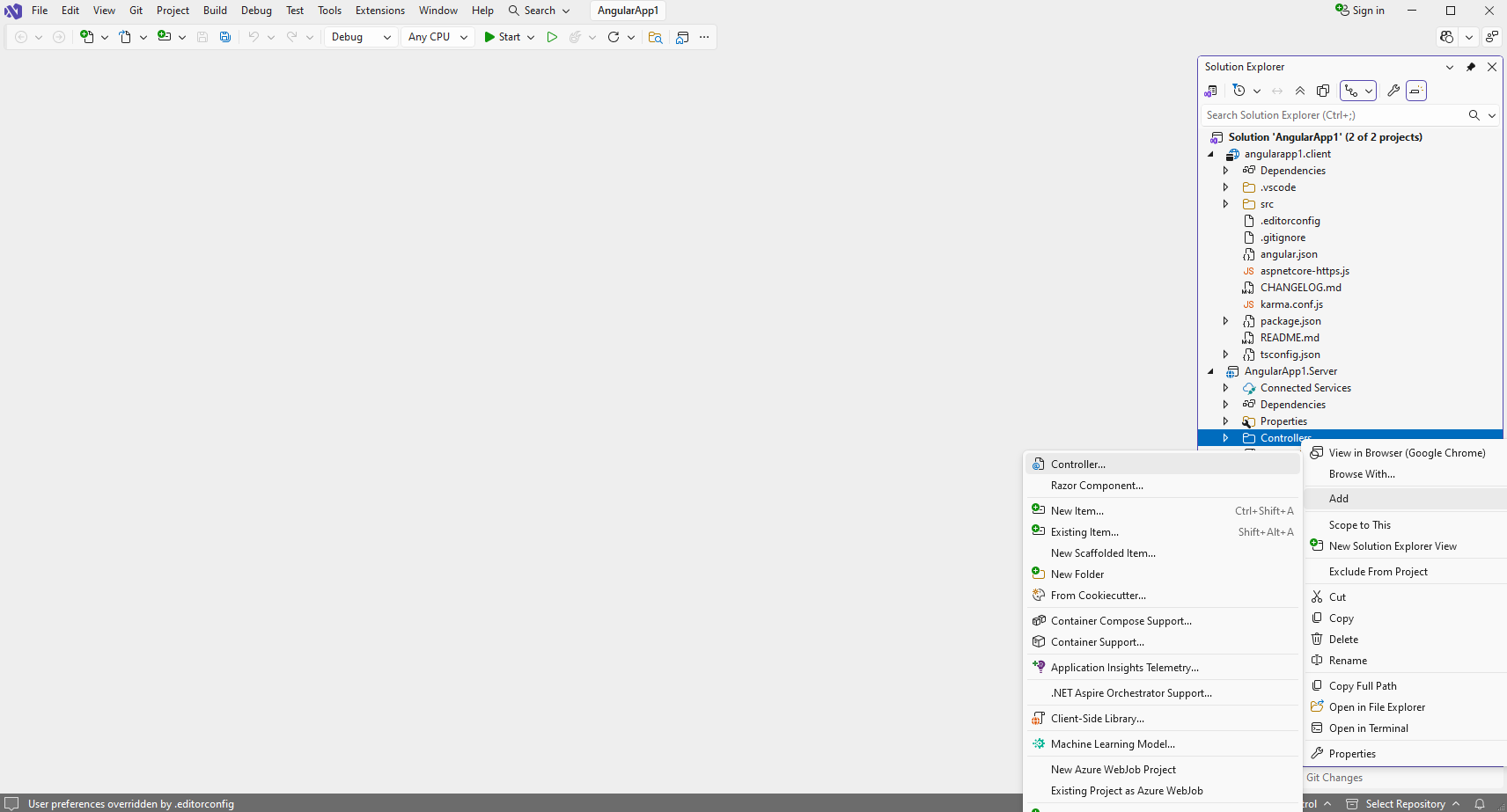
    • Нажмите правую кнопку мыши на папке "Controllers" и выберите "Add => Controller..." в контекстном меню
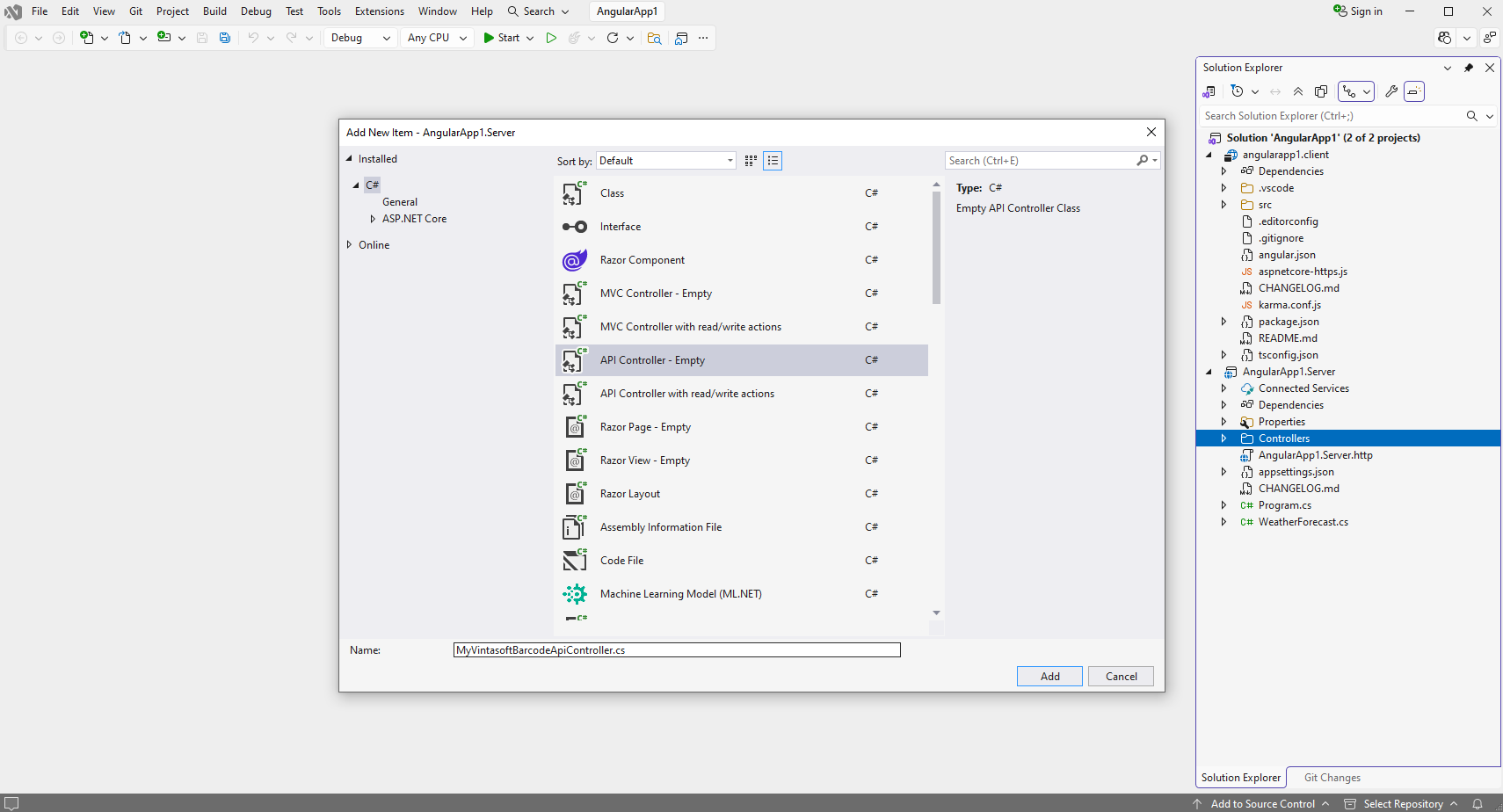
    • Выберите пустой шаблон API-контроллера, задайте имя контроллера как "MyVintasoftBarcodeApiController" и нажмите кнопку "Добавить".
    • Укажите, что класс MyVintasoftBarcodeApiController является производным от класса Vintasoft.Barcode.AspNetCore.ApiControllers.VintasoftBarcodeApiController.
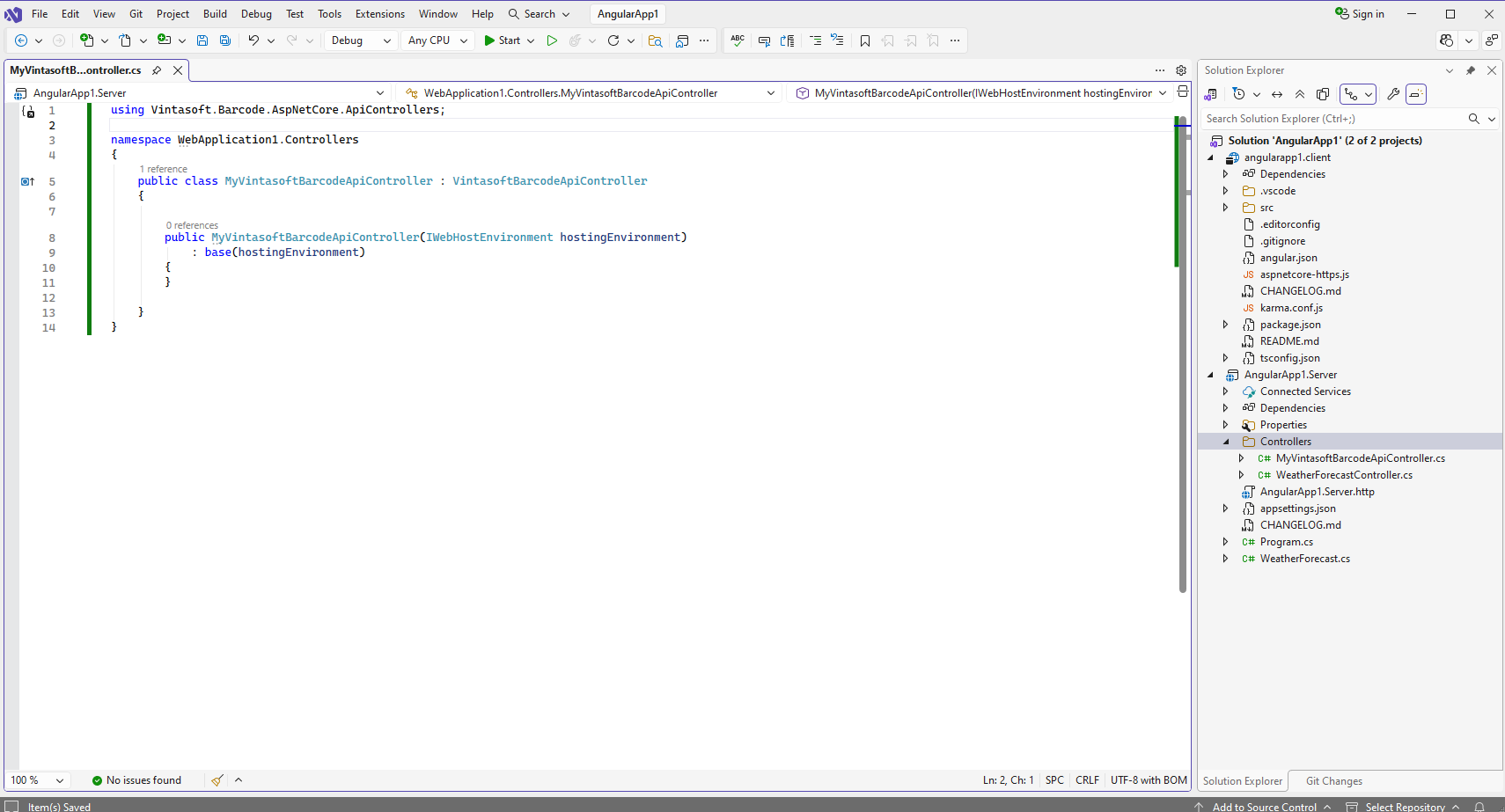
      Вот исходный код класса MyVintasoftBarcodeApiController:
      using Vintasoft.Barcode.AspNetCore.ApiControllers;
      
      namespace WebApplication1.Controllers
      {
          public class MyVintasoftBarcodeApiController : VintasoftBarcodeApiController
          {
      
              public MyVintasoftBarcodeApiController(IWebHostEnvironment hostingEnvironment)
                  : base(hostingEnvironment)
              {
              }
      
          }
      }
      
      
  4. Проект "AngularApp1.Server": Добавьте ссылку на nuget-пакет "Microsoft.AspNetCore.Mvc.NewtonsoftJson" для десериализации результатов распознавания штрих-кодов.

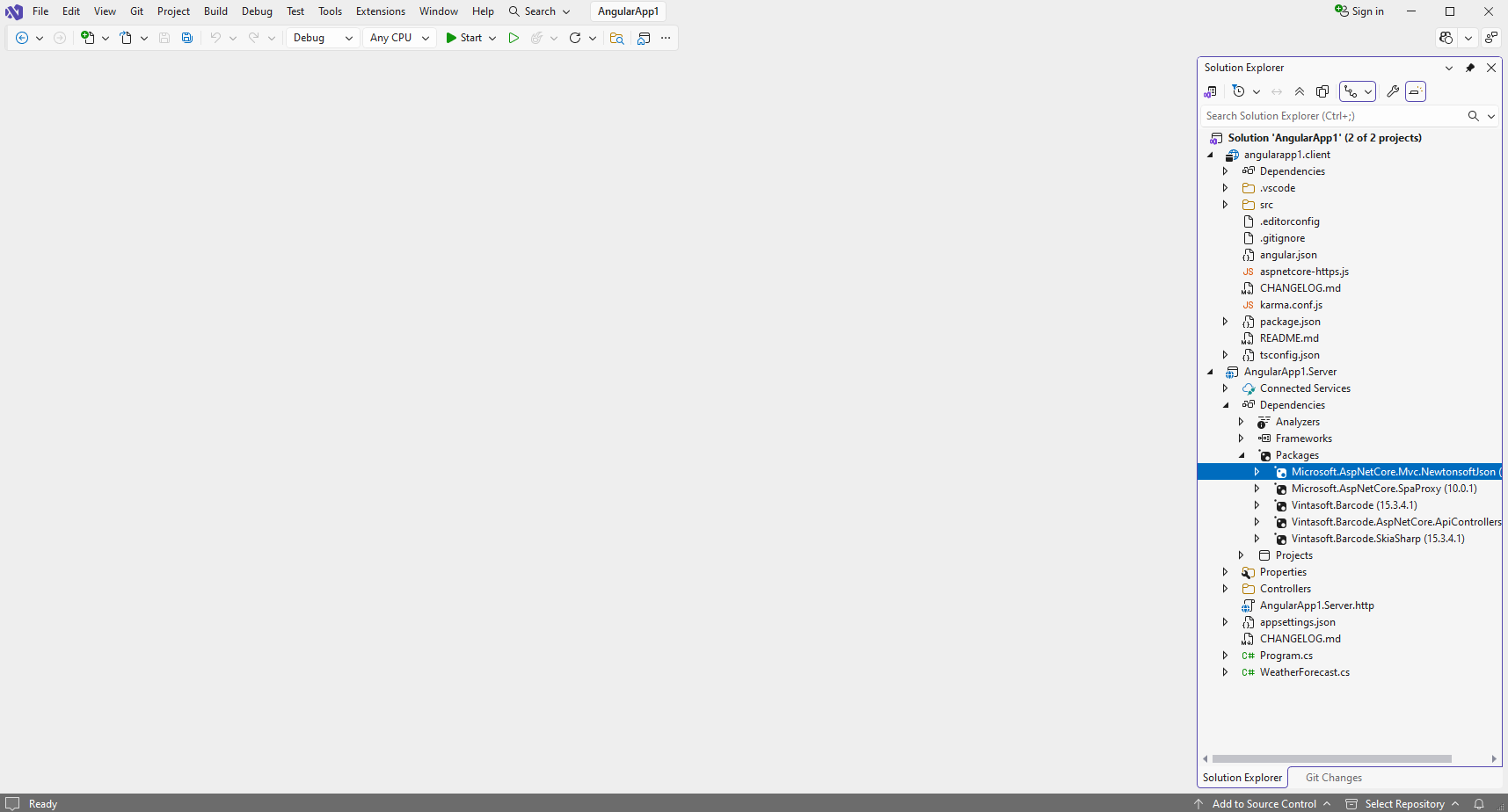
    • Добавить ссылку на nuget-пакет Microsoft.AspNetCore.Mvc.NewtonsoftJson в проект "AngularApp1.Server":

    • Откройте файл "Program.cs" и добавьте строку кода "builder.Services.AddControllersWithViews().AddNewtonsoftJson();". Это необходимо для корректной десериализации результатов распознавания штрих-кодов.
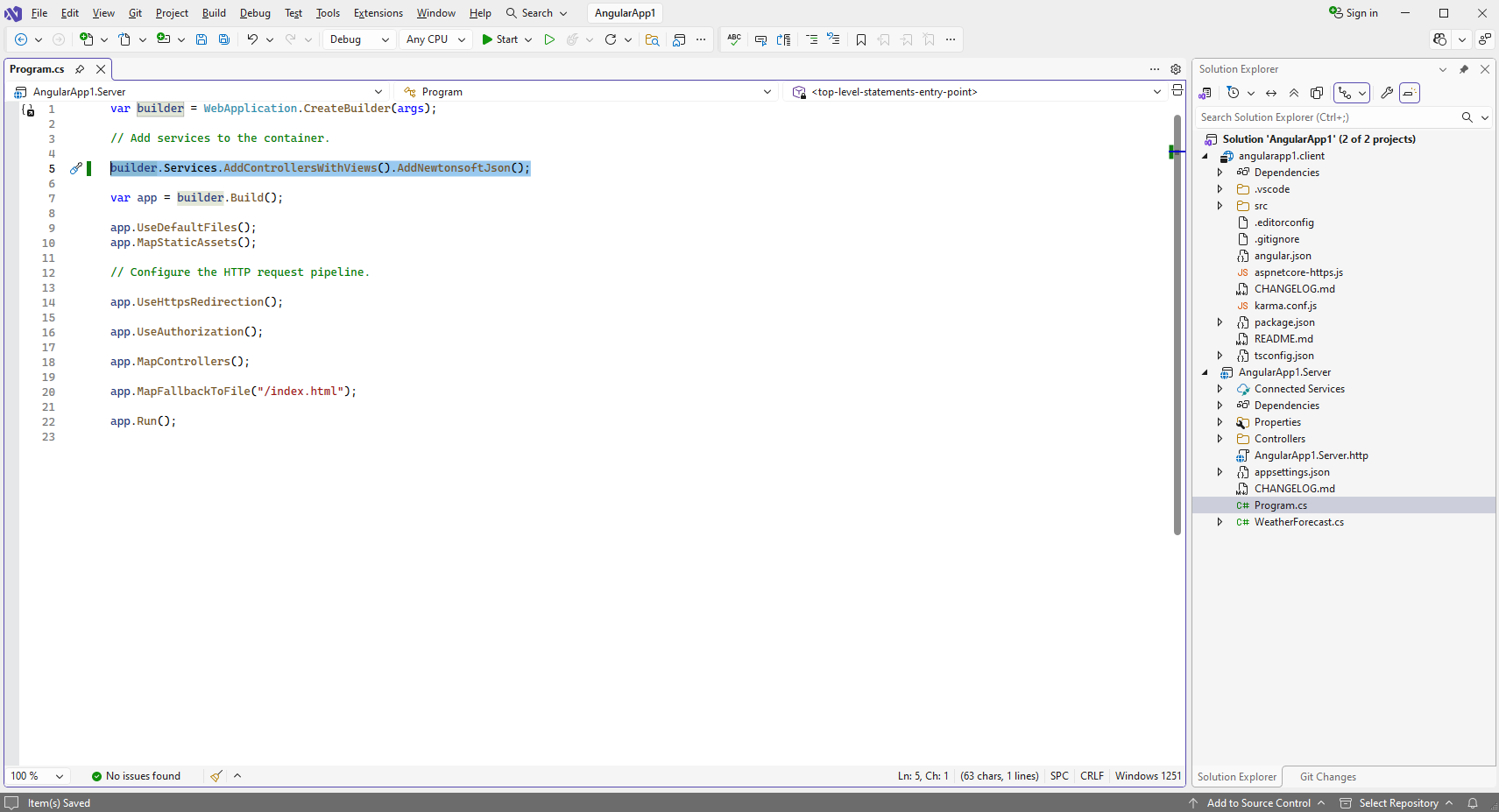
      Вот исходный код файла Program.cs:
      var builder = WebApplication.CreateBuilder(args);
      
      // Add services to the container.
      
      builder.Services.AddControllersWithViews().AddNewtonsoftJson();
      
      var app = builder.Build();
      
      app.UseDefaultFiles();
      app.MapStaticAssets();
      
      // Configure the HTTP request pipeline.
      
      app.UseHttpsRedirection();
      
      app.UseAuthorization();
      
      app.MapControllers();
      
      app.MapFallbackToFile("/index.html");
      
      app.Run();
      
      
  5. Проект "AngularApp1.Server": Укажите файл изображения, содержащего штрих-коды.

    Создайте папку "wwwroot\UploadedImageFiles\SessionID" в проекте "AngularApp1.Server" и скопируйте ее Файл PNG-изображения со штрих-кодами из Github в созданную папку. Мы будем распознавать штрих-коды на этом изображении.
  6. Проект "AngularApp1.Server": Удалите не нужные файлы.

    Удалите файлы "WeatherForecast.cs" и "Controllers\WeatherForecastController.cs" в проекте "AngularApp1.Server" - контроллер WeatherForecast Web API не нужен в этом примере.
  7. Проект "angularapp1.client": Скомпилируйте решение для восстановления TypeScript-зависимостей в проекте "angularapp1.client".

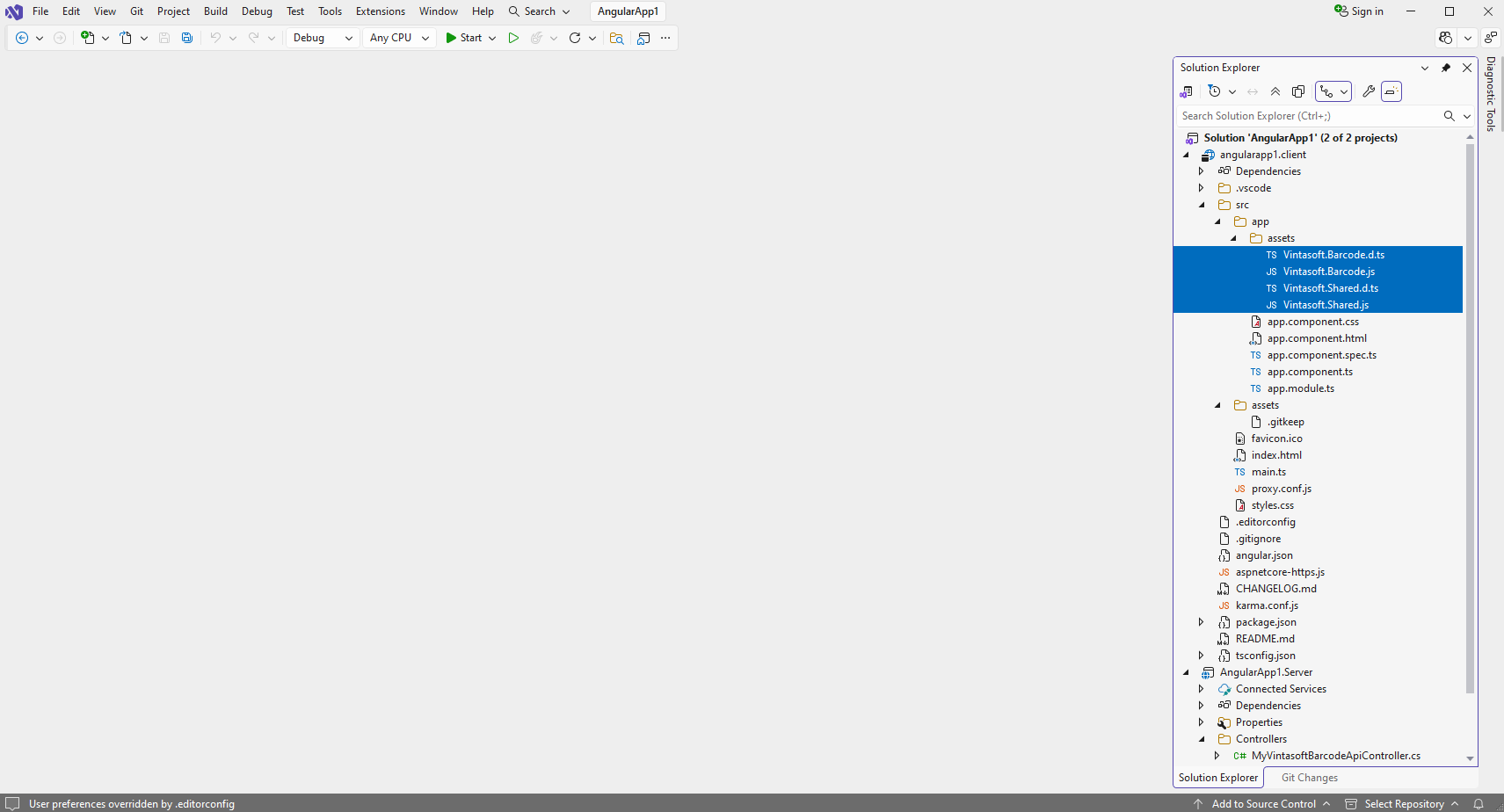
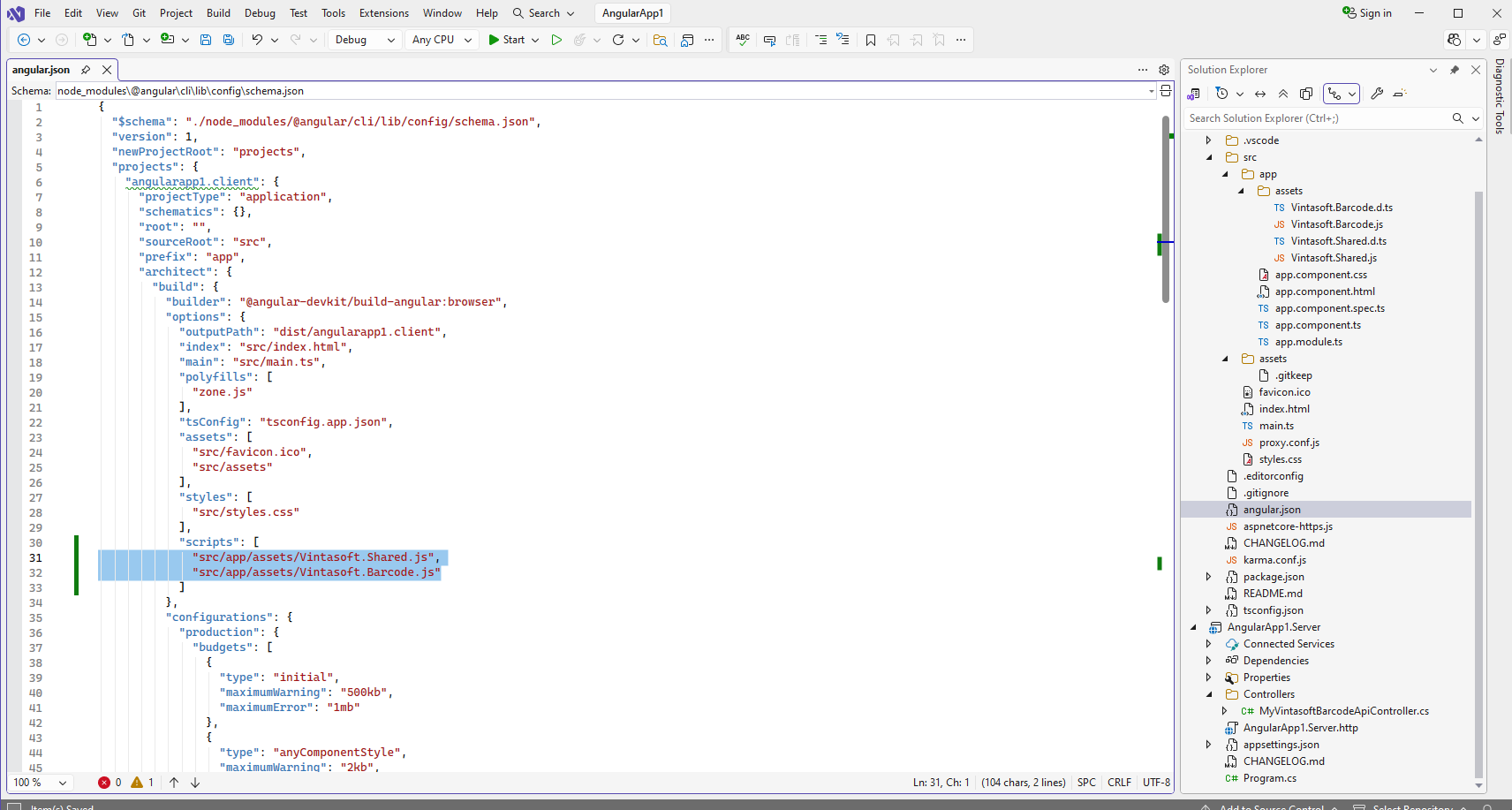
  8. Проект "angularapp1.client": Добавьте файлы JavaScript и модули TypeScript в проект "angularapp1.client".

  9. Проект "angularapp1.client": Создайте компонент Angular, который распознает штрихкоды на изображении.

    • Откройте файл "src\app\app.component.html" в проекте "angularapp1.client", очистите файл, добавьте HTML-разметку (заголовок страницы и элемент изображения, который будет отображать результат распознавания штрих-кодов) в файл "app.component.html":
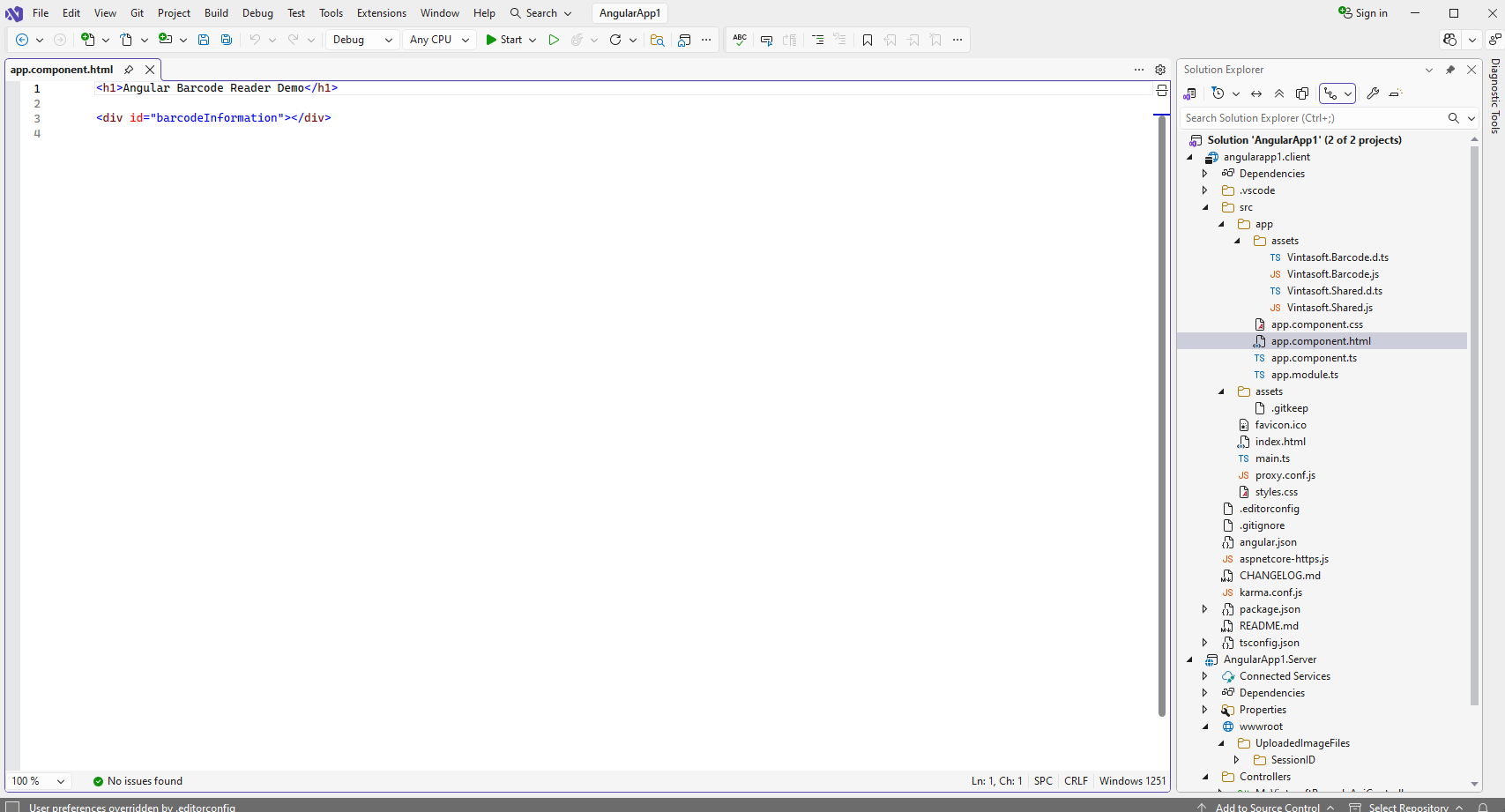
      <h1>Angular Barcode Reader Demo</h1>
      
      <div id="barcodeInformation"></div>


    • Откройте файл "src\app\app.component.ts" в проекте "angularapp1.client", очистите файл, добавьте код TypeScript в файл "app.component.ts":
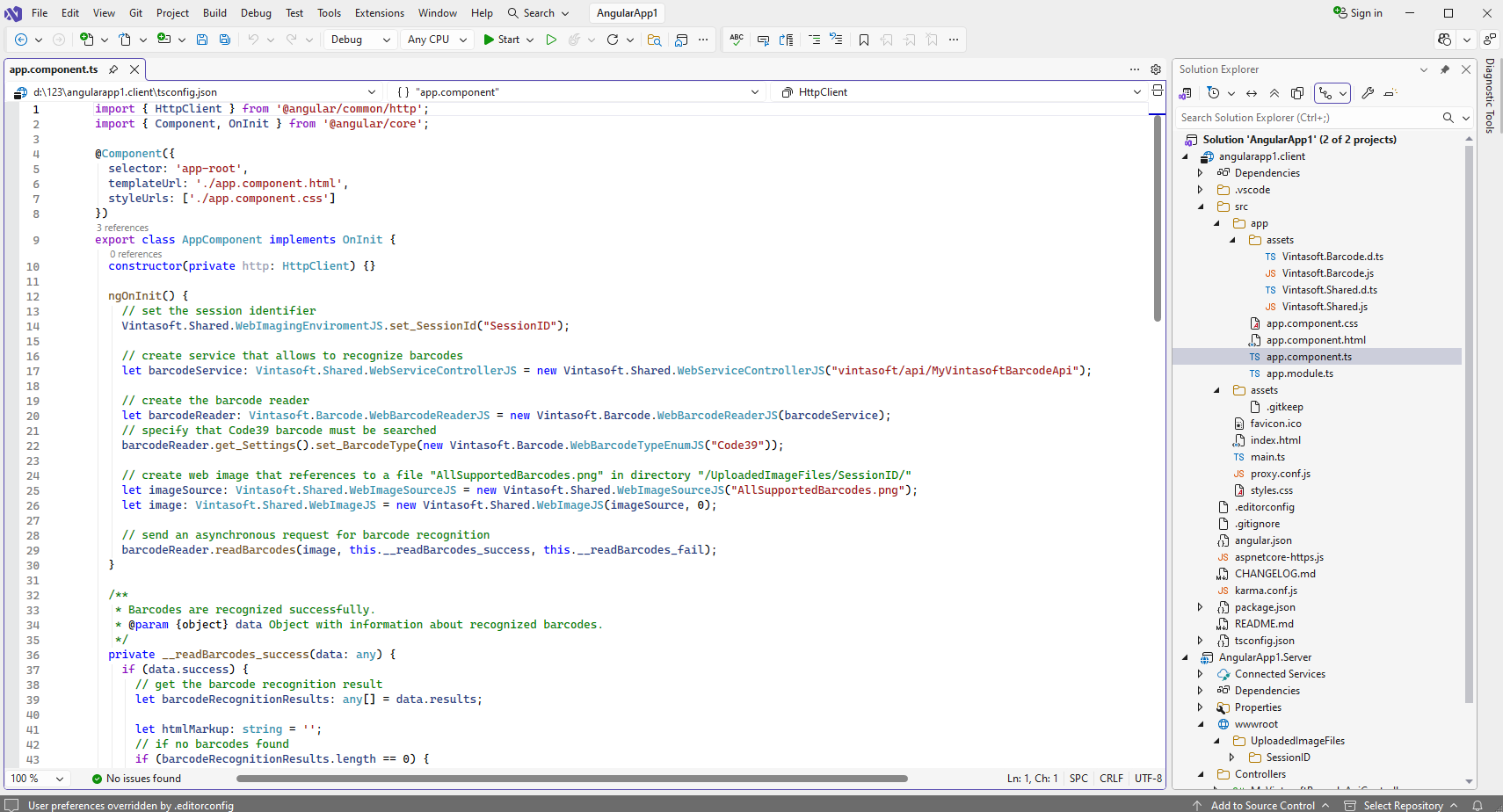
      import { HttpClient } from '@angular/common/http';
      import { Component, OnInit } from '@angular/core';
      
      @Component({
        selector: 'app-root',
        templateUrl: './app.component.html',
        styleUrls: ['./app.component.css']
      })
      export class AppComponent implements OnInit {
        constructor(private http: HttpClient) {}
      
        ngOnInit() {
          // set the session identifier
          Vintasoft.Shared.WebImagingEnviromentJS.set_SessionId("SessionID");
      
          // create service that allows to recognize barcodes
          let barcodeService: Vintasoft.Shared.WebServiceControllerJS = new Vintasoft.Shared.WebServiceControllerJS("vintasoft/api/MyVintasoftBarcodeApi");
      
          // create the barcode reader
          let barcodeReader: Vintasoft.Barcode.WebBarcodeReaderJS = new Vintasoft.Barcode.WebBarcodeReaderJS(barcodeService);
          // specify that Code39 barcode must be searched
          barcodeReader.get_Settings().set_BarcodeType(new Vintasoft.Barcode.WebBarcodeTypeEnumJS("Code39"));
      
          // create web image that references to a file "AllSupportedBarcodes.png" in directory "/UploadedImageFiles/SessionID/"
          let imageSource: Vintasoft.Shared.WebImageSourceJS = new Vintasoft.Shared.WebImageSourceJS("AllSupportedBarcodes.png");
          let image: Vintasoft.Shared.WebImageJS = new Vintasoft.Shared.WebImageJS(imageSource, 0);
      
          // send an asynchronous request for barcode recognition
          barcodeReader.readBarcodes(image, this.__readBarcodes_success, this.__readBarcodes_fail);
        }
      
        /**
         * Barcodes are recognized successfully.
         * @param {object} data Object with information about recognized barcodes.
         */
        private __readBarcodes_success(data: any) {
          if (data.success) {
            // get the barcode recognition result
            let barcodeRecognitionResults: any[] = data.results;
      
            let htmlMarkup: string = '';
            // if no barcodes found
            if (barcodeRecognitionResults.length == 0) {
              htmlMarkup = 'No barcodes found.';
            }
            // if barcodes are found
            else {
              htmlMarkup = barcodeRecognitionResults.length.toString() + ' barcodes are found.<br />';
              htmlMarkup += '<br />';
      
              // for each recognized barcode
              for (let i: number = 0; i < barcodeRecognitionResults.length; i++) {
                // get the barcode recognition result
                let barcodeRecognitionResult: any = barcodeRecognitionResults[i];
      
                // output information about recognized barcode
                htmlMarkup += '[' + (i + 1) + ':' + barcodeRecognitionResult.barcodeType + ']<br />';
                htmlMarkup += '  Value: ' + barcodeRecognitionResult.value + '<br />';
                htmlMarkup += '  Confidence: ' + barcodeRecognitionResult.confidence + '<br />';
                htmlMarkup += '  Reading quality: ' + barcodeRecognitionResult.readingQuality.toFixed(2) + '<br />';
                htmlMarkup += '  Threshold: ' + barcodeRecognitionResult.threshold + '<br />';
                htmlMarkup += '  Region: ' +
                  'LT=(' + barcodeRecognitionResult.region.leftTop.x + ',' + barcodeRecognitionResult.region.leftTop.y + '); ' +
                  'RT=(' + barcodeRecognitionResult.region.rightTop.x + ',' + barcodeRecognitionResult.region.rightTop.y + '); ' +
                  'LB=(' + barcodeRecognitionResult.region.leftBottom.x + ',' + barcodeRecognitionResult.region.leftBottom.y + '); ' +
                  'RB=(' + barcodeRecognitionResult.region.rightBottom.x + ',' + barcodeRecognitionResult.region.rightBottom.y + '); ' +
                  'Angle=' + barcodeRecognitionResult.region.angle.toFixed(1) + '°<br />';
      
                htmlMarkup += '<br />';
              }
            }
      
            let barcodeInformationElement: HTMLDivElement = document.getElementById("barcodeInformation") as HTMLDivElement;
            barcodeInformationElement.innerHTML = htmlMarkup;
          }
        }
      
        /**
         * Barcode recognition is failed.
         * @param {object} data Object with information about error.
         */
        private __readBarcodes_fail(data: any) {
          // show information about error
          alert(data.errorMessage);
        }
      
        title = 'angularapp1.client';
      }


    • Удалите файл "src\app\app.component.spec.ts" в проекте "angularapp1.client" - файл не нужен.

    • Откройте файл "src\proxy.conf.js" в проекте "angularapp1.client" и укажите, что приложение Angular может получить доступ к контроллеру ASP.NET Core Web API "/vintasoft/api/MyVintasoftBarcodeApi/" в проекте "AngularApp1.Server":
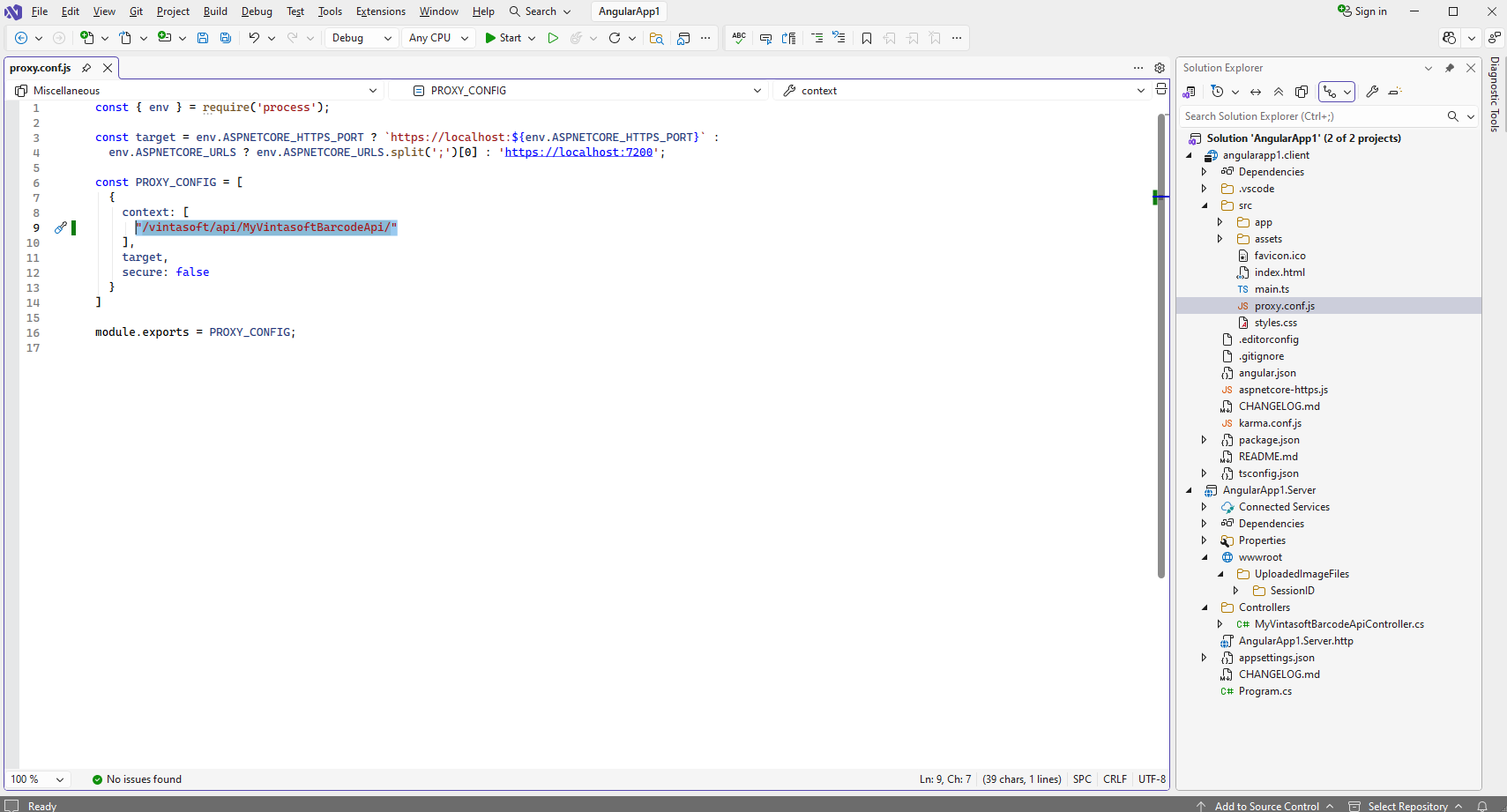
      const { env } = require('process');
      
      const target = env.ASPNETCORE_HTTPS_PORT ? `https://localhost:${env.ASPNETCORE_HTTPS_PORT}` :
        env.ASPNETCORE_URLS ? env.ASPNETCORE_URLS.split(';')[0] : 'https://localhost:7200';
      
      const PROXY_CONFIG = [
        {
          context: [
            "/vintasoft/api/"
          ],
          target,
          secure: false
        }
      ]
      
      module.exports = PROXY_CONFIG;


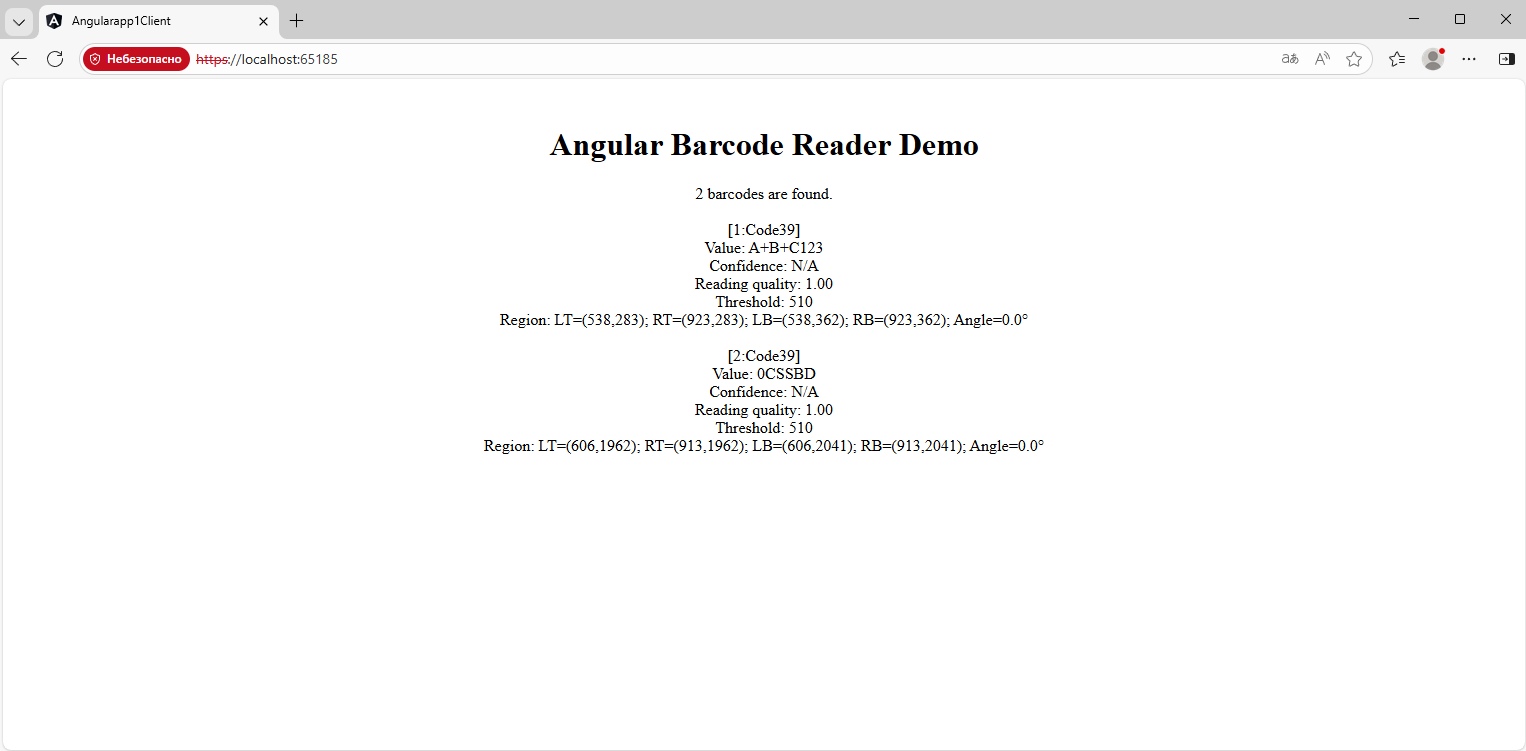
  10. Запустите приложение "Angular и ASP.NET Core" и посмотрите результат.