VintaSoft Barcode .NET SDK 16.0: Документация для Веб разработчика
В этом разделе
Распознавание штрих-кодов из изображения в приложении ASP.NET WebForms
В этом разделе
Данное руководство демонстрирует, как создать пустое приложение ASP.NET WebForms в Visual Studio .NET 2019 и распознавать штрих-коды из изображения в приложении ASP.NET WebForms.

Вот шаги, которые необходимо выполнить:
  1. Создайте пустое приложение ASP.NET WebForms.

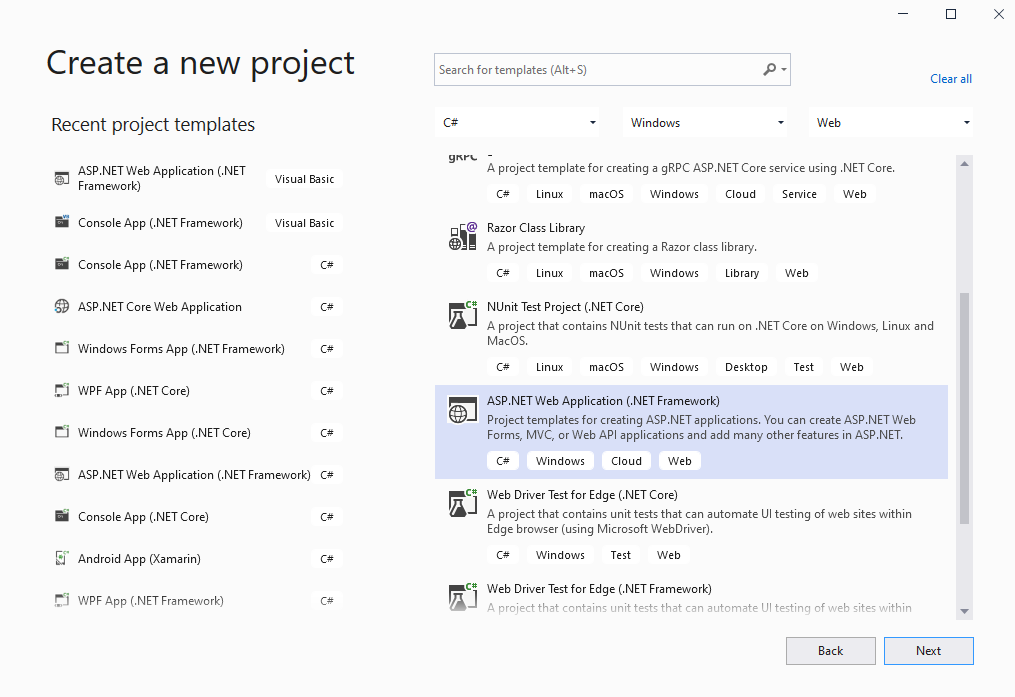
    Запустите Visual Studio .NET 2019 и создайте новый проект, тип проекта - веб-приложение ASP.NET. Включите в проекте использование .NET Framework 4.7.2:
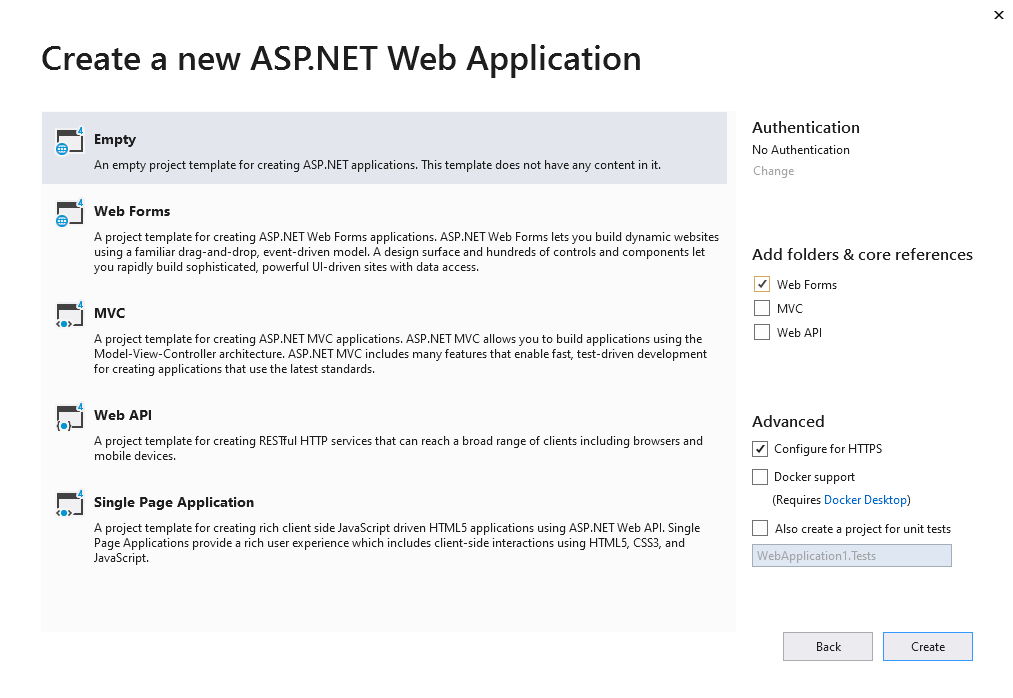
    Выберите шаблон "Empty" для веб-приложения ASP.NET и включите в проекте использование WebForms:
  2. Серверная часть: Добавьте ссылки на nuget-пакеты Vintasoft в приложение ASP.NET WebForms.

    Добавьте ссылки на nuget-пакеты Vintasoft.Barcode и Vintasoft.Barcode.Web.HttpHandlers в приложение ASP.NET WebForms.
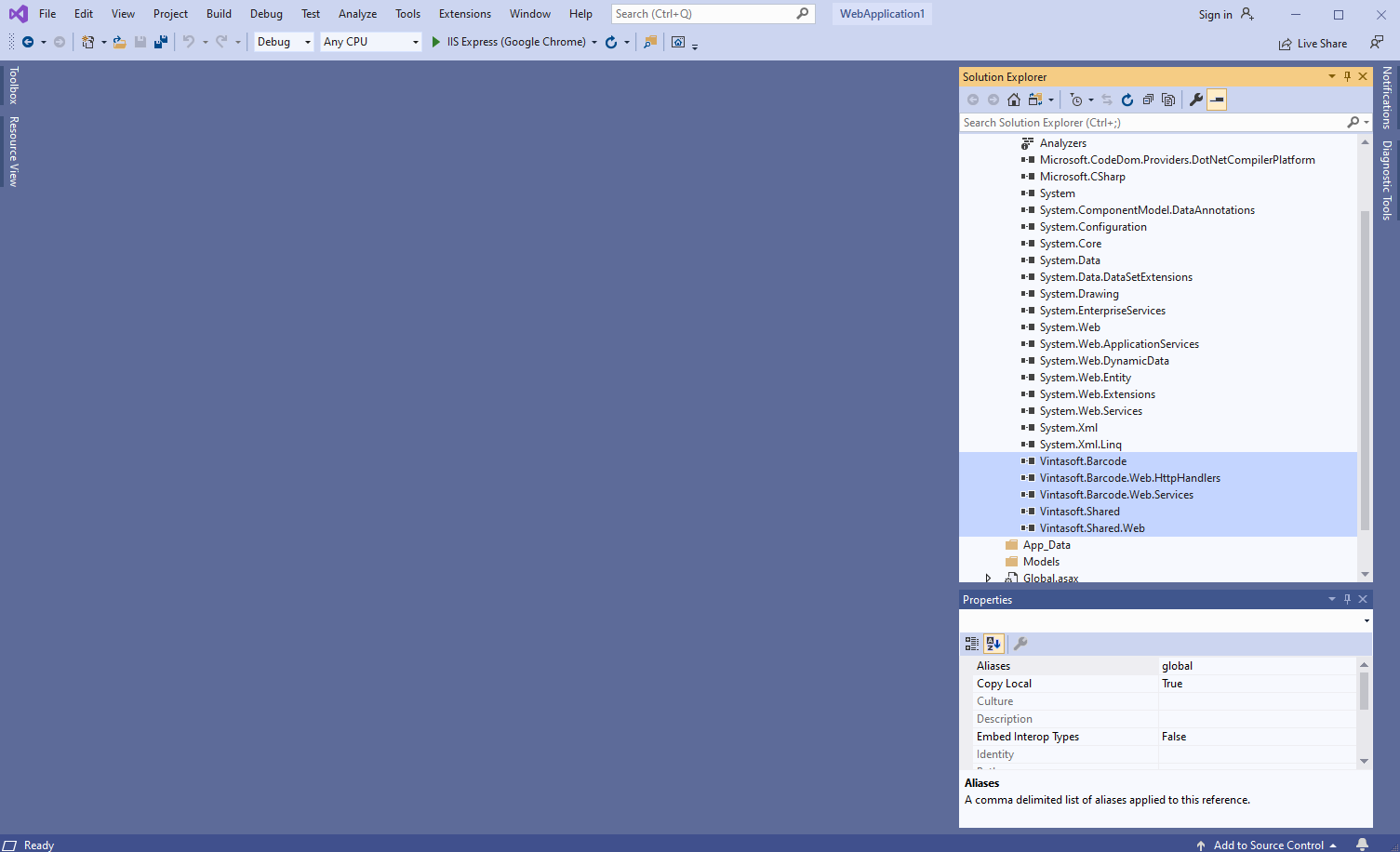
  3. Серверная сторона: Добавьте в приложение ASP.NET WebForms общий обработчик, который позволяет распознавать штрих-коды из изображения.

    • Добавьте папку "Handlers" в приложение ASP.NET WebForms.
    • Нажмите правую кнопку мыши на папке "Handlers" и выберите "Add => New Item..." в контекстном меню
    • Выберите шаблон "Generic Handler", задайте имя обработчика "MyVintasoftBarcodeHandler" и нажмите кнопку "Add"
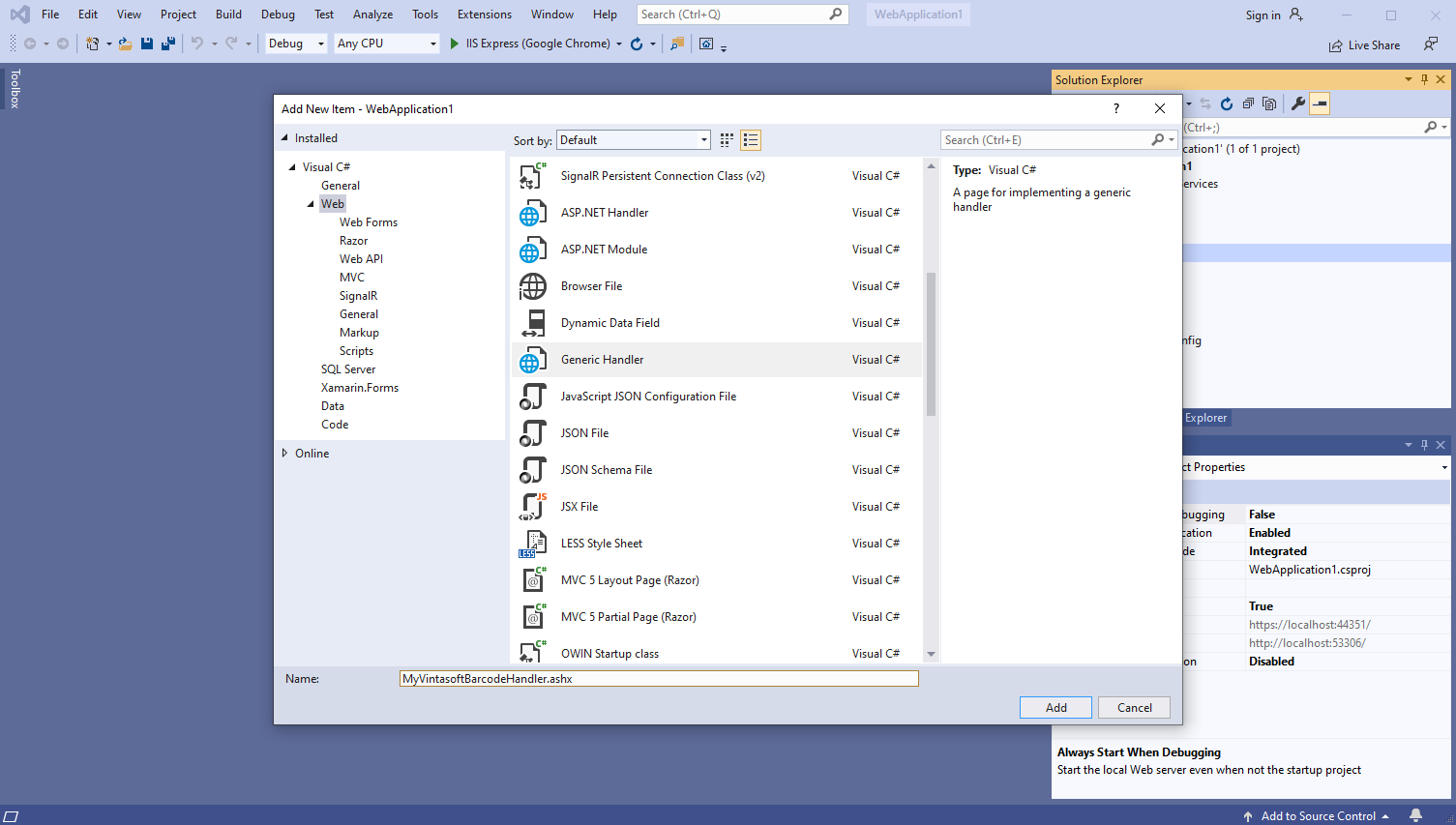
    • Укажите, что класс MyVintasoftBarcodeHandler является производным от класса Vintasoft.Barcode.Web.HttpHandlers.VintasoftBarcodeHandler
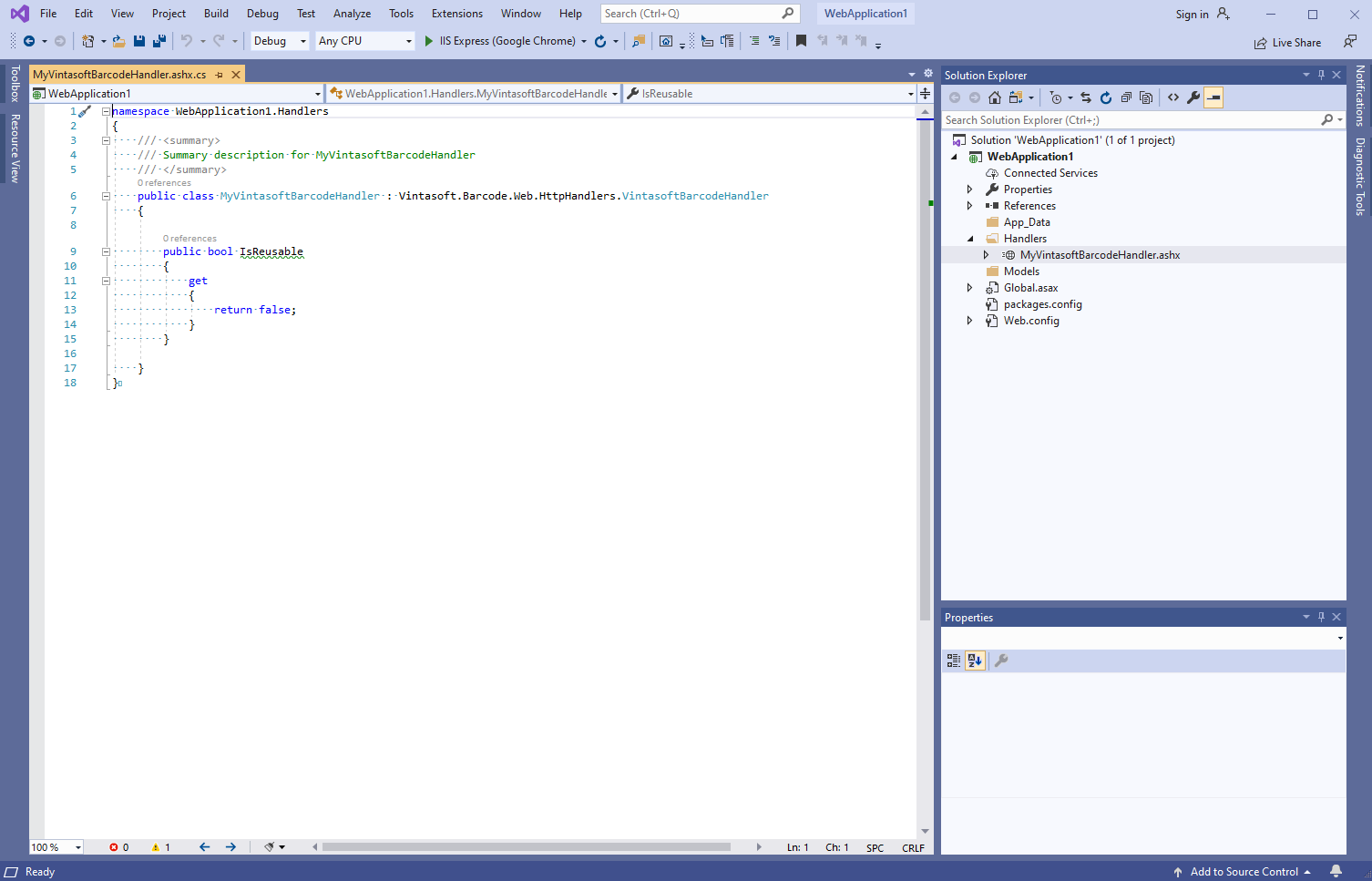
      Вот исходные коды C# класса MyVintasoftBarcodeHandler:
      namespace WebApplication1.Handlers
      {
          /// <summary>
          /// Summary description for MyVintasoftBarcodeHandler
          /// </summary>
          public class MyVintasoftBarcodeHandler : Vintasoft.Barcode.Web.HttpHandlers.VintasoftBarcodeHandler
          {
      
              public bool IsReusable
              {
                  get
                  {
                      return false;
                  }
              }
      
          }
      }
      
  4. Клиентская сторона: Добавьте в проект файлы Vintasoft JavaScript.

  5. Клиентская сторона: Добавьте в веб-форму "Default" код JavaScript, который распознаёт штрих-коды и отображает результат распознавания штрих-кодов.

    • Создайте папку "UploadedImageFiles\SessionID" и скопируйте Файл PNG-изображения со штрих-кодами из Github в эту папку. Мы будем распознавать штрих-коды на этом изображении.
    • Создайте веб-форму "Default" - файл "Default.aspx".
      • Нажмите правую кнопку мыши на проекте и выберите "Add => WebForm" в контекстном меню:
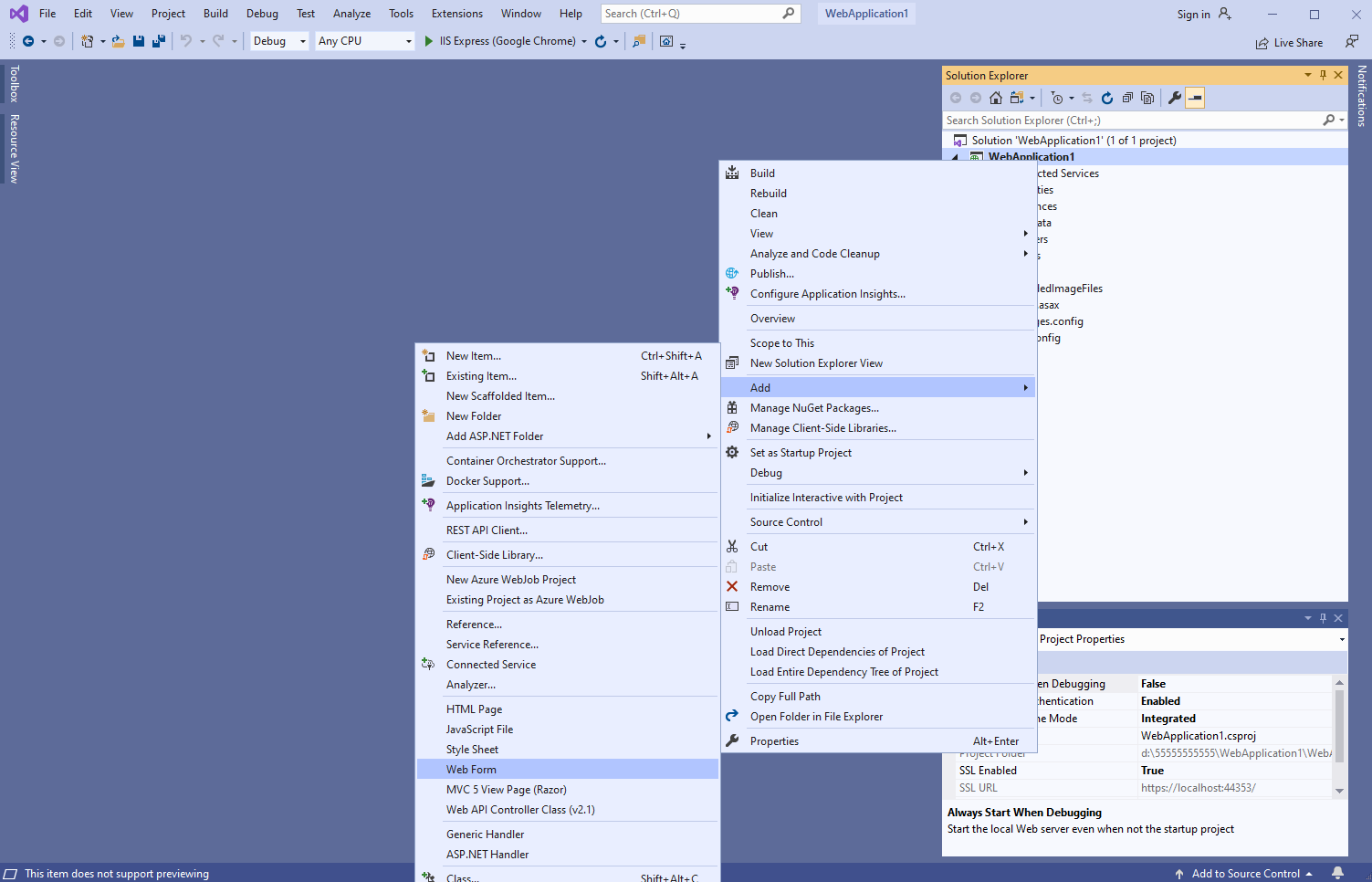
      • Задайте имя веб-формы "Default" => будет открыта созданная веб-форма:
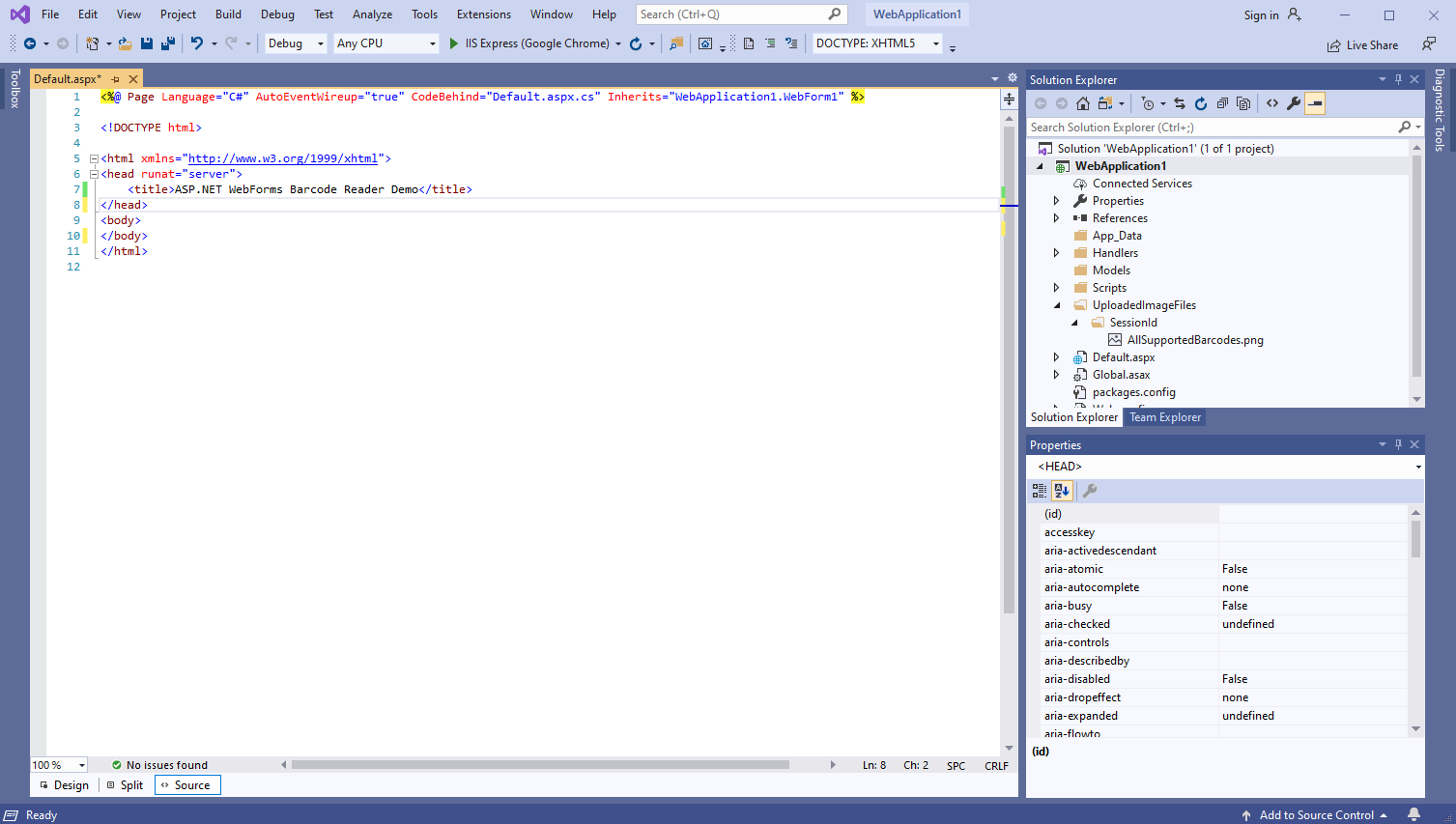
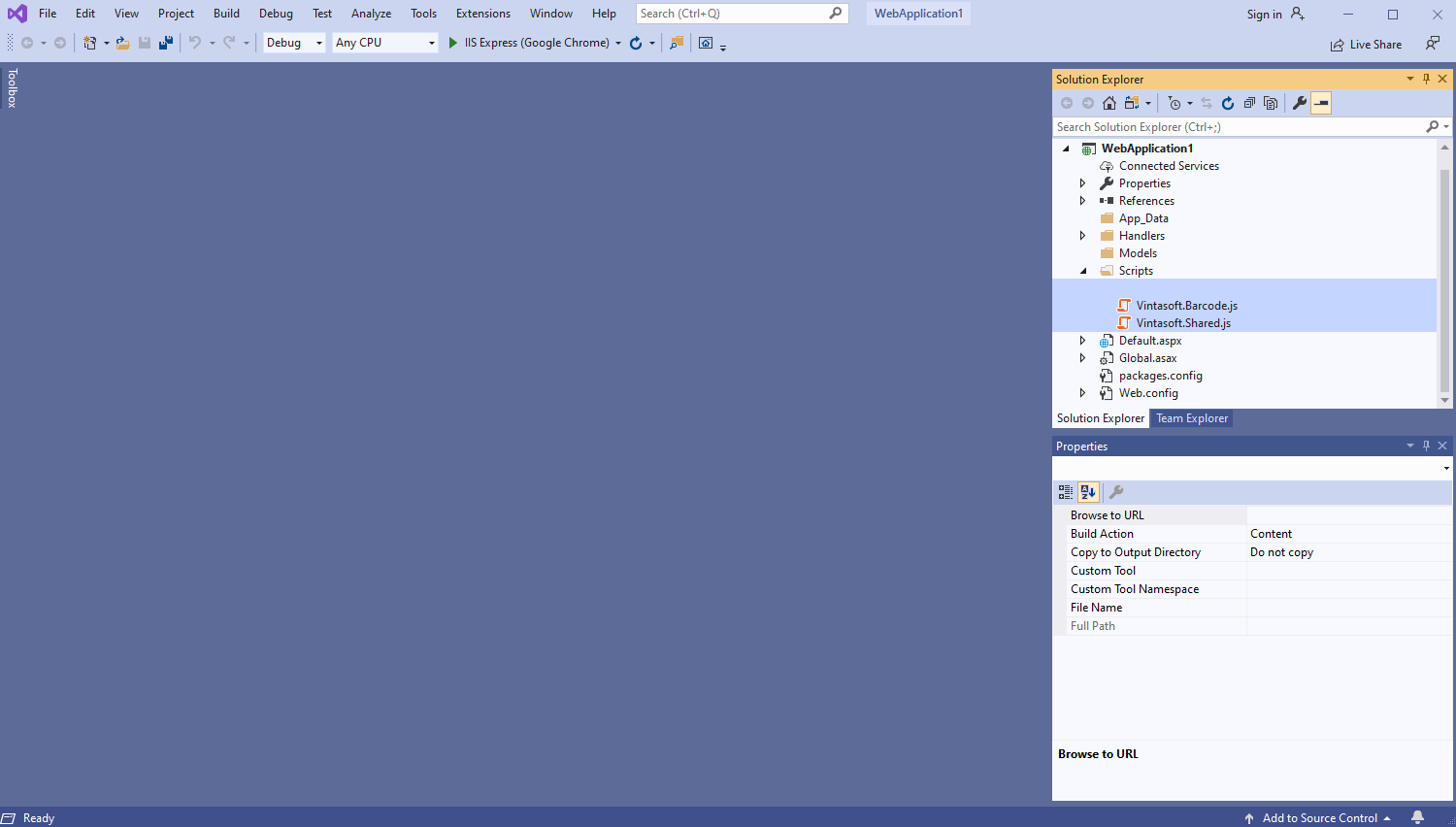
    • Добавьте ссылки на файлы Vintasoft JavaScript:
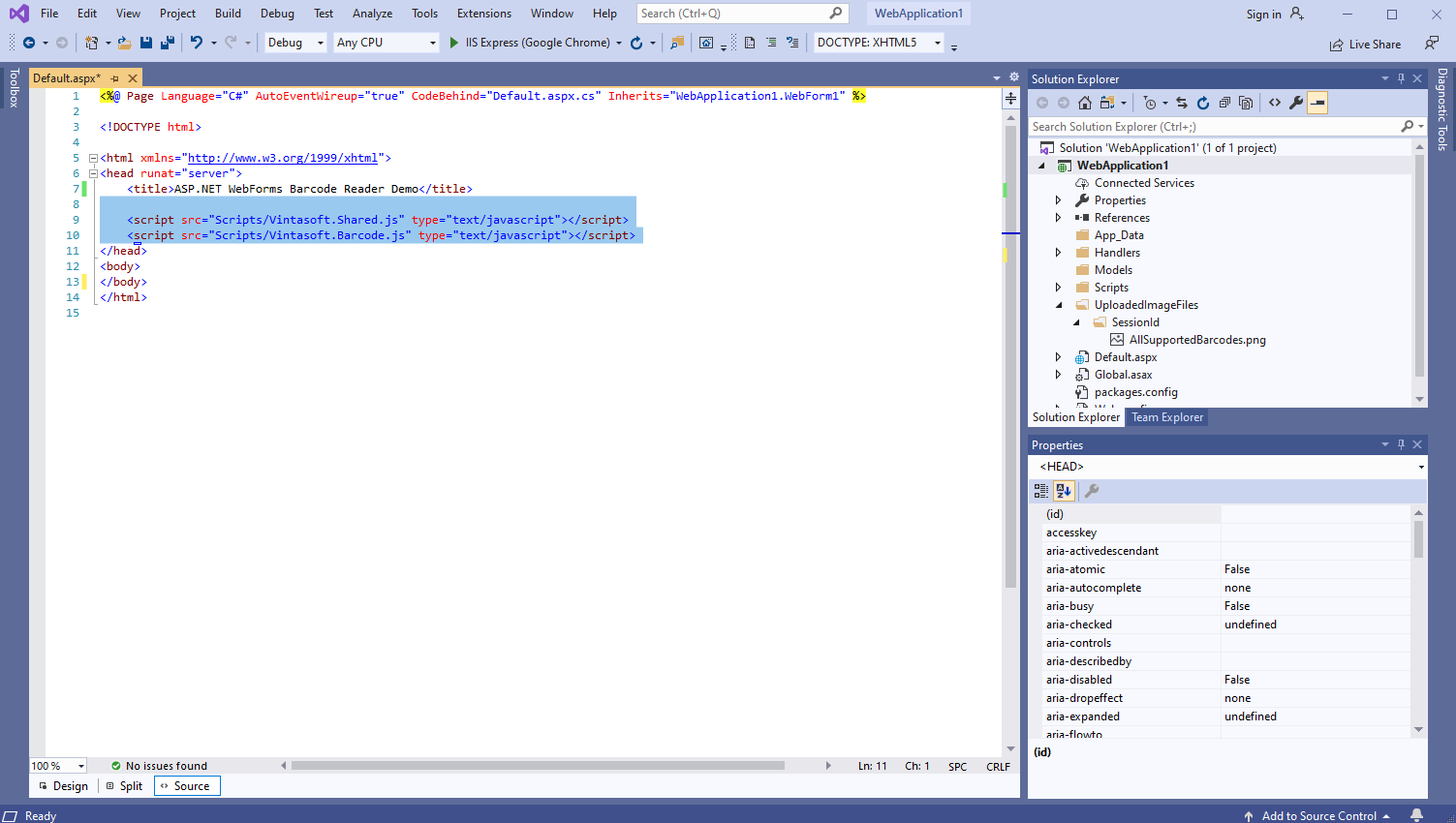
      Вот HTML-код, который добавляет ссылки на файлы Vintasoft JavaScript:
      <script src="~/Scripts/Vintasoft.Shared.js" type="text/javascript"></script>
      <script src="~/Scripts/Vintasoft.Barcode.js" type="text/javascript"></script>
      
      
    • Добавьте в веб-представление HTML-разметку (элемент div, который будет отображать результат распознавания штрих-кода):
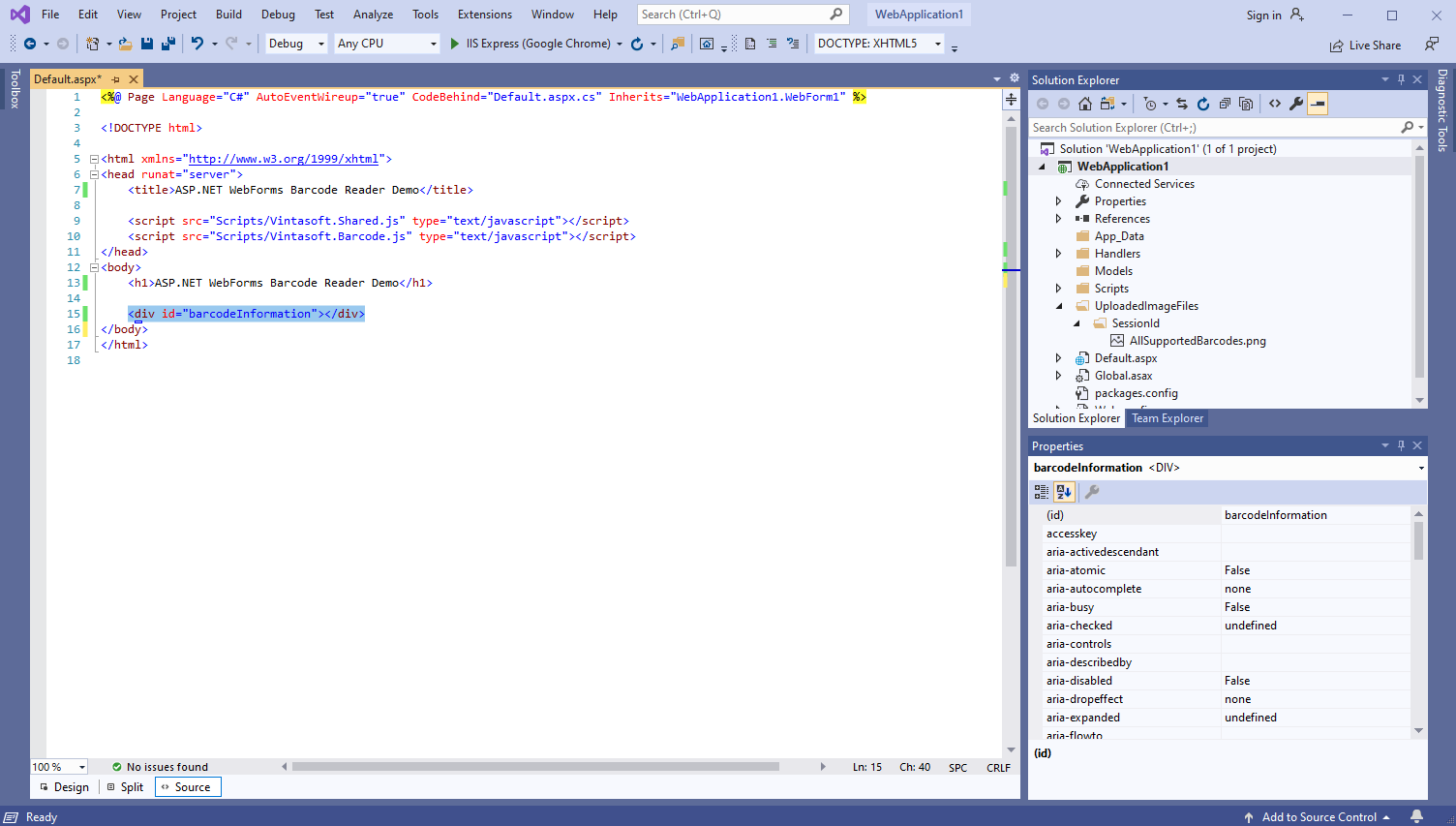
      Вот код HTML-разметки:
      <div id="barcodeInformation"></div>
      
    • Добавьте код JavaScript, который распознаёт штрих-коды и отображает результат распознавания штрих-кодов:
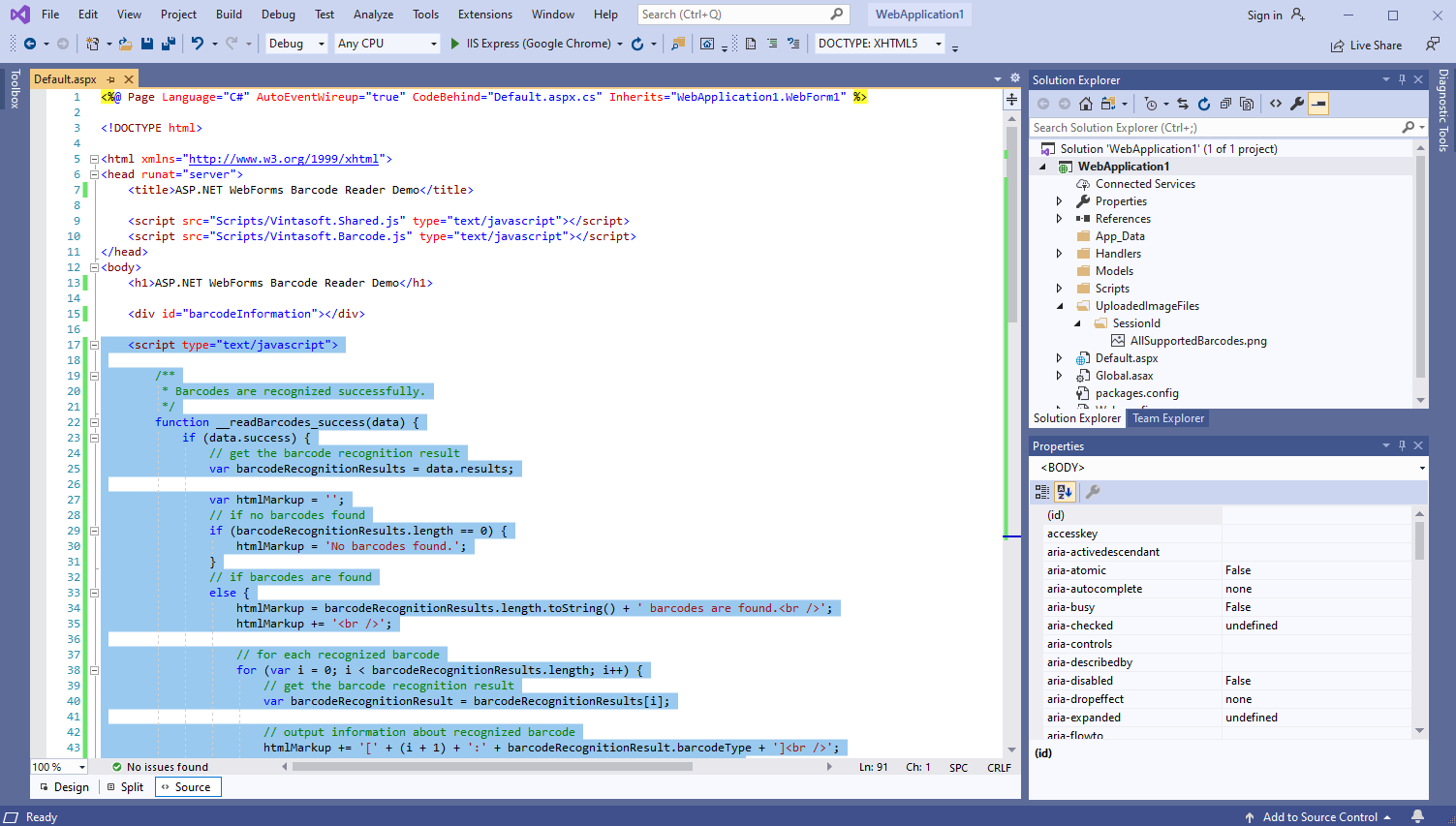
      Вот код JavaScript, который распознаёт штрих-коды и отображает результат распознавания штрих-кодов:
      <script type="text/javascript">
      
          /**
           * Barcodes are recognized successfully.
           */
          function __readBarcodes_success(data) {
              if (data.success) {
                  // get the barcode recognition result
                  var barcodeRecognitionResults = data.results;
      
                  var htmlMarkup = '';
                  // if no barcodes found
                  if (barcodeRecognitionResults.length == 0) {
                      htmlMarkup = 'No barcodes found.';
                  }
                  // if barcodes are found
                  else {
                      htmlMarkup = barcodeRecognitionResults.length.toString() + ' barcodes are found.<br />';
                      htmlMarkup += '<br />';
      
                      // for each recognized barcode
                      for (var i = 0; i < barcodeRecognitionResults.length; i++) {
                          // get the barcode recognition result
                          var barcodeRecognitionResult = barcodeRecognitionResults[i];
      
                          // output information about recognized barcode
                          htmlMarkup += '[' + (i + 1) + ':' + barcodeRecognitionResult.barcodeType + ']<br />';
                          htmlMarkup += '  Value: ' + barcodeRecognitionResult.value + '<br />';
                          htmlMarkup += '  Confidence: ' + barcodeRecognitionResult.confidence + '<br />';
                          htmlMarkup += '  Reading quality: ' + barcodeRecognitionResult.readingQuality.toFixed(2) + '<br />';
                          htmlMarkup += '  Threshold: ' + barcodeRecognitionResult.threshold + '<br />';
                          htmlMarkup += '  Region: ' +
                              'LT=(' + barcodeRecognitionResult.region.leftTop.x + ',' + barcodeRecognitionResult.region.leftTop.y + '); ' +
                              'RT=(' + barcodeRecognitionResult.region.rightTop.x + ',' + barcodeRecognitionResult.region.rightTop.y + '); ' +
                              'LB=(' + barcodeRecognitionResult.region.leftBottom.x + ',' + barcodeRecognitionResult.region.leftBottom.y + '); ' +
                              'RB=(' + barcodeRecognitionResult.region.rightBottom.x + ',' + barcodeRecognitionResult.region.rightBottom.y + '); ' +
                              'Angle=' + barcodeRecognitionResult.region.angle.toFixed(1) + '°<br />';
      
                          htmlMarkup += '<br />';
                      }
                  }
      
                  var barcodeInformationElement = document.getElementById("barcodeInformation");
                  barcodeInformationElement.innerHTML = htmlMarkup;
              }
          }
      
          /**
           * Barcode recognition is failed.
           */
          function __readBarcodes_fail(data) {
              // show information about error
              alert(data.errorMessage);
          }
      
      
          // set the session identifier
          Vintasoft.Shared.WebImagingEnviromentJS.set_SessionId("SessionID");
      
          // create HTTP handler that allows to recognize barcodes in image
          var barcodeService = new Vintasoft.Shared.WebServiceHandlerJS("/Handlers/MyVintasoftBarcodeHandler.ashx");
      
          // create the barcode reader
          var barcodeReader = new Vintasoft.Barcode.WebBarcodeReaderJS(barcodeService);
          // specify that Code39 barcode must be searched
          barcodeReader.get_Settings().set_BarcodeType(new Vintasoft.Barcode.WebBarcodeTypeEnumJS("Code39"));
      
          // create web image that references to a file "AllSupportedBarcodes.png" in directory "/UploadedImageFiles/SessionID/"
          var imageSource = new Vintasoft.Shared.WebImageSourceJS("AllSupportedBarcodes.png");
          var image = new Vintasoft.Shared.WebImageJS(imageSource, 0);
      
          // send an asynchronous request for barcode recognition
          barcodeReader.readBarcodes(image, this.__readBarcodes_success, this.__readBarcodes_fail);
      </script>
      
      
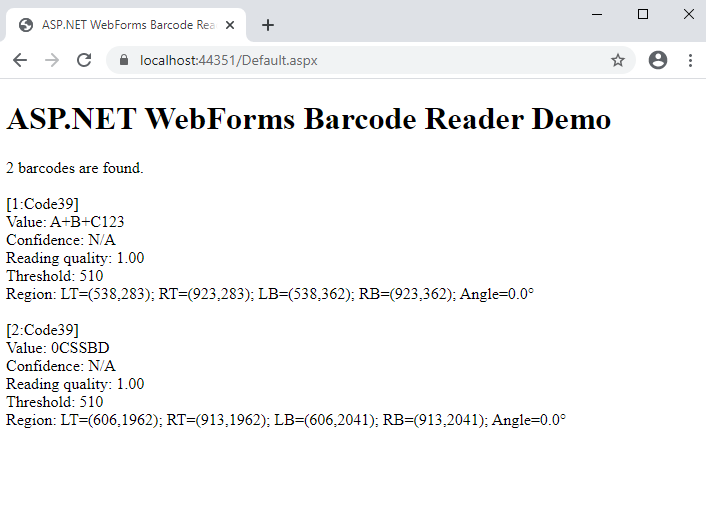
  6. Запустите приложение ASP.NET WebForms и оцените результат.