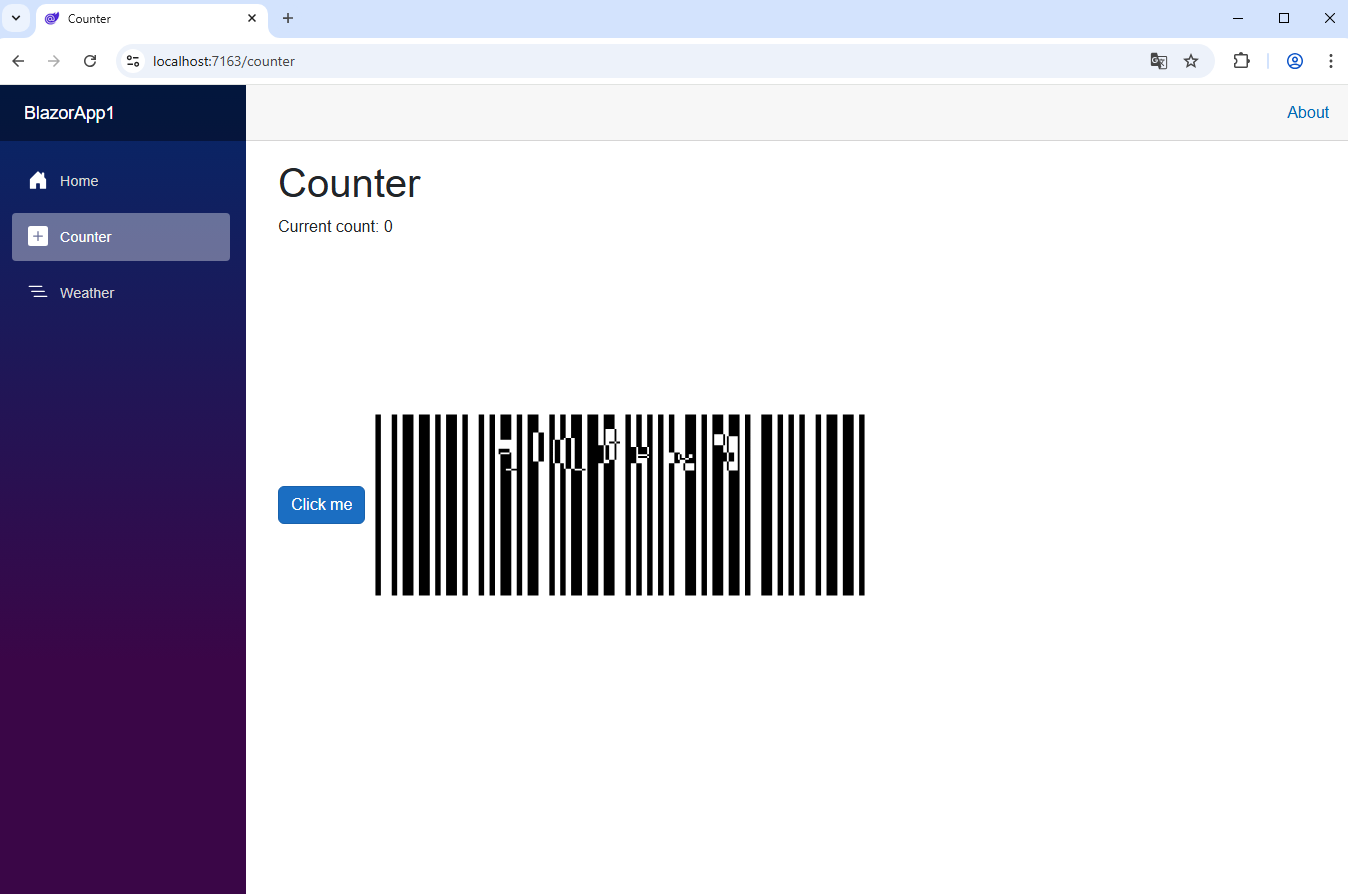
Генерация изображения штрих-кода в Blazor веб приложении
В этом разделе
Данное руководство демонстрирует, как создать пустое веб приложение Blazor в Visual Studio .NET 2026 и сгенерировать изображение штрих-кода в веб приложении Blazor.
Вот шаги, которые необходимо выполнить:
-
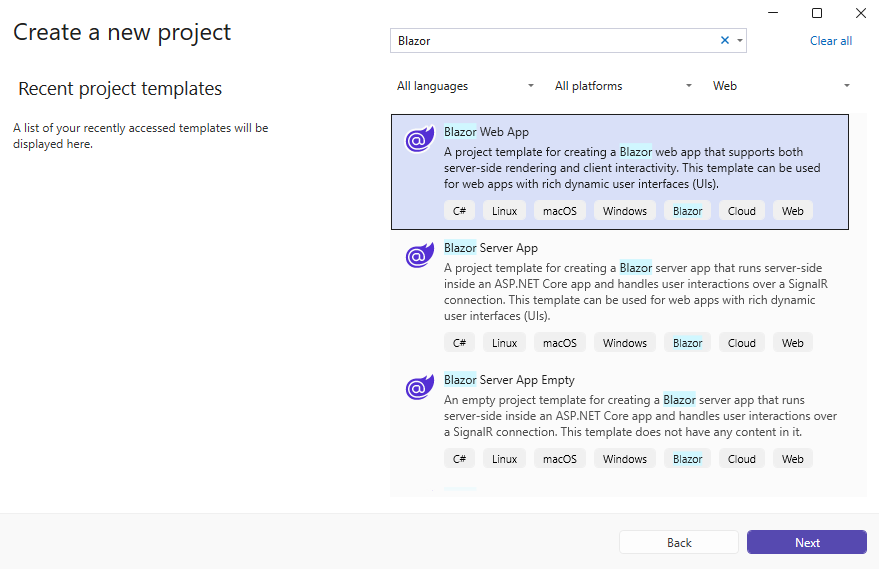
Создайте пустое веб приложение Blazor.
Откройте Visual Studio .NET 2026 и создайте новый проект приложения типа "Blazor Web":
-
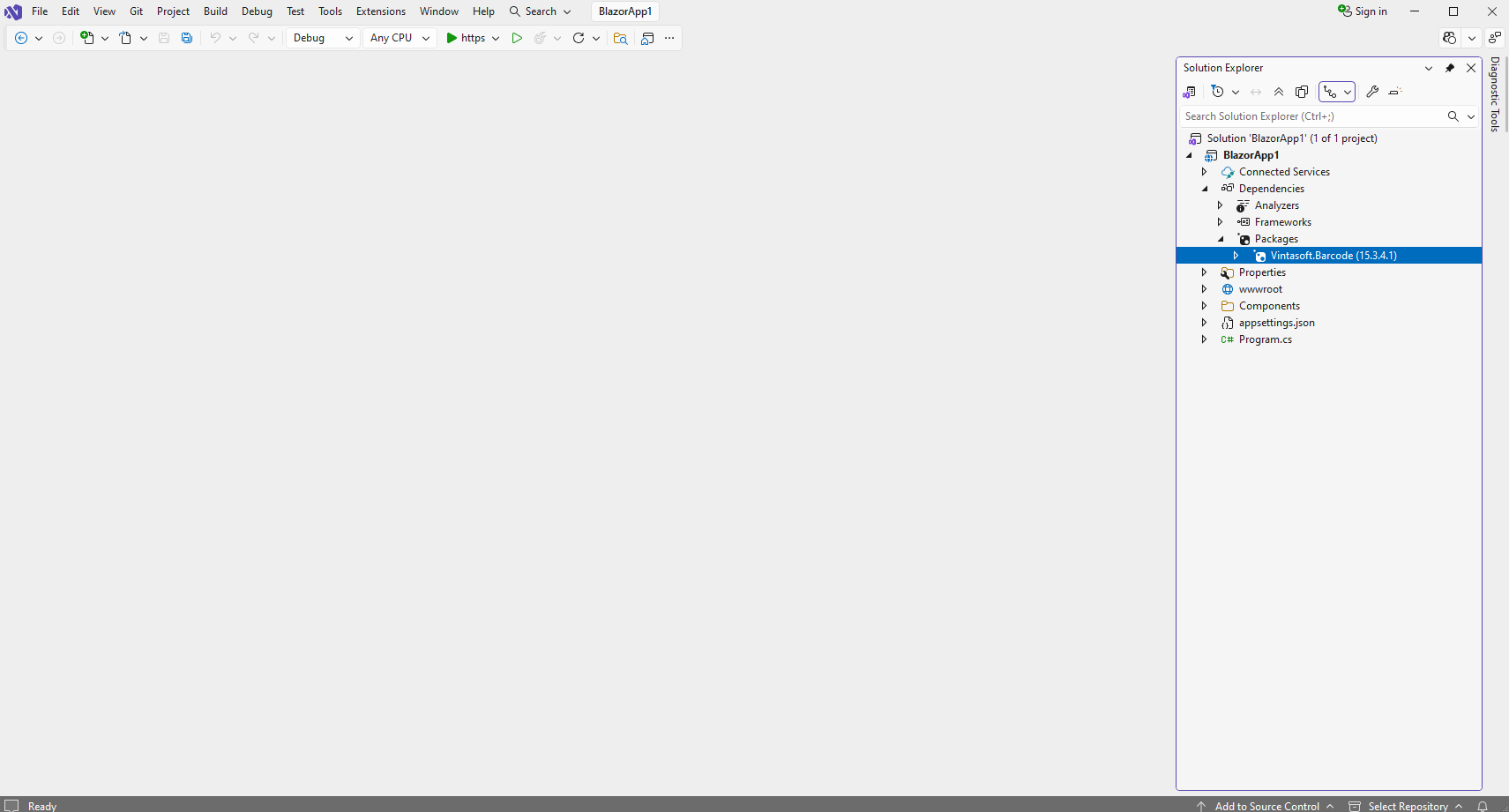
Добавьте в веб приложение Blazor ссылки на nuget-пакет "Vintasoft.Barcode".
Добавить ссылку на nuget-пакет
Vintasoft.Barcode
в веб-проект Blazor.
-
Сгенерируйте изображение штрих-кода на странице Razor.
-
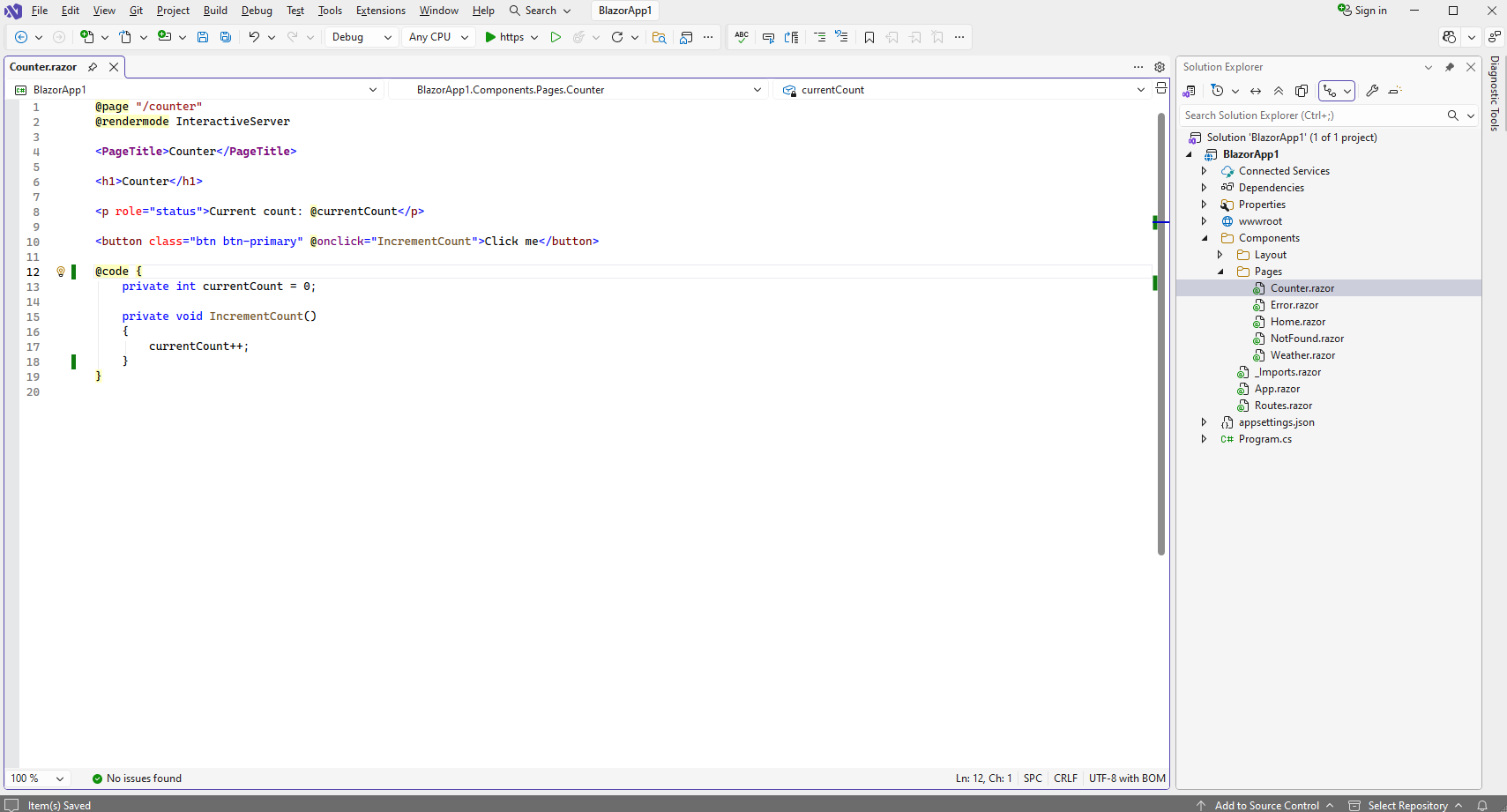
Откройте страницу "Counter.razor"
-
Добавьте элемент "img" на страницу "Counter.razor"
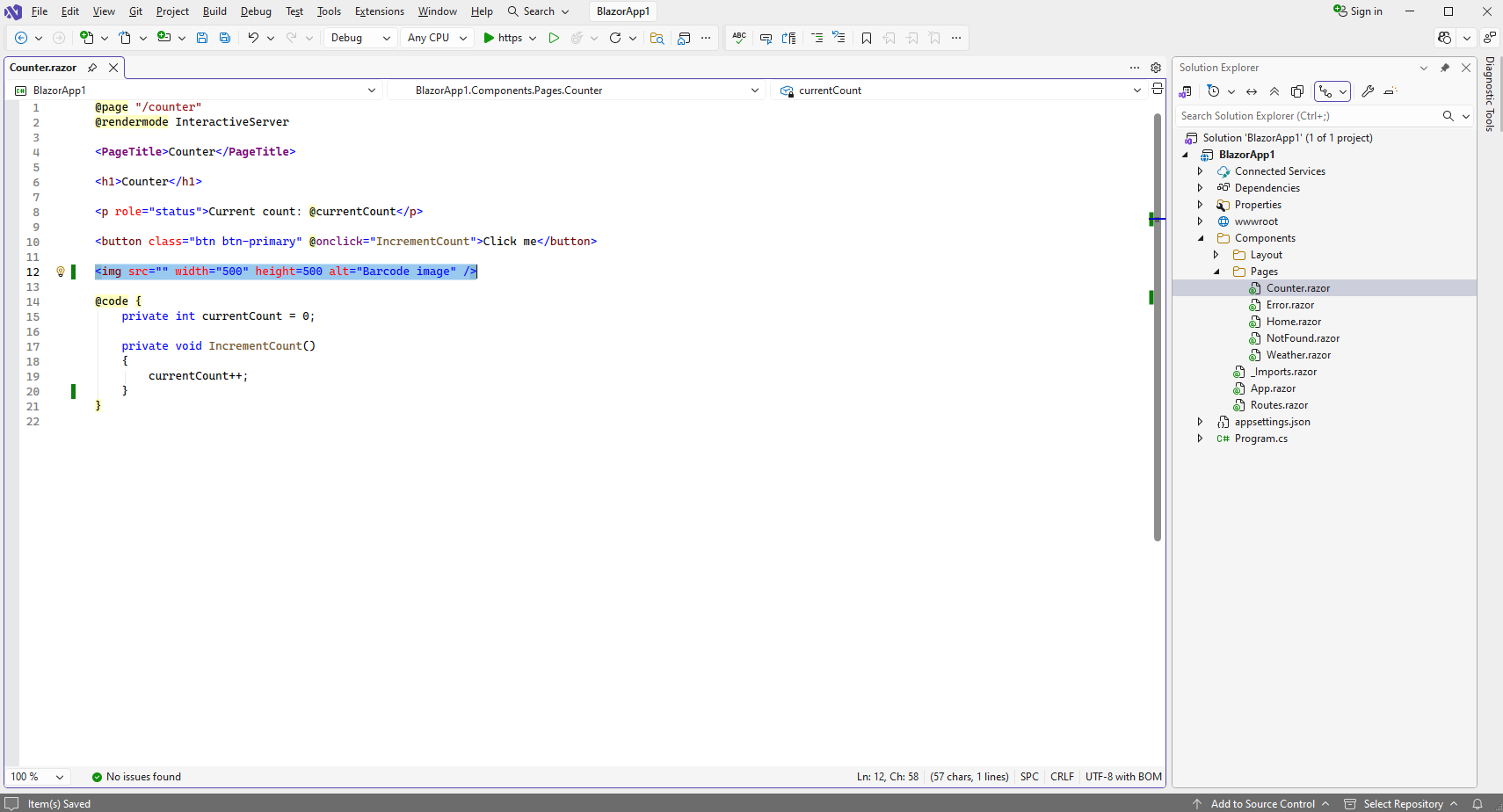
Вот код страницы "Counter.razor" после модификации:
@page "/counter"
@rendermode InteractiveServer

<PageTitle>Counter</PageTitle>

<h1>Counter</h1>

<p role="status">Current count: @currentCount</p>

<button class="btn btn-primary" @onclick="IncrementCount">Click me</button>

<img src="" width="500" height=500 alt="Barcode image" />

@code {
    private int currentCount = 0;

    private void IncrementCount()
    {
        currentCount++;
    }
}
-
Добавьте на страницу "Counter.razor" код C#, который генерирует изображение штрих-кода
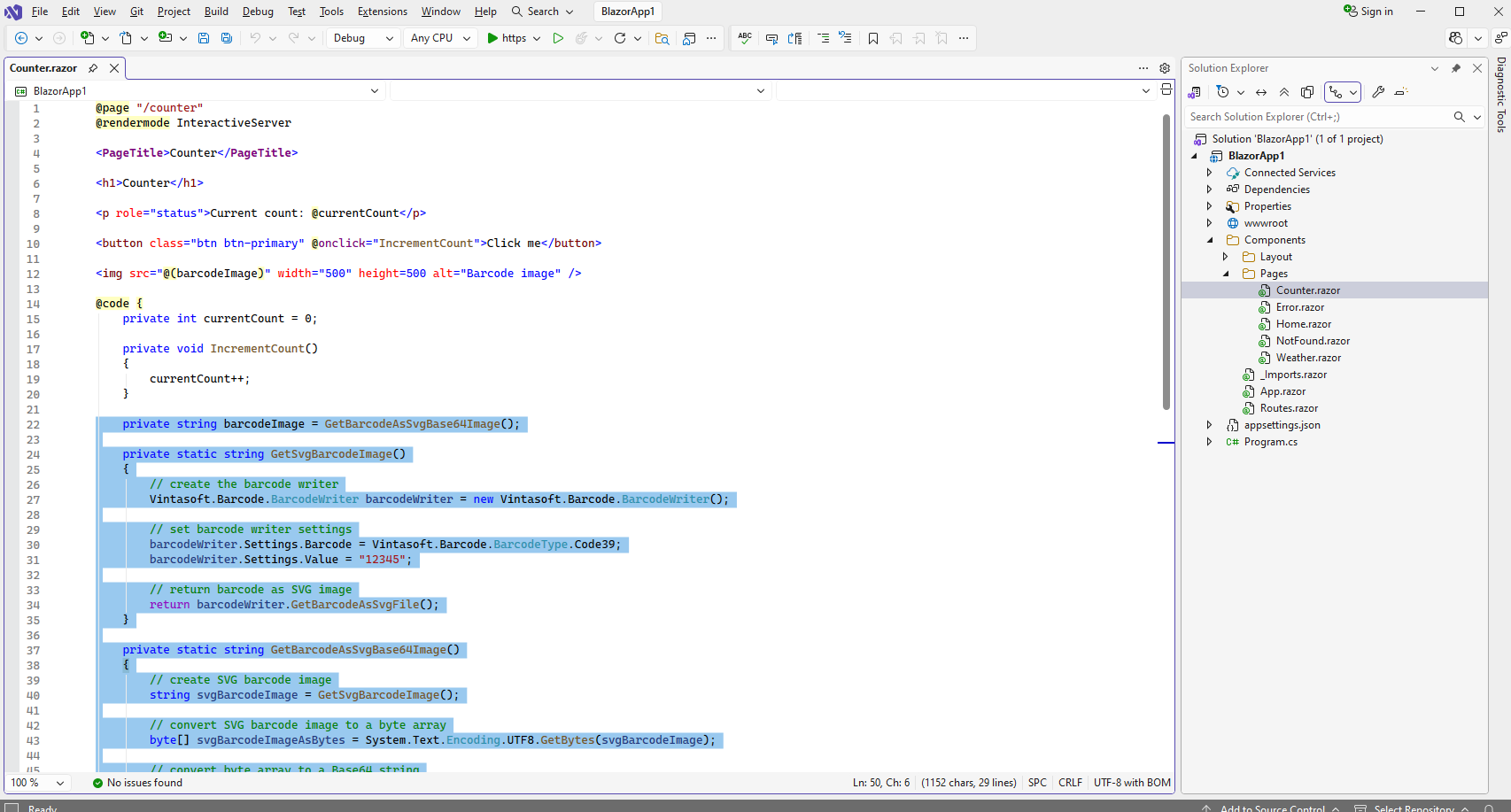
Вот код страницы "Counter.razor" после модификации:
@page "/counter"
@rendermode InteractiveServer

<PageTitle>Counter</PageTitle>

<h1>Counter</h1>

<p role="status">Current count: @currentCount</p>

<button class="btn btn-primary" @onclick="IncrementCount">Click me</button>

<img src="@(barcodeImage)" width="500" height=500 alt="Barcode image" />

@code {
    private int currentCount = 0;

    private void IncrementCount()
    {
        currentCount++;
    }

    private string barcodeImage = GetBarcodeAsSvgBase64Image();

    private static string GetSvgBarcodeImage()
    {
        // create the barcode writer
        Vintasoft.Barcode.BarcodeWriter barcodeWriter = new Vintasoft.Barcode.BarcodeWriter();

        // set barcode writer settings
        barcodeWriter.Settings.Barcode = Vintasoft.Barcode.BarcodeType.Code39;
        barcodeWriter.Settings.Value = "12345";

        // return barcode as SVG image
        return barcodeWriter.GetBarcodeAsSvgFile();
    }

    private static string GetBarcodeAsSvgBase64Image()
    {
        // create SVG barcode image
        string svgBarcodeImage = GetSvgBarcodeImage();

        // convert SVG barcode image to a byte array
        byte[] svgBarcodeImageAsBytes = System.Text.Encoding.UTF8.GetBytes(svgBarcodeImage);

        // convert byte array to a Base64 string
        string svgBarcodeImageAsBase64 = System.Convert.ToBase64String(svgBarcodeImageAsBytes);

        // return string that can be used as source of "img" element
        return string.Format("data:image/svg+xml;base64,{0}", svgBarcodeImageAsBase64);
    }
}
-
Запустите веб приложение Blazor и оцените результат.