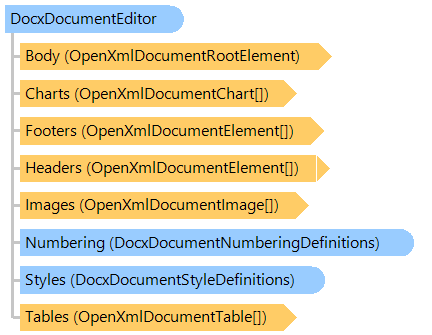
Представляет низкоуровневый редактор документа DOCX.
Вот C#/VB.NET код, который демонстрирует, как найти и заменить текст в документе DOCX (в примере используется документ-шаблонFindAndReplaceText_template.docx):
Public Shared Sub DocxFindAndReplaceTextExample()
    Dim templateFilename As String = "FindAndReplaceText_template.docx"
    Dim outFilename As String = "FindAndReplaceText.docx"
    Dim outPdfFilename As String = "FindAndReplaceText.pdf"

    ' create DocxDocumentEditor that allows to edit file "FindAndReplaceText_template.docx"
    Using editor As New Vintasoft.Imaging.Office.OpenXml.Editor.Docx.DocxDocumentEditor(templateFilename)
        ' get document body
        Dim documentBody As Vintasoft.Imaging.Office.OpenXml.Editor.OpenXmlDocumentElement = editor.Body

        ' replace first occurrence of text "[field1]" by text "value1"
        documentBody("[field1]") = "value1"

        ' replace all occurrences of text "[field2]" by text "value2"
        documentBody.ReplaceText("[field2]", "value2")

        ' find text content that corresponds to the text "[field3]"
        Dim field3Content As Vintasoft.Imaging.Office.OpenXml.Editor.OpenXmlTextContent = documentBody.FindText("[field3]")
        ' change text in found text content
        field3Content.Text = "value3"

        ' replace text "[multiline_field]" by multiline text
        documentBody("[multiline_field]") = vbLf & "line1" & vbLf & "line2" & vbLf & "line3"

        ' save changed document to a DOCX file
        editor.Save(outFilename)

        ' export changed document to a PDF document
        editor.Export(outPdfFilename)
    End Using
End Sub
public static void DocxFindAndReplaceTextExample()
{
    string templateFilename = "FindAndReplaceText_template.docx";
    string outFilename = "FindAndReplaceText.docx";
    string outPdfFilename = "FindAndReplaceText.pdf";

    // create DocxDocumentEditor that allows to edit file "FindAndReplaceText_template.docx"
    using (Vintasoft.Imaging.Office.OpenXml.Editor.Docx.DocxDocumentEditor editor =
        new Vintasoft.Imaging.Office.OpenXml.Editor.Docx.DocxDocumentEditor(templateFilename))
    {
        // get document body
        Vintasoft.Imaging.Office.OpenXml.Editor.OpenXmlDocumentElement documentBody = editor.Body;

        // replace first occurrence of text "[field1]" by text "value1"
        documentBody["[field1]"] = "value1";

        // replace all occurrences of text "[field2]" by text "value2"
        documentBody.ReplaceText("[field2]", "value2");

        // find text content that corresponds to the text "[field3]"
        Vintasoft.Imaging.Office.OpenXml.Editor.OpenXmlTextContent field3Content = documentBody.FindText("[field3]");
        // change text in found text content
        field3Content.Text = "value3";

        // replace text "[multiline_field]" by multiline text
        documentBody["[multiline_field]"] = "\nline1\nline2\nline3";

        // save changed document to a DOCX file
        editor.Save(outFilename);

        // export changed document to a PDF document
        editor.Export(outPdfFilename);
    }
}
Целевые платформы: .NET 11; .NET 10; .NET 9; .NET 8; .NET 6; .NET Framework 4.8, 4.7, 4.6, 4.5, 4.0, 3.5