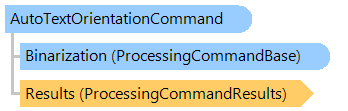
Класс AutoTextOrientationCommand
В этом разделе
Автоматически определяет ориентацию текста в изображении документа и при необходимости поворачивает изображение.
Объектная модель
Синтаксис
Ремарки
Эта команда обработки предназначена для определения ориентации изображений, содержащих в основном текст на латинице, который повернут на угол, кратный 90 градусам (например, отсканированные документы с неизвестной ориентацией).
Команда не предназначена для:
- нетекстовых изображений;
- нелатинского текста;
- латинского текста, состоящего только из заглавных букв;
- повернутого текста с углом поворота, отличным от кратного 90 градусам (используйте DeskewCommand);
- изображений, содержащих всего несколько слов, недостаточно для принятия решения.
Используйте
DeskewCommand перед этой командой, чтобы выровнять повернутое изображение. Используйте другие команды обработки перед этой командой, чтобы улучшить качество обнаружения зашумленного изображения.
Пример
Вот C#/VB.NET код, который демонстрирует, как загрузить изображение с диска, автоматически исправить ориентацию текста и сохранить результат в новый файл изображения.
''' <summary>
''' Applies auto text orientation and saves the result to the specified file.
''' </summary>
''' <param name="sourceFile">Source file.</param>
''' <param name="resultFile">Result file.</param>
Public Sub ApplyAutoTextOrientation(sourceFile As String, resultFile As String)
    Using image As New Vintasoft.Imaging.VintasoftImage(sourceFile)
        ' create deskew command
        Dim deskew As New Vintasoft.Imaging.ImageProcessing.Document.DeskewCommand()

        ' create auto text orientation command
        Dim autoTextOrientation As New Vintasoft.Imaging.ImageProcessing.Document.AutoTextOrientationCommand()

        Try
            ' apply deskew command
            deskew.ExecuteInPlace(image)

            ' apply auto text orientation command
            autoTextOrientation.ExecuteInPlace(image)
        Catch ex As Vintasoft.Imaging.ImageProcessing.ImageProcessingException
            ' show error message if problem occured
            System.Windows.Forms.MessageBox.Show(ex.Message)
            Return
        End Try

        ' save the result image to file
        image.Save(resultFile)
    End Using
End Sub
/// <summary>
/// Applies auto text orientation and saves the result to the specified file.
/// </summary>
/// <param name="sourceFile">Source file.</param>
/// <param name="resultFile">Result file.</param>
public void ApplyAutoTextOrientation(string sourceFile, string resultFile)
{
    using (Vintasoft.Imaging.VintasoftImage image =
        new Vintasoft.Imaging.VintasoftImage(sourceFile))
    {
        // create deskew command
        Vintasoft.Imaging.ImageProcessing.Document.DeskewCommand deskew =
            new Vintasoft.Imaging.ImageProcessing.Document.DeskewCommand();

        // create auto text orientation command
        Vintasoft.Imaging.ImageProcessing.Document.AutoTextOrientationCommand autoTextOrientation =
            new Vintasoft.Imaging.ImageProcessing.Document.AutoTextOrientationCommand();

        try
        {
            // apply deskew command
            deskew.ExecuteInPlace(image);

            // apply auto text orientation command
            autoTextOrientation.ExecuteInPlace(image);
        }
        catch (Vintasoft.Imaging.ImageProcessing.ImageProcessingException ex)
        {
            // show error message if problem occured
            System.Windows.Forms.MessageBox.Show(ex.Message);
            return;
        }

        // save the result image to file
        image.Save(resultFile);
    }
}
Иерархия наследования
System.Object
Vintasoft.Imaging.ImageProcessing.ProcessingCommandBase
Vintasoft.Imaging.ImageProcessing.Document.AutoTextOrientationCommand
Требования
Целевые платформы: .NET 11; .NET 10; .NET 9; .NET 8; .NET 6; .NET Framework 4.8, 4.7, 4.6, 4.5, 4.0, 3.5
Смотрите также