В этом разделе
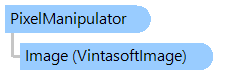
Обеспечивает доступ к пикселям объекта
VintasoftImage.
Объектная модель
Синтаксис
'Declaration

Public NotInheritable Class PixelManipulator
public sealed class PixelManipulator
public __gc __sealed class PixelManipulator
public ref class PixelManipulator sealed
Ремарки
Все параметры метода, определяющие координаты изображения, должны быть указаны в координатах заблокированной области. Например, координата (1; 0) должна использоваться для получения информации о пиксельных данных с координатами (11; 20), если изображение заблокировано из точки (10; 20).
Пример
Вот C#/VB.NET код, который демонстрирует, как считывать строку развертки с изображения, изменять значение компонента синего цвета и сохранять изменения.
Class PixelManipulatorExample
    Public Sub RunExample()
        ' load an 24-bpp RGB image from disk
        ' [ do not forget to set your image file path here! ]
        Dim image As New Vintasoft.Imaging.VintasoftImage("c:\original-image.tif")

        ' get the PixelManipulator object
        Dim pixelManipulator As Vintasoft.Imaging.PixelManipulator = image.OpenPixelManipulator()
        ' set the lock area to full image size
        Dim lockRectangle As New System.Drawing.Rectangle(0, 0, image.Width, image.Height)
        ' lock pixels for read and write
        pixelManipulator.LockPixels(lockRectangle, Vintasoft.Imaging.BitmapLockMode.ReadWrite)
        ' remebmer the stride for performance purposes
        Dim stride As Integer = pixelManipulator.Stride

        ' process image
        For y As Integer = 0 To image.Height - 1
            ' read the next scan line
            Dim row As Byte() = pixelManipulator.ReadRowData(y)
            For i As Integer = 0 To stride - 1 Step 3
                ' set every blue color component value to zero
                row(i) = 0
            Next
            ' write the modified scan line
            pixelManipulator.WriteRowData(y, row)
        Next

        ' unlock pixels
        pixelManipulator.UnlockPixels()
        ' close PixelManipulator and generate the Vintasoft.Imaging.VintasoftImage.Changed event
        image.ClosePixelManipulator(True)

        ' save the processed image to the new file
        image.Save("c:\processed-image.tif")
    End Sub

End Class
class PixelManipulatorExample
{
    public void RunExample()
    {
        // load an 24-bpp RGB image from disk
        // [ do not forget to set your image file path here! ]
        Vintasoft.Imaging.VintasoftImage image =
            new Vintasoft.Imaging.VintasoftImage(@"c:\original-image.tif");

        // get the PixelManipulator object
        Vintasoft.Imaging.PixelManipulator pixelManipulator = image.OpenPixelManipulator();
        // set the lock area to full image size
        System.Drawing.Rectangle lockRectangle =
            new System.Drawing.Rectangle(0, 0, image.Width, image.Height);
        // lock pixels for read and write
        pixelManipulator.LockPixels(lockRectangle, Vintasoft.Imaging.BitmapLockMode.ReadWrite);
        // remebmer the stride for performance purposes
        int stride = pixelManipulator.Stride;

        // process image
        for (int y = 0; y < image.Height; y++)
        {
            // read the next scan line
            byte[] row = pixelManipulator.ReadRowData(y);
            for (int i = 0; i < stride; i += 3)
            {
                // set every blue color component value to zero
                row[i] = 0;
            }
            // write the modified scan line
            pixelManipulator.WriteRowData(y, row);
        }

        // unlock pixels
        pixelManipulator.UnlockPixels();
        // close PixelManipulator and generate the Vintasoft.Imaging.VintasoftImage.Changed event
        image.ClosePixelManipulator(true);

        // save the processed image to the new file
        image.Save(@"c:\processed-image.tif");
    }

}
Иерархия наследования
System.Object
Vintasoft.Imaging.PixelManipulator
Требования
Целевые платформы: .NET 11; .NET 10; .NET 9; .NET 8; .NET 6; .NET Framework 4.8, 4.7, 4.6, 4.5, 4.0, 3.5
Смотрите также