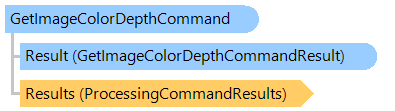
Класс GetImageColorDepthCommand
В этом разделе
Вычисляет реальную глубину цвета изображения.
Объектная модель
Синтаксис
'Declaration

Public Class GetImageColorDepthCommand
   Inherits Vintasoft.Imaging.ImageProcessing.ProcessingCommandBase
public class GetImageColorDepthCommand : Vintasoft.Imaging.ImageProcessing.ProcessingCommandBase
public __gc class GetImageColorDepthCommand : public Vintasoft.Imaging.ImageProcessing.ProcessingCommandBase*
public ref class GetImageColorDepthCommand : public Vintasoft.Imaging.ImageProcessing.ProcessingCommandBase^
Пример
Вот C#/VB.NET код, который демонстрирует, как сохранить коллекцию изображений, используя определение глубины цвета изображения для определения оптимальных настроек сжатия.
''' <summary>
''' Detects color depth for each saving image and saves images with optimal compression settings.
''' </summary>
''' <param name="images">An image collection, which must be saved.</param>
''' <param name="outputFilename">A name of output file.</param>
Public Sub SaveImagesUsingOptimalCompression(images As Vintasoft.Imaging.ImageCollection, outputFilename As String)
    ' create TIFF encoder
    Using tiffEncoder As New Vintasoft.Imaging.Codecs.Encoders.TiffEncoder()
        ' subscribe to the image saving event
        AddHandler tiffEncoder.ImageSaving, New System.EventHandler(Of Vintasoft.Imaging.ImageSavingEventArgs)(AddressOf TiffEncoder_ImageSaving)

        ' save image collection using TIFF encoder
        images.SaveSync(outputFilename, tiffEncoder)
    End Using
End Sub

''' <summary>
''' Image is saving.
''' </summary>
Private Sub TiffEncoder_ImageSaving(sender As Object, e As Vintasoft.Imaging.ImageSavingEventArgs)
    ' create the command for detecting the real image color depth
    Dim getImageColorDepth As New Vintasoft.Imaging.ImageProcessing.Info.GetImageColorDepthCommand()

    ' set command settings
    getImageColorDepth.DetectBlackWhite = True
    getImageColorDepth.DetectGrayscale = True
    getImageColorDepth.DetectIndexed1 = True
    getImageColorDepth.DetectIndexed4 = False
    getImageColorDepth.DetectIndexed8 = True
    getImageColorDepth.MaxInaccuracy = 0

    ' get TIFF encoder settings
    Dim tiffEncoder As Vintasoft.Imaging.Codecs.Encoders.TiffEncoder = DirectCast(sender, Vintasoft.Imaging.Codecs.Encoders.TiffEncoder)
    Dim settings As Vintasoft.Imaging.Codecs.Encoders.TiffEncoderSettings = tiffEncoder.Settings

    ' set the default compression settings
    settings.SaveJpegAsGrayscale = False
    settings.Compression = Vintasoft.Imaging.Codecs.ImageFiles.Tiff.TiffCompression.Auto

    ' if image pixel format is not supported
    If Not getImageColorDepth.IsPixelFormatSupported(e.Image.PixelFormat) Then
        Return
    End If

    ' execute the command
    getImageColorDepth.ExecuteInPlace(e.Image)

    ' get resulting pixel format of the image
    Dim imagePixelFormat As Vintasoft.Imaging.PixelFormat = getImageColorDepth.Result.PixelFormat

    ' set compression settings depending on the image pixel format
    Select Case imagePixelFormat
        Case (Vintasoft.Imaging.PixelFormat.Indexed1), (Vintasoft.Imaging.PixelFormat.BlackWhite)
            settings.Compression = Vintasoft.Imaging.Codecs.ImageFiles.Tiff.TiffCompression.CcittGroup4
            Exit Select
        Case (Vintasoft.Imaging.PixelFormat.Indexed8)
            settings.Compression = Vintasoft.Imaging.Codecs.ImageFiles.Tiff.TiffCompression.Zip
            Exit Select
        Case (Vintasoft.Imaging.PixelFormat.Gray8)
            settings.Compression = Vintasoft.Imaging.Codecs.ImageFiles.Tiff.TiffCompression.Jpeg
            settings.SaveJpegAsGrayscale = True
            Exit Select
        Case (Vintasoft.Imaging.PixelFormat.Bgr24)
            settings.Compression = Vintasoft.Imaging.Codecs.ImageFiles.Tiff.TiffCompression.Jpeg
            Exit Select
        Case Else
            Exit Select
    End Select
End Sub
/// <summary>
/// Detects color depth for each saving image and saves images with optimal compression settings.
/// </summary>
/// <param name="images">An image collection, which must be saved.</param>
/// <param name="outputFilename">A name of output file.</param>
public void SaveImagesUsingOptimalCompression(Vintasoft.Imaging.ImageCollection images, string outputFilename)
{
    // create TIFF encoder
    using (Vintasoft.Imaging.Codecs.Encoders.TiffEncoder tiffEncoder =
        new Vintasoft.Imaging.Codecs.Encoders.TiffEncoder())
    {
        // subscribe to the image saving event
        tiffEncoder.ImageSaving += new System.EventHandler<Vintasoft.Imaging.ImageSavingEventArgs>(TiffEncoder_ImageSaving);

        // save image collection using TIFF encoder
        images.SaveSync(outputFilename, tiffEncoder);
    }
}

/// <summary>
/// Image is saving.
/// </summary>
private void TiffEncoder_ImageSaving(object sender, Vintasoft.Imaging.ImageSavingEventArgs e)
{
    // create the command for detecting the real image color depth
    Vintasoft.Imaging.ImageProcessing.Info.GetImageColorDepthCommand getImageColorDepth =
        new Vintasoft.Imaging.ImageProcessing.Info.GetImageColorDepthCommand();

    // set command settings
    getImageColorDepth.DetectBlackWhite = true;
    getImageColorDepth.DetectGrayscale = true;
    getImageColorDepth.DetectIndexed1 = true;
    getImageColorDepth.DetectIndexed4 = false;
    getImageColorDepth.DetectIndexed8 = true;
    getImageColorDepth.MaxInaccuracy = 0;

    // get TIFF encoder settings
    Vintasoft.Imaging.Codecs.Encoders.TiffEncoder tiffEncoder =
        (Vintasoft.Imaging.Codecs.Encoders.TiffEncoder)sender;
    Vintasoft.Imaging.Codecs.Encoders.TiffEncoderSettings settings = tiffEncoder.Settings;

    // set the default compression settings
    settings.SaveJpegAsGrayscale = false;
    settings.Compression = Vintasoft.Imaging.Codecs.ImageFiles.Tiff.TiffCompression.Auto;

    // if image pixel format is not supported
    if (!getImageColorDepth.IsPixelFormatSupported(e.Image.PixelFormat))
    {
        return;
    }

    // execute the command
    getImageColorDepth.ExecuteInPlace(e.Image);

    // get resulting pixel format of the image
    Vintasoft.Imaging.PixelFormat imagePixelFormat = getImageColorDepth.Result.PixelFormat;

    // set compression settings depending on the image pixel format
    switch (imagePixelFormat)
    {
        case (Vintasoft.Imaging.PixelFormat.Indexed1):
        case (Vintasoft.Imaging.PixelFormat.BlackWhite):
            settings.Compression = Vintasoft.Imaging.Codecs.ImageFiles.Tiff.TiffCompression.CcittGroup4;
            break;
        case (Vintasoft.Imaging.PixelFormat.Indexed8):
            settings.Compression = Vintasoft.Imaging.Codecs.ImageFiles.Tiff.TiffCompression.Zip;
            break;
        case (Vintasoft.Imaging.PixelFormat.Gray8):
            settings.Compression = Vintasoft.Imaging.Codecs.ImageFiles.Tiff.TiffCompression.Jpeg;
            settings.SaveJpegAsGrayscale = true;
            break;
        case (Vintasoft.Imaging.PixelFormat.Bgr24):
            settings.Compression = Vintasoft.Imaging.Codecs.ImageFiles.Tiff.TiffCompression.Jpeg;
            break;
        default:
            break;
    }
}
Иерархия наследования
System.Object
Vintasoft.Imaging.ImageProcessing.ProcessingCommandBase
Vintasoft.Imaging.ImageProcessing.Info.GetImageColorDepthCommand
Требования
Целевые платформы: .NET 11; .NET 10; .NET 9; .NET 8; .NET 6; .NET Framework 4.8, 4.7, 4.6, 4.5, 4.0, 3.5
Смотрите также
Справочник
Члены типа GetImageColorDepthCommand
Пространство имен Vintasoft.Imaging.ImageProcessing.Info