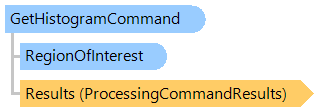
Класс GetHistogramCommand
В этом разделе
Возвращает информацию о гистограмме изображения.
Объектная модель
Синтаксис
'Declaration

Public Class GetHistogramCommand
   Inherits Vintasoft.Imaging.ImageProcessing.ProcessingCommandWithRegion
public class GetHistogramCommand : Vintasoft.Imaging.ImageProcessing.ProcessingCommandWithRegion
public __gc class GetHistogramCommand : public Vintasoft.Imaging.ImageProcessing.ProcessingCommandWithRegion*
public ref class GetHistogramCommand : public Vintasoft.Imaging.ImageProcessing.ProcessingCommandWithRegion^
Пример
Вот C#/VB.NET код, который демонстрирует, как загрузить изображение с диска и рассчитать гистограмму изображения.
Class GetHistogramCommandExample
    Public Sub ProcessImage()
        ' [ do not forget to set your image file path here! ]
        ' create an image collection
        Using images As New Vintasoft.Imaging.ImageCollection()
            ' add image to the image collection
            images.Add("Deskew.tif")
            Try
                ' create the image processing command
                Dim command As New Vintasoft.Imaging.ImageProcessing.Info.GetHistogramCommand()
                command.HistogramType = Vintasoft.Imaging.ImageProcessing.HistogramType.Luminosity

                ' subscribe to progress event of image processing command
                AddHandler command.Progress, New System.EventHandler(Of Vintasoft.Imaging.ImageProcessing.ImageProcessingProgressEventArgs)(AddressOf command_Progress)

                Try
                    ' for each image in image collection
                    For Each image As Vintasoft.Imaging.VintasoftImage In images
                        ' apply the image processing command to the image
                        command.ExecuteInPlace(image)

                        Dim luminosityHistogram As Integer() = command.LuminosityHistogram
                        Dim luminosityHistogramString As String = String.Empty

                        For i As Integer = 0 To luminosityHistogram.Length - 2
                            luminosityHistogramString += String.Format("{0} ", luminosityHistogram(i))
                        Next
                        luminosityHistogramString += String.Format("{0}", luminosityHistogram(luminosityHistogram.Length - 1))

                        System.Windows.Forms.MessageBox.Show(String.Format("Luminosity histogram: {0}.", luminosityHistogramString))
                    Next
                Catch ex As Vintasoft.Imaging.ImageProcessing.ImageProcessingException
                    ' show error message
                    System.Windows.Forms.MessageBox.Show(ex.Message)
                    Return
                End Try
            Finally
                images.ClearAndDisposeItems()
            End Try
        End Using
    End Sub

    Private Sub command_Progress(sender As Object, e As Vintasoft.Imaging.ImageProcessing.ImageProcessingProgressEventArgs)
        ' update progress info using e.Progress property
        ' ...

        ' cancel execution of command using e.Cancel property if necessary
        ' ...
    End Sub
End Class
class GetHistogramCommandExample
{
    public void ProcessImage()
    {
        // [ do not forget to set your image file path here! ]
        // create an image collection
        using (Vintasoft.Imaging.ImageCollection images = new Vintasoft.Imaging.ImageCollection())
        {
            // add image to the image collection
            images.Add("Deskew.tif");
            try
            {
                // create the image processing command
                Vintasoft.Imaging.ImageProcessing.Info.GetHistogramCommand command =
                    new Vintasoft.Imaging.ImageProcessing.Info.GetHistogramCommand();
                command.HistogramType = Vintasoft.Imaging.ImageProcessing.HistogramType.Luminosity;

                // subscribe to progress event of image processing command
                command.Progress +=
                    new System.EventHandler<Vintasoft.Imaging.ImageProcessing.ImageProcessingProgressEventArgs>(command_Progress);

                try
                {
                    // for each image in image collection
                    foreach (Vintasoft.Imaging.VintasoftImage image in images)
                    {
                        // apply the image processing command to the image
                        command.ExecuteInPlace(image);

                        int[] luminosityHistogram = command.LuminosityHistogram;
                        string luminosityHistogramString = string.Empty;

                        for (int i = 0; i < luminosityHistogram.Length - 1; i++)
                            luminosityHistogramString += string.Format("{0} ", luminosityHistogram[i]);
                        luminosityHistogramString += string.Format("{0}", luminosityHistogram[luminosityHistogram.Length - 1]);

                        System.Windows.Forms.MessageBox.Show(string.Format("Luminosity histogram: {0}.", luminosityHistogramString));
                    }
                }
                catch (Vintasoft.Imaging.ImageProcessing.ImageProcessingException ex)
                {
                    // show error message
                    System.Windows.Forms.MessageBox.Show(ex.Message);
                    return;
                }
            }
            finally
            {
                images.ClearAndDisposeItems();
            }
        }
    }

    void command_Progress(object sender, Vintasoft.Imaging.ImageProcessing.ImageProcessingProgressEventArgs e)
    {
        // update progress info using e.Progress property
        // ...

        // cancel execution of command using e.Cancel property if necessary
        // ...
    }
}
Иерархия наследования
System.Object
Vintasoft.Imaging.ImageProcessing.ProcessingCommandBase
Vintasoft.Imaging.ImageProcessing.ProcessingCommandWithRegion
Vintasoft.Imaging.ImageProcessing.Info.GetHistogramCommand
Требования
Целевые платформы: .NET 11; .NET 10; .NET 9; .NET 8; .NET 6; .NET Framework 4.8, 4.7, 4.6, 4.5, 4.0, 3.5
Смотрите также