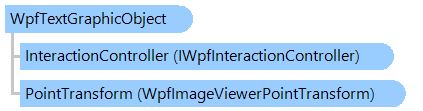
Класс WpfTextGraphicObject
В этом разделе
Представляет статический текст, который можно отобразить в просмотрщике изображений.
Объектная модель
Синтаксис
'Declaration

<UidPropertyAttribute()>
<TypeDescriptionProviderAttribute("TypeName = MS.Internal.ComponentModel.DependencyObjectProvider")>
<NameScopePropertyAttribute("Name = NameScope", "Type = System.Windows.NameScope")>
Public Class WpfTextGraphicObject
   Inherits WpfRectangularGraphicObject
[UidProperty()]
[TypeDescriptionProvider("TypeName = MS.Internal.ComponentModel.DependencyObjectProvider")]
[NameScopeProperty("Name = NameScope", "Type = System.Windows.NameScope")]
public class WpfTextGraphicObject : WpfRectangularGraphicObject
[UidProperty()]
[TypeDescriptionProvider("TypeName = MS.Internal.ComponentModel.DependencyObjectProvider")]
[NameScopeProperty("Name = NameScope", "Type = System.Windows.NameScope")]
public __gc class WpfTextGraphicObject : public WpfRectangularGraphicObject*
[UidProperty()]
[TypeDescriptionProvider("TypeName = MS.Internal.ComponentModel.DependencyObjectProvider")]
[NameScopeProperty("Name = NameScope", "Type = System.Windows.NameScope")]
public ref class WpfTextGraphicObject : public WpfRectangularGraphicObject^
Пример
Вот C#/VB.NET код, который демонстрирует, как нарисовать статический текст (имя файла, текущий коэффициент масштабирования) поверх изображения в просмотрщике изображений и нарисовать рамку вокруг изображения в просмотрщике изображений:
''' <summary>
''' Visual tool that draws static text (filename, current zoom factor) over image in
''' image viewer and draws a frame around image in image viewer:
''' </summary>
Private Class WpfGraphicObjectToolExample
    Inherits Vintasoft.Imaging.Wpf.UI.VisualTools.GraphicObjects.WpfGraphicObjectTool

    #Region "Fields"

    ''' <summary>
    ''' The graphic object that draws a filename over the image in image viewer.
    ''' </summary>
    Private _fileNameGraphicObject As New Vintasoft.Imaging.Wpf.UI.VisualTools.GraphicObjects.WpfTextGraphicObject()

    ''' <summary>
    ''' The font size of filename.
    ''' </summary>
    Private _fileNameEmSize As Double = 24

    ''' <summary>
    ''' The brush that should be used for drawing text of filename.
    ''' </summary>
    Private _fileNameForeground As System.Windows.Media.Brush = System.Windows.Media.Brushes.Salmon

    ''' <summary>
    ''' The anchor of text of filename.
    ''' </summary>
    Private _fileNameTextAnchor As Vintasoft.Imaging.AnchorType = Vintasoft.Imaging.AnchorType.Top

    ''' <summary>
    ''' The graphic object that draws image zoom factor over the image in image viewer.
    ''' </summary>
    Private _zoomGraphicObject As New Vintasoft.Imaging.Wpf.UI.VisualTools.GraphicObjects.WpfTextGraphicObject()

    ''' <summary>
    ''' The font size of zoom.
    ''' </summary>
    Private _zoomEmSize As Double = 20

    ''' <summary>
    ''' The brush of text of zoom.
    ''' </summary>
    Private _zoomForeground As System.Windows.Media.Brush = System.Windows.Media.Brushes.Lime

    ''' <summary>
    ''' The anchor of text of zoom.
    ''' </summary>
    Private _zoomTextAnchor As Vintasoft.Imaging.AnchorType = Vintasoft.Imaging.AnchorType.Bottom Or Vintasoft.Imaging.AnchorType.Right

    ''' <summary>
    ''' The graphic object that draws a frame around image in image viewer.
    ''' </summary>
    Private _borderGraphicObject As New Vintasoft.Imaging.Wpf.UI.VisualTools.GraphicObjects.WpfRectangularGraphicObject()

    ''' <summary>
    ''' The typeface of text.
    ''' </summary>
    Private _typeface As New System.Windows.Media.Typeface("Arial")

    #End Region


    #Region "Constructors"

    ''' <summary>
    ''' Initializes a new instance of the <see cref="WpfGraphicObjectToolExample"/> class.
    ''' </summary>
    Public Sub New()
        _fileNameGraphicObject.Typeface = _typeface
        _fileNameGraphicObject.EmSize = _fileNameEmSize
        _fileNameGraphicObject.FontBrush = _fileNameForeground
        _fileNameGraphicObject.TextAnchor = _fileNameTextAnchor
        GraphicObjectCollection.Add(_fileNameGraphicObject)

        _zoomGraphicObject.Typeface = _typeface
        _zoomGraphicObject.EmSize = _zoomEmSize
        _zoomGraphicObject.FontBrush = _zoomForeground
        _zoomGraphicObject.TextAnchor = _zoomTextAnchor
        GraphicObjectCollection.Add(_zoomGraphicObject)

        _borderGraphicObject.PointTransform = New Vintasoft.Imaging.Wpf.UI.VisualTools.WpfPixelsToImageViewerPointTransform()
        _borderGraphicObject.Pen = New System.Windows.Media.Pen(New System.Windows.Media.SolidColorBrush(System.Windows.Media.Color.FromArgb(128, 0, 255, 0)), 10)
        GraphicObjectCollection.Add(_borderGraphicObject)
    End Sub

    #End Region


    #Region "Methods"

    ''' <summary>
    ''' Raises the VisualTool.Activated event.
    ''' </summary>
    Protected Overrides Sub OnActivated(e As System.EventArgs)
        MyBase.OnActivated(e)

        AddHandler ImageViewer.ZoomChanged, New System.EventHandler(Of Vintasoft.Imaging.UI.ZoomChangedEventArgs)(AddressOf ImageViewer_ZoomChanged)
        AddHandler ImageViewer.SizeChanged, New System.Windows.SizeChangedEventHandler(AddressOf ImageViewer_SizeChanged)
        AddHandler ImageViewer.ScrollChanged, New System.Windows.Controls.ScrollChangedEventHandler(AddressOf ImageViewer_ScrollChanged)
        AddHandler ImageViewer.ImageLoaded, New System.EventHandler(Of Vintasoft.Imaging.ImageLoadedEventArgs)(AddressOf ImageViewer_ImageLoaded)

        UpdateGraphicObjects()
    End Sub

    ''' <summary>
    ''' Raises the VisualTool.Deactivated event.
    ''' </summary>
    Protected Overrides Sub OnDeactivated(e As System.EventArgs)
        MyBase.OnDeactivated(e)

        RemoveHandler ImageViewer.ZoomChanged, AddressOf ImageViewer_ZoomChanged
        RemoveHandler ImageViewer.SizeChanged, AddressOf ImageViewer_SizeChanged
        RemoveHandler ImageViewer.ScrollChanged, AddressOf ImageViewer_ScrollChanged
        RemoveHandler ImageViewer.ImageLoaded, AddressOf ImageViewer_ImageLoaded
    End Sub

    ''' <summary>
    ''' Updates the graphic objects.
    ''' </summary>
    Private Sub UpdateGraphicObjects()
        Dim imageViewerRect As New System.Windows.Rect(ImageViewer.HorizontalOffset, ImageViewer.VerticalOffset, ImageViewer.ViewportWidth, ImageViewer.ViewportHeight)

        _fileNameGraphicObject.Rectangle = imageViewerRect
        _zoomGraphicObject.Rectangle = imageViewerRect
        _zoomGraphicObject.Text = String.Format("Zoom: {0}", ImageViewer.Zoom.ToString("0.0"))
        _zoomGraphicObject.TextAnchor = _zoomTextAnchor


        Dim image As Vintasoft.Imaging.VintasoftImage = ImageViewer.Image
        If image Is Nothing Then
            _fileNameGraphicObject.Text = String.Empty
            _fileNameGraphicObject.TextAnchor = _fileNameTextAnchor
            _borderGraphicObject.Rectangle = System.Windows.Rect.Empty
        Else
            Dim info As Vintasoft.Imaging.ImageSourceInfo = image.SourceInfo
            If String.IsNullOrEmpty(info.Filename) Then
                _fileNameGraphicObject.Text = String.Empty


                _fileNameGraphicObject.TextAnchor = _fileNameTextAnchor
            Else
                Dim text As String = System.IO.Path.GetFileName(info.Filename)
                If info.PageCount > 1 Then
                    text += String.Format(" (Page {0}/{1})", info.PageIndex + 1, info.PageCount)
                End If

                _fileNameGraphicObject.Text = text
            End If
            _fileNameGraphicObject.TextAnchor = _fileNameTextAnchor

            _borderGraphicObject.Rectangle = New System.Windows.Rect(0, 0, image.Width, image.Height)
        End If
    End Sub

    ''' <summary>
    ''' Handles the SizeChanged event of the ImageViewer control.
    ''' </summary>
    Private Sub ImageViewer_SizeChanged(sender As Object, e As System.Windows.SizeChangedEventArgs)
        UpdateGraphicObjects()
    End Sub

    ''' <summary>
    ''' Handles the ZoomChanged event of the ImageViewer control.
    ''' </summary>
    Private Sub ImageViewer_ZoomChanged(sender As Object, e As Vintasoft.Imaging.UI.ZoomChangedEventArgs)
        UpdateGraphicObjects()
    End Sub

    ''' <summary>
    ''' Handles the ImageLoaded event of the ImageViewer control.
    ''' </summary>
    Private Sub ImageViewer_ImageLoaded(sender As Object, e As Vintasoft.Imaging.ImageLoadedEventArgs)
        UpdateGraphicObjects()
    End Sub

    ''' <summary>
    ''' Handles the ScrollChanged event of the ImageViewer control.
    ''' </summary>
    Private Sub ImageViewer_ScrollChanged(sender As Object, e As System.Windows.Controls.ScrollChangedEventArgs)
        UpdateGraphicObjects()
    End Sub

    #End Region

End Class
/// <summary>
/// Visual tool that draws static text (filename, current zoom factor) over image in
/// image viewer and draws a frame around image in image viewer:
/// </summary>
class WpfGraphicObjectToolExample : Vintasoft.Imaging.Wpf.UI.VisualTools.GraphicObjects.WpfGraphicObjectTool
{

    #region Fields

    /// <summary>
    /// The graphic object that draws a filename over the image in image viewer.
    /// </summary>
    Vintasoft.Imaging.Wpf.UI.VisualTools.GraphicObjects.WpfTextGraphicObject _fileNameGraphicObject =
        new Vintasoft.Imaging.Wpf.UI.VisualTools.GraphicObjects.WpfTextGraphicObject();

    /// <summary>
    /// The font size of filename.
    /// </summary>
    double _fileNameEmSize = 24;

    /// <summary>
    /// The brush that should be used for drawing text of filename.
    /// </summary>
    System.Windows.Media.Brush _fileNameForeground = System.Windows.Media.Brushes.Salmon;

    /// <summary>
    /// The anchor of text of filename.
    /// </summary>
    Vintasoft.Imaging.AnchorType _fileNameTextAnchor = Vintasoft.Imaging.AnchorType.Top;

    /// <summary>
    /// The graphic object that draws image zoom factor over the image in image viewer.
    /// </summary>
    Vintasoft.Imaging.Wpf.UI.VisualTools.GraphicObjects.WpfTextGraphicObject _zoomGraphicObject =
        new Vintasoft.Imaging.Wpf.UI.VisualTools.GraphicObjects.WpfTextGraphicObject();

    /// <summary>
    /// The font size of zoom.
    /// </summary>
    double _zoomEmSize = 20;

    /// <summary>
    /// The brush of text of zoom.
    /// </summary>
    System.Windows.Media.Brush _zoomForeground = System.Windows.Media.Brushes.Lime;

    /// <summary>
    /// The anchor of text of zoom.
    /// </summary>
    Vintasoft.Imaging.AnchorType _zoomTextAnchor =
        Vintasoft.Imaging.AnchorType.Bottom |
        Vintasoft.Imaging.AnchorType.Right;

    /// <summary>
    /// The graphic object that draws a frame around image in image viewer.
    /// </summary>
    Vintasoft.Imaging.Wpf.UI.VisualTools.GraphicObjects.WpfRectangularGraphicObject _borderGraphicObject =
        new Vintasoft.Imaging.Wpf.UI.VisualTools.GraphicObjects.WpfRectangularGraphicObject();

    /// <summary>
    /// The typeface of text.
    /// </summary>
    System.Windows.Media.Typeface _typeface = new System.Windows.Media.Typeface("Arial");

    #endregion


    #region Constructors

    /// <summary>
    /// Initializes a new instance of the <see cref="WpfGraphicObjectToolExample"/> class.
    /// </summary>
    public WpfGraphicObjectToolExample()
    {
        _fileNameGraphicObject.Typeface = _typeface;
        _fileNameGraphicObject.EmSize = _fileNameEmSize;
        _fileNameGraphicObject.FontBrush = _fileNameForeground;
        _fileNameGraphicObject.TextAnchor = _fileNameTextAnchor;
        GraphicObjectCollection.Add(_fileNameGraphicObject);

        _zoomGraphicObject.Typeface = _typeface;
        _zoomGraphicObject.EmSize = _zoomEmSize;
        _zoomGraphicObject.FontBrush = _zoomForeground;
        _zoomGraphicObject.TextAnchor = _zoomTextAnchor;
        GraphicObjectCollection.Add(_zoomGraphicObject);

        _borderGraphicObject.PointTransform =
            new Vintasoft.Imaging.Wpf.UI.VisualTools.WpfPixelsToImageViewerPointTransform();
        _borderGraphicObject.Pen = new System.Windows.Media.Pen(
            new System.Windows.Media.SolidColorBrush(System.Windows.Media.Color.FromArgb(128, 0, 255, 0)), 10);
        GraphicObjectCollection.Add(_borderGraphicObject);
    }

    #endregion


    #region Methods

    /// <summary>
    /// Raises the VisualTool.Activated event.
    /// </summary>
    protected override void OnActivated(System.EventArgs e)
    {
        base.OnActivated(e);

        ImageViewer.ZoomChanged +=
            new System.EventHandler<Vintasoft.Imaging.UI.ZoomChangedEventArgs>(ImageViewer_ZoomChanged);
        ImageViewer.SizeChanged +=
            new System.Windows.SizeChangedEventHandler(ImageViewer_SizeChanged);
        ImageViewer.ScrollChanged +=
            new System.Windows.Controls.ScrollChangedEventHandler(ImageViewer_ScrollChanged);
        ImageViewer.ImageLoaded +=
            new System.EventHandler<Vintasoft.Imaging.ImageLoadedEventArgs>(ImageViewer_ImageLoaded);

        UpdateGraphicObjects();
    }

    /// <summary>
    /// Raises the VisualTool.Deactivated event.
    /// </summary>
    protected override void OnDeactivated(System.EventArgs e)
    {
        base.OnDeactivated(e);

        ImageViewer.ZoomChanged -= ImageViewer_ZoomChanged;
        ImageViewer.SizeChanged -= ImageViewer_SizeChanged;
        ImageViewer.ScrollChanged -= ImageViewer_ScrollChanged;
        ImageViewer.ImageLoaded -= ImageViewer_ImageLoaded;
    }

    /// <summary>
    /// Updates the graphic objects.
    /// </summary>
    void UpdateGraphicObjects()
    {
        System.Windows.Rect imageViewerRect = new System.Windows.Rect(
            ImageViewer.HorizontalOffset,
            ImageViewer.VerticalOffset,
            ImageViewer.ViewportWidth,
            ImageViewer.ViewportHeight);

        _fileNameGraphicObject.Rectangle = imageViewerRect;
        _zoomGraphicObject.Rectangle = imageViewerRect;
        _zoomGraphicObject.Text = string.Format("Zoom: {0}", ImageViewer.Zoom.ToString("0.0"));
        _zoomGraphicObject.TextAnchor = _zoomTextAnchor;


        Vintasoft.Imaging.VintasoftImage image = ImageViewer.Image;
        if (image == null)
        {
            _fileNameGraphicObject.Text = string.Empty;
            _fileNameGraphicObject.TextAnchor = _fileNameTextAnchor;
            _borderGraphicObject.Rectangle = System.Windows.Rect.Empty;
        }
        else
        {
            Vintasoft.Imaging.ImageSourceInfo info = image.SourceInfo;
            if (string.IsNullOrEmpty(info.Filename))
            {
                _fileNameGraphicObject.Text = string.Empty; ;
                _fileNameGraphicObject.TextAnchor = _fileNameTextAnchor;
            }
            else
            {
                string text = System.IO.Path.GetFileName(info.Filename);
                if (info.PageCount > 1)
                    text += string.Format(" (Page {0}/{1})", info.PageIndex + 1, info.PageCount);

                _fileNameGraphicObject.Text = text;
            }
            _fileNameGraphicObject.TextAnchor = _fileNameTextAnchor;

            _borderGraphicObject.Rectangle = new System.Windows.Rect(0, 0, image.Width, image.Height);
        }
    }

    /// <summary>
    /// Handles the SizeChanged event of the ImageViewer control.
    /// </summary>
    void ImageViewer_SizeChanged(object sender, System.Windows.SizeChangedEventArgs e)
    {
        UpdateGraphicObjects();
    }

    /// <summary>
    /// Handles the ZoomChanged event of the ImageViewer control.
    /// </summary>
    void ImageViewer_ZoomChanged(object sender, Vintasoft.Imaging.UI.ZoomChangedEventArgs e)
    {
        UpdateGraphicObjects();
    }

    /// <summary>
    /// Handles the ImageLoaded event of the ImageViewer control.
    /// </summary>
    void ImageViewer_ImageLoaded(object sender, Vintasoft.Imaging.ImageLoadedEventArgs e)
    {
        UpdateGraphicObjects();
    }

    /// <summary>
    /// Handles the ScrollChanged event of the ImageViewer control.
    /// </summary>
    void ImageViewer_ScrollChanged(object sender, System.Windows.Controls.ScrollChangedEventArgs e)
    {
        UpdateGraphicObjects();
    }

    #endregion

}
Иерархия наследования
System.Object
System.Windows.Threading.DispatcherObject
System.Windows.DependencyObject
System.Windows.Media.Visual
System.Windows.UIElement
Vintasoft.Imaging.Wpf.UI.VisualTools.GraphicObjects.WpfGraphicObject
Vintasoft.Imaging.Wpf.UI.VisualTools.GraphicObjects.WpfRectangularGraphicObject
Vintasoft.Imaging.Wpf.UI.VisualTools.GraphicObjects.WpfTextGraphicObject
Требования
Целевые платформы: .NET 11; .NET 10; .NET 9; .NET 8; .NET 6; .NET Framework 4.8, 4.7, 4.6, 4.5, 4.0, 3.5
Смотрите также
Справочник
Члены типа WpfTextGraphicObject
Пространство имен Vintasoft.Imaging.Wpf.UI.VisualTools.GraphicObjects
WpfGraphicObject