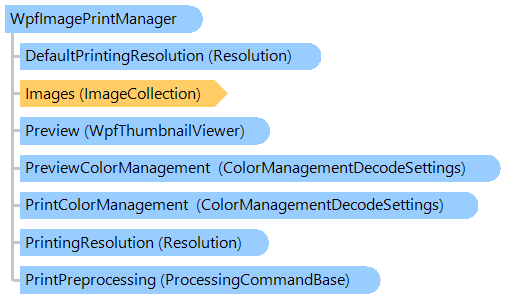
Класс WpfImagePrintManager
В этом разделе
Обеспечивает функциональность для печати
ImageCollection. Также класс позволяет использовать
WpfThumbnailViewer для предварительного просмотра перед печатью.
Объектная модель
Синтаксис
'Declaration

Public Class WpfImagePrintManager
public class WpfImagePrintManager
public __gc class WpfImagePrintManager
public ref class WpfImagePrintManager
Пример
Вот C#/VB.NET код, который демонстрирует, как распечатать коллекцию изображений на принтере по умолчанию. Каждое изображение коллекции изображений будет напечатано в режиме BestFit:
''' <summary>
''' Prints images on default printer.
''' </summary>
''' <param name="images">The images, which must be printed.</param>
Public Sub PrintImagesOnDefaultPrinter(images As Vintasoft.Imaging.ImageCollection)
    ' create print manager
    Dim imagePrintManager As New Vintasoft.Imaging.Wpf.Print.WpfImagePrintManager()
    ' specify image collection which should be printed
    imagePrintManager.Images = images
    ' specify that each image must be resized to fit within the page margins,
    ' image proportions is not changed
    imagePrintManager.PrintScaleMode = Vintasoft.Imaging.Print.PrintScaleMode.BestFit

    ' subscribe to the PrintingProgress event
    AddHandler imagePrintManager.PrintingProgress, New System.EventHandler(Of Vintasoft.Imaging.ProgressEventArgs)(AddressOf imagePrintManager_PrintingProgress)

    ' start the printing process
    imagePrintManager.Print("Print task title")
End Sub

''' <summary>
''' Image printing is in progress.
''' </summary>
Private Sub imagePrintManager_PrintingProgress(sender As Object, e As Vintasoft.Imaging.ProgressEventArgs)
    ' if printing is started
    If e.Progress = 0 Then
        System.Console.Write("Printing: ")
    End If

    ' write the printing progress
    System.Console.Write(String.Format("{0} ", e.Progress))

    ' if printing is finished
    If e.Progress = 100 Then
        Dim imagePrintManager As Vintasoft.Imaging.Wpf.Print.WpfImagePrintManager = DirectCast(sender, Vintasoft.Imaging.Wpf.Print.WpfImagePrintManager)
        ' unsubscribe from the PrintingProgress event
        RemoveHandler imagePrintManager.PrintingProgress, New System.EventHandler(Of Vintasoft.Imaging.ProgressEventArgs)(AddressOf imagePrintManager_PrintingProgress)
    End If
End Sub
/// <summary>
/// Prints images on default printer.
/// </summary>
/// <param name="images">The images, which must be printed.</param>
public void PrintImagesOnDefaultPrinter(Vintasoft.Imaging.ImageCollection images)
{
    // create print manager
    Vintasoft.Imaging.Wpf.Print.WpfImagePrintManager imagePrintManager =
        new Vintasoft.Imaging.Wpf.Print.WpfImagePrintManager();
    // specify image collection which should be printed
    imagePrintManager.Images = images;
    // specify that each image must be resized to fit within the page margins,
    // image proportions is not changed
    imagePrintManager.PrintScaleMode = Vintasoft.Imaging.Print.PrintScaleMode.BestFit;

    // subscribe to the PrintingProgress event
    imagePrintManager.PrintingProgress +=
        new System.EventHandler<Vintasoft.Imaging.ProgressEventArgs>(imagePrintManager_PrintingProgress);

    // start the printing process
    imagePrintManager.Print("Print task title");
}

/// <summary>
/// Image printing is in progress.
/// </summary>
private void imagePrintManager_PrintingProgress(object sender, Vintasoft.Imaging.ProgressEventArgs e)
{
    // if printing is started
    if (e.Progress == 0)
        System.Console.Write("Printing: ");

    // write the printing progress
    System.Console.Write(string.Format("{0} ", e.Progress));

    // if printing is finished
    if (e.Progress == 100)
    {
        Vintasoft.Imaging.Wpf.Print.WpfImagePrintManager imagePrintManager =
            (Vintasoft.Imaging.Wpf.Print.WpfImagePrintManager)sender;
        // unsubscribe from the PrintingProgress event
        imagePrintManager.PrintingProgress -=
            new System.EventHandler<Vintasoft.Imaging.ProgressEventArgs>(imagePrintManager_PrintingProgress);
    }
}
Иерархия наследования
Требования
Целевые платформы: .NET 11; .NET 10; .NET 9; .NET 8; .NET 6; .NET Framework 4.8, 4.7, 4.6, 4.5, 4.0, 3.5
Смотрите также