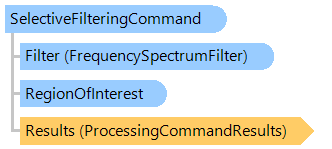
Класс SelectiveFilteringCommand
В этом разделе
Применяет к изображению выборочную фильтрацию в частотной области.
Объектная модель
Синтаксис
'Declaration

Public Class SelectiveFilteringCommand
   Inherits Vintasoft.Imaging.ImageProcessing.Fft.FastFourierTransformCommand
public class SelectiveFilteringCommand : Vintasoft.Imaging.ImageProcessing.Fft.FastFourierTransformCommand
public __gc class SelectiveFilteringCommand : public Vintasoft.Imaging.ImageProcessing.Fft.FastFourierTransformCommand*
public ref class SelectiveFilteringCommand : public Vintasoft.Imaging.ImageProcessing.Fft.FastFourierTransformCommand^
Пример
Вот C#/VB.NET код, который демонстрирует, как удалить периодический шум из изображения.
''' <summary>
''' Removes periodic noise from image.
''' </summary>
''' <param name="image">input image.</param>
Public Sub RemovePeriodicNoise(image As Vintasoft.Imaging.VintasoftImage)
    ' notch points for selective filtering
    Dim notchPoints As System.Drawing.Point()

    ' create frequency spectrum visualizer command
    Dim spectrumVisualizer As New Vintasoft.Imaging.ImageProcessing.Fft.FrequencySpectrumVisualizerCommand()

    ' visualize imae spectrum
    Using imageSpectrum As Vintasoft.Imaging.VintasoftImage = spectrumVisualizer.Execute(image)
        ' analyse image spectrum and determine notch points
        AnalyseImageSpectrum(imageSpectrum, notchPoints)
    End Using

    ' cutoff frequency for spectrum filters
    Dim cutoffFrequency As Double = 0.04

    ' create composite spectrum filter
    Dim compositeFilter As New Vintasoft.Imaging.ImageProcessing.Fft.Filtering.Selective.CompositeSpectrumFilter(New System.Collections.Generic.List(Of Vintasoft.Imaging.ImageProcessing.Fft.Filtering.Selective.FrequencySpectrumFilter)())

    ' add Ideal notch reject spectrum filter
    compositeFilter.Items.Add(New Vintasoft.Imaging.ImageProcessing.Fft.Filtering.Selective.IdealNotchRejectSpectrumFilter(notchPoints(0), cutoffFrequency))

    ' add Butterworth notch reject spectrum filter
    compositeFilter.Items.Add(New Vintasoft.Imaging.ImageProcessing.Fft.Filtering.Selective.ButterworthNotchRejectSpectrumFilter(notchPoints(1), cutoffFrequency))

    ' add Gaussian notch reject spectrum filter
    compositeFilter.Items.Add(New Vintasoft.Imaging.ImageProcessing.Fft.Filtering.Selective.GaussianNotchRejectSpectrumFilter(notchPoints(2), cutoffFrequency))

    ' create selective filtering command
    Dim selectiveFiltering As New Vintasoft.Imaging.ImageProcessing.Fft.Filtering.Selective.SelectiveFilteringCommand()
    selectiveFiltering.Filter = compositeFilter

    ' execute selective filtering
    selectiveFiltering.ExecuteInPlace(image)
End Sub

''' <summary>
''' Analyses image spectrum and determines notch points.
''' </summary>
''' <param name="spectrum">Image spectrum.</param>
''' <param name="notchPoints">Notch points.</param>
Public Sub AnalyseImageSpectrum(spectrum As Vintasoft.Imaging.VintasoftImage, ByRef notchPoints As System.Drawing.Point())
    ' determine notch points
    ' ...
    notchPoints = New System.Drawing.Point(2) {}
    notchPoints(0) = New System.Drawing.Point(30, 30)
    notchPoints(1) = New System.Drawing.Point(30, 50)
    notchPoints(2) = New System.Drawing.Point(30, 80)
End Sub
/// <summary>
/// Removes periodic noise from image.
/// </summary>
/// <param name="image">input image.</param>
public void RemovePeriodicNoise(Vintasoft.Imaging.VintasoftImage image)
{
    // notch points for selective filtering
    System.Drawing.Point[] notchPoints;

    // create frequency spectrum visualizer command
    Vintasoft.Imaging.ImageProcessing.Fft.FrequencySpectrumVisualizerCommand spectrumVisualizer =
        new Vintasoft.Imaging.ImageProcessing.Fft.FrequencySpectrumVisualizerCommand();

    // visualize imae spectrum
    using (Vintasoft.Imaging.VintasoftImage imageSpectrum = spectrumVisualizer.Execute(image))
    {
        // analyse image spectrum and determine notch points
        AnalyseImageSpectrum(imageSpectrum, out notchPoints);
    }

    // cutoff frequency for spectrum filters
    double cutoffFrequency = 0.04;

    // create composite spectrum filter
    Vintasoft.Imaging.ImageProcessing.Fft.Filtering.Selective.CompositeSpectrumFilter compositeFilter =
        new Vintasoft.Imaging.ImageProcessing.Fft.Filtering.Selective.CompositeSpectrumFilter(
            new System.Collections.Generic.List<Vintasoft.Imaging.ImageProcessing.Fft.Filtering.Selective.FrequencySpectrumFilter>());

    // add Ideal notch reject spectrum filter
    compositeFilter.Items.Add(
        new Vintasoft.Imaging.ImageProcessing.Fft.Filtering.Selective.IdealNotchRejectSpectrumFilter(
            notchPoints[0], cutoffFrequency));

    // add Butterworth notch reject spectrum filter
    compositeFilter.Items.Add(
        new Vintasoft.Imaging.ImageProcessing.Fft.Filtering.Selective.ButterworthNotchRejectSpectrumFilter(
            notchPoints[1], cutoffFrequency));

    // add Gaussian notch reject spectrum filter
    compositeFilter.Items.Add(
        new Vintasoft.Imaging.ImageProcessing.Fft.Filtering.Selective.GaussianNotchRejectSpectrumFilter(
            notchPoints[2], cutoffFrequency));

    // create selective filtering command
    Vintasoft.Imaging.ImageProcessing.Fft.Filtering.Selective.SelectiveFilteringCommand selectiveFiltering =
        new Vintasoft.Imaging.ImageProcessing.Fft.Filtering.Selective.SelectiveFilteringCommand();
    selectiveFiltering.Filter = compositeFilter;

    // execute selective filtering
    selectiveFiltering.ExecuteInPlace(image);
}

/// <summary>
/// Analyses image spectrum and determines notch points.
/// </summary>
/// <param name="spectrum">Image spectrum.</param>
/// <param name="notchPoints">Notch points.</param>
public void AnalyseImageSpectrum(Vintasoft.Imaging.VintasoftImage spectrum, out System.Drawing.Point[] notchPoints)
{
    // determine notch points
    // ...
    notchPoints = new System.Drawing.Point[3];
    notchPoints[0] = new System.Drawing.Point(30, 30);
    notchPoints[1] = new System.Drawing.Point(30, 50);
    notchPoints[2] = new System.Drawing.Point(30, 80);
}
Иерархия наследования
System.Object
Vintasoft.Imaging.ImageProcessing.ProcessingCommandBase
Vintasoft.Imaging.ImageProcessing.ProcessingCommandWithRegion
Vintasoft.Imaging.ImageProcessing.Fft.FastFourierTransformCommand
Vintasoft.Imaging.ImageProcessing.Fft.Filtering.Selective.SelectiveFilteringCommand
Требования
Целевые платформы: .NET 11; .NET 10; .NET 9; .NET 8; .NET 6; .NET Framework 4.8, 4.7, 4.6, 4.5, 4.0, 3.5
Смотрите также
Справочник
Члены типа SelectiveFilteringCommand
Пространство имен Vintasoft.Imaging.ImageProcessing.Fft.Filtering.Selective