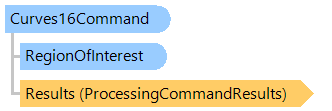
Команда Curves для изображений в 16-битном формате пикселей.
Используйте класс CurvesCommand, если необходимо обработать изображение с 16-битным цветовым каналом.
Вот C#/VB.NET код, который демонстрирует, как загрузить изображение с диска, изменить кривые в указанной области изображения и сохранить результат в новый файл изображения.
Class CurvesCommandExample
    Public Sub ProcessImage()
        ' [ do not forget to set your image file path here! ]
        ' create an image collection
        Using images As New Vintasoft.Imaging.ImageCollection()
            ' add image to the image collection
            images.Add("Flower.jpg")
            Try
                ' create luminance map (usually luminance map is taken from convenient control)
                Dim luminanceMap As Byte() = New Byte(255) {}
                For i As Integer = 0 To 127
                    luminanceMap(i) = CByte(i)
                Next
                For i As Integer = 128 To 254
                    luminanceMap(i) = CByte(255 - i)
                Next

                ' create the image processing command
                Dim command As New Vintasoft.Imaging.ImageProcessing.Color.CurvesCommand(luminanceMap)

                ' subscribe to progress event of image processing command
                AddHandler command.Progress, New System.EventHandler(Of Vintasoft.Imaging.ImageProcessing.ImageProcessingProgressEventArgs)(AddressOf command_Progress)

                Try
                    ' for each image in image collection
                    For Each image As Vintasoft.Imaging.VintasoftImage In images
                        ' set the region-of-interest to the left part of the image
                        command.RegionOfInterest = New Vintasoft.Imaging.RegionOfInterest(0, 0, image.Width \ 2, image.Height)
                        ' apply the image processing command to the image
                        command.ExecuteInPlace(image)
                    Next
                Catch ex As Vintasoft.Imaging.ImageProcessing.ImageProcessingException
                    ' show error message
                    System.Windows.Forms.MessageBox.Show(ex.Message)
                    Return
                End Try

                ' save the processed image collection to a new TIFF file
                images.SaveSync("processed-image.tif")
            Finally
                images.ClearAndDisposeItems()
            End Try
        End Using
    End Sub

    Private Sub command_Progress(sender As Object, e As Vintasoft.Imaging.ImageProcessing.ImageProcessingProgressEventArgs)
        ' update progress info using e.Progress property
        ' ...

        ' cancel execution of command using e.Cancel property if necessary
        ' ...
    End Sub
End Class
class CurvesCommandExample
{
    public void ProcessImage()
    {
        // [ do not forget to set your image file path here! ]
        // create an image collection
        using (Vintasoft.Imaging.ImageCollection images = new Vintasoft.Imaging.ImageCollection())
        {
            // add image to the image collection
            images.Add("Flower.jpg");
            try
            {
                // create luminance map (usually luminance map is taken from convenient control)
                byte[] luminanceMap = new byte[256];
                for (int i = 0; i < 128; i++)
                {
                    luminanceMap[i] = (byte)(i);
                }
                for (int i = 128; i < 255; i++)
                {
                    luminanceMap[i] = (byte)(255 - i);
                }

                // create the image processing command
                Vintasoft.Imaging.ImageProcessing.Color.CurvesCommand command =
                    new Vintasoft.Imaging.ImageProcessing.Color.CurvesCommand(luminanceMap);

                // subscribe to progress event of image processing command
                command.Progress +=
                    new System.EventHandler<Vintasoft.Imaging.ImageProcessing.ImageProcessingProgressEventArgs>(command_Progress);

                try
                {
                    // for each image in image collection
                    foreach (Vintasoft.Imaging.VintasoftImage image in images)
                    {
                        // set the region-of-interest to the left part of the image
                        command.RegionOfInterest = new Vintasoft.Imaging.RegionOfInterest(0, 0, image.Width / 2, image.Height);
                        // apply the image processing command to the image
                        command.ExecuteInPlace(image);
                    }
                }
                catch (Vintasoft.Imaging.ImageProcessing.ImageProcessingException ex)
                {
                    // show error message
                    System.Windows.Forms.MessageBox.Show(ex.Message);
                    return;
                }

                // save the processed image collection to a new TIFF file
                images.SaveSync("processed-image.tif");
            }
            finally
            {
                images.ClearAndDisposeItems();
            }
        }
    }

    void command_Progress(object sender, Vintasoft.Imaging.ImageProcessing.ImageProcessingProgressEventArgs e)
    {
        // update progress info using e.Progress property
        // ...

        // cancel execution of command using e.Cancel property if necessary
        // ...
    }
}
Целевые платформы: .NET 11; .NET 10; .NET 9; .NET 8; .NET 6; .NET Framework 4.8, 4.7, 4.6, 4.5, 4.0, 3.5