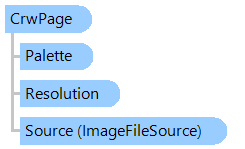
Представляет страницу CRW-файла (Canon).
Вот пример, показывающий, как открыть CRW-файл, получить RAW-изображение из CRW-файла и сохранить изображение в PNG-файл:
''' <summary>
''' Opens Canon CRW-file, gets RAW-image from CRW-file and saves image to a PNG-file.
''' </summary>
''' <param name="crwFilename">The name of CRW-file.</param>
Public Sub GetAndSaveCrwRawImage(crwFilename As String)
    ' open CRW-file stream
    Using fs As New System.IO.FileStream(crwFilename, System.IO.FileMode.Open, System.IO.FileAccess.Read)
        ' open CRW-file
        Dim rawImageFile As New Vintasoft.Imaging.Codecs.ImageFiles.Raw.RawImageFile(fs)
        ' get CRW-page
        Dim crwPage As Vintasoft.Imaging.Codecs.ImageFiles.Raw.CrwPage = TryCast(rawImageFile.Page, Vintasoft.Imaging.Codecs.ImageFiles.Raw.CrwPage)
        ' if CRW-page is found in RAW-file
        If crwPage IsNot Nothing Then
            ' get RAW-image as 48-bpp RGB image
            Using rawImage As Vintasoft.Imaging.VintasoftImage = crwPage.GetImage()
                ' save 48-bpp RGB image to a PNG file
                rawImage.Save(crwFilename & ".png")
            End Using
        End If
    End Using
End Sub
/// <summary>
/// Opens Canon CRW-file, gets RAW-image from CRW-file and saves image to a PNG-file.
/// </summary>
/// <param name="crwFilename">The name of CRW-file.</param>
public void GetAndSaveCrwRawImage(string crwFilename)
{
    // open CRW-file stream
    using (System.IO.FileStream fs = new System.IO.FileStream(crwFilename, System.IO.FileMode.Open, System.IO.FileAccess.Read))
    {
        // open CRW-file
        Vintasoft.Imaging.Codecs.ImageFiles.Raw.RawImageFile rawImageFile =
            new Vintasoft.Imaging.Codecs.ImageFiles.Raw.RawImageFile(fs);
        // get CRW-page
        Vintasoft.Imaging.Codecs.ImageFiles.Raw.CrwPage crwPage =
            rawImageFile.Page as Vintasoft.Imaging.Codecs.ImageFiles.Raw.CrwPage;
        // if CRW-page is found in RAW-file
        if (crwPage != null)
        {
            // get RAW-image as 48-bpp RGB image
            using (Vintasoft.Imaging.VintasoftImage rawImage = crwPage.GetImage())
            {
                // save 48-bpp RGB image to a PNG file
                rawImage.Save(crwFilename + ".png");
            }
        }
    }
}
Целевые платформы: .NET 10; .NET 9; .NET 8; .NET 7; .NET 6; .NET Framework 4.8, 4.7, 4.6, 4.5, 4.0, 3.5