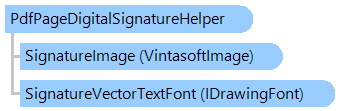
Класс PdfPageDigitalSignatureHelper
В этом разделе
Помогает добавить цифровую подпись на PDF страницу.
Объектная модель
Синтаксис
'Declaration

Public Class PdfPageDigitalSignatureHelper
public class PdfPageDigitalSignatureHelper
public __gc class PdfPageDigitalSignatureHelper
public ref class PdfPageDigitalSignatureHelper
Пример
Вот пример, показывающий, как подписать PDF документ с помощью указанной цифровой подписи:
Imports System.Drawing
Imports System.Security.Cryptography.X509Certificates
Imports Vintasoft.Imaging.Pdf

''' <summary>
''' Adds digital signature with image appearance to a PDF page.
''' </summary>
Public Class PdfPageDigitalSignatureHelper_ImageAppearance
    Public Shared Sub Run()
        ' get the X509 certificate from .pfx-file
        Using certificate As New X509Certificate2("TestCertificate.pfx", "test")
            ' create a helper that alows to add digital signature to a PDF document
            Dim digitalSignatureHelper As New PdfPageDigitalSignatureHelper(certificate, New RectangleF(20, 20, 250, 100))

            ' set signature information
            digitalSignatureHelper.SignerName = "Mr. X"
            digitalSignatureHelper.SigningReason = "Approval"
            digitalSignatureHelper.SigningLocation = "My Location"
            digitalSignatureHelper.SignerContactInfo = "Phone: 9999-123-45-67"

            ' set the name of image file that defines the signature appearance
            digitalSignatureHelper.SignatureImageFilename = "SignatureImage.svg"

            ' add digital signature to the first PDF page, sign PDF document and save PDF document to the output file
            digitalSignatureHelper.SignDocument("TestDocumentToSign.pdf", "TestDocumentToSign-signed.pdf", 0)
        End Using
    End Sub
End Class
using System.Drawing;
using System.Security.Cryptography.X509Certificates;
using Vintasoft.Imaging.Pdf;

/// <summary>
/// Adds digital signature with image appearance to a PDF page.
/// </summary>
public class PdfPageDigitalSignatureHelper_ImageAppearance
{
    public static void Run()
    {
        // get the X509 certificate from .pfx-file
        using (X509Certificate2 certificate = new X509Certificate2("TestCertificate.pfx", "test"))
        {
            // create a helper that alows to add digital signature to a PDF document
            PdfPageDigitalSignatureHelper digitalSignatureHelper =
                new PdfPageDigitalSignatureHelper(certificate, new RectangleF(20, 20, 250, 100));

            // set signature information
            digitalSignatureHelper.SignerName = "Mr. X";
            digitalSignatureHelper.SigningReason = "Approval";
            digitalSignatureHelper.SigningLocation = "My Location";
            digitalSignatureHelper.SignerContactInfo = "Phone: 9999-123-45-67";

            // set the name of image file that defines the signature appearance
            digitalSignatureHelper.SignatureImageFilename = "SignatureImage.svg";

            // add digital signature to the first PDF page, sign PDF document and save PDF document to the output file
            digitalSignatureHelper.SignDocument("TestDocumentToSign.pdf", "TestDocumentToSign-signed.pdf", 0);
        }
    }
}
Иерархия наследования
System.Object
Vintasoft.Imaging.Pdf.PdfPageDigitalSignatureHelper
Требования
Целевые платформы: .NET 11; .NET 10; .NET 9; .NET 8; .NET 6; .NET Framework 4.8, 4.7, 4.6, 4.5, 4.0, 3.5
Смотрите также