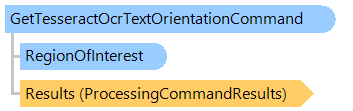
Класс GetTesseractOcrTextOrientationCommand
В этом разделе
Определяет ориентацию текста в изображении документа с помощью Tesseract OCR.
Объектная модель
Синтаксис
Ремарки
Эта команда создает экземпляр класса TesseractOcr в методе ProcessImageInPlace. Созданный экземпляр класса TesseractOcr уничтожается в методе Dispose.
Используйте тот же экземпляр этого класса, если необходимо обработать несколько изображений.
Пример
Вот C#/VB.NET код, который демонстрирует, как получить угол ориентации изображения документа с помощью Tesseract OCR.
''' <summary>
''' Returns an orientation angle of document image using Tesseract OCR.
''' </summary>
''' <param name="filename">The path to a file with document image.</param>
''' <param name="tesseractOcrDllDirectory">A path to a directory, where Tesseract5.Vintasoft.xXX.dll files are located.</param>
Public Shared Sub GetDocumentImageOrientationUsingTesseractOCR(filename As String, tesseractOcrDllDirectory As String)
    ' create an image collection
    Using images As New Vintasoft.Imaging.ImageCollection()
        ' add images from file to the image collection
        images.Add(filename)

        ' create an instance of GetTesseractOcrTextOrientationCommand class
        Using getTextOrientationCommand As New Vintasoft.Imaging.ImageProcessing.Ocr.Tesseract.GetTesseractOcrTextOrientationCommand()
            ' specify path to a directory, where Tesseract5.Vintasoft.xXX.dll files are located
            getTextOrientationCommand.TesseractOcrDllDirectory = tesseractOcrDllDirectory

            ' for each image in image collection
            For i As Integer = 0 To images.Count - 1
                ' get image
                Dim image As Vintasoft.Imaging.VintasoftImage = images(i)

                ' determine orientation of document image using Tesseract OCR
                getTextOrientationCommand.ExecuteInPlace(image)

                ' write result to the console
                System.Console.WriteLine(String.Format("Filename: {0}, page: {1}, page orientation: {2}", System.IO.Path.GetFileName(filename), i, getTextOrientationCommand.Orientation))
            Next
        End Using

        ' free images
        images.ClearAndDisposeItems()
    End Using
End Sub
/// <summary>
/// Returns an orientation angle of document image using Tesseract OCR.
/// </summary>
/// <param name="filename">The path to a file with document image.</param>
/// <param name="tesseractOcrDllDirectory">A path to a directory, where Tesseract5.Vintasoft.xXX.dll files are located.</param>
public static void GetDocumentImageOrientationUsingTesseractOCR(string filename, string tesseractOcrDllDirectory)
{
    // create an image collection
    using (Vintasoft.Imaging.ImageCollection images = new Vintasoft.Imaging.ImageCollection())
    {
        // add images from file to the image collection
        images.Add(filename);

        // create an instance of GetTesseractOcrTextOrientationCommand class
        using (Vintasoft.Imaging.ImageProcessing.Ocr.Tesseract.GetTesseractOcrTextOrientationCommand getTextOrientationCommand =
            new Vintasoft.Imaging.ImageProcessing.Ocr.Tesseract.GetTesseractOcrTextOrientationCommand())
        {
            // specify path to a directory, where Tesseract5.Vintasoft.xXX.dll files are located
            getTextOrientationCommand.TesseractOcrDllDirectory = tesseractOcrDllDirectory;

            // for each image in image collection
            for (int i = 0; i < images.Count; i++)
            {
                // get image
                Vintasoft.Imaging.VintasoftImage image = images[i];

                // determine orientation of document image using Tesseract OCR
                getTextOrientationCommand.ExecuteInPlace(image);

                // write result to the console
                System.Console.WriteLine(string.Format("Filename: {0}, page: {1}, page orientation: {2}",
                    System.IO.Path.GetFileName(filename),
                    i,
                    getTextOrientationCommand.Orientation));
            }
        }

        // free images
        images.ClearAndDisposeItems();
    }
}
Иерархия наследования
Требования
Целевые платформы: .NET 11; .NET 10; .NET 9; .NET 8; .NET 6; .NET Framework 4.8, 4.7, 4.6, 4.5, 4.0, 3.5
Смотрите также