Класс FormTemplateManager
В этом разделе
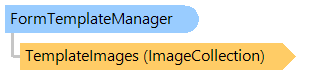
Обеспечивает синхронизированную связь между изображениями шаблонов страниц и шаблонами страниц.
Объектная модель
Синтаксис
'Declaration

Public Class FormTemplateManager
public class FormTemplateManager
public __gc class FormTemplateManager
public ref class FormTemplateManager
Пример
Вот C#/VB.NET код, который демонстрирует, как загрузить шаблон документа из файла, получить количество изображений шаблона, добавить новый шаблон страницы, удалить шаблон первой страницы и сохранить шаблон документа с новым именем. .
''' <summary>
''' Opens a document template, writes count of template images, adds new page template,
''' removes first page template and saves document template with new name.
''' </summary>
Public Shared Sub FormTemplateManagerExample()
    ' create a form template manager
    Dim templateManager As New Vintasoft.Imaging.FormsProcessing.FormRecognition.FormTemplateManager()
    ' load templates from a document
    templateManager.LoadFromDocument("C:\templateDocument.fdt")
    ' write template images count
    System.Console.WriteLine(String.Format("Count of template images: {0}", templateManager.TemplateImages.Count))

    ' create new page template
    Dim pageTemplate As New Vintasoft.Imaging.FormsProcessing.FormRecognition.FormPageTemplate()
    ' set the name of the page template
    pageTemplate.Name = "Added page template"
    ' add new page template linked with template image
    templateManager.AddPageTemplate(New Vintasoft.Imaging.VintasoftImage("C:\formTemplate.tif"), pageTemplate)

    ' remove first page template
    templateManager.TemplateImages.RemoveAt(0)
    ' change name of the document
    templateManager.DocumentName = String.Format("{0} - revised", templateManager.DocumentName)
    ' save as a document template
    templateManager.SaveToDocument("C:\templateDocument_revised.fdt")
End Sub
/// <summary>
/// Opens a document template, writes count of template images, adds new page template,
/// removes first page template and saves document template with new name.
/// </summary>
public static void FormTemplateManagerExample()
{
    // create a form template manager
    Vintasoft.Imaging.FormsProcessing.FormRecognition.FormTemplateManager templateManager =
        new Vintasoft.Imaging.FormsProcessing.FormRecognition.FormTemplateManager();
    // load templates from a document
    templateManager.LoadFromDocument(@"C:\templateDocument.fdt");
    // write template images count
    System.Console.WriteLine(string.Format("Count of template images: {0}", templateManager.TemplateImages.Count));

    // create new page template
    Vintasoft.Imaging.FormsProcessing.FormRecognition.FormPageTemplate pageTemplate =
        new Vintasoft.Imaging.FormsProcessing.FormRecognition.FormPageTemplate();
    // set the name of the page template
    pageTemplate.Name = "Added page template";
    // add new page template linked with template image
    templateManager.AddPageTemplate(
        new Vintasoft.Imaging.VintasoftImage(@"C:\formTemplate.tif"), pageTemplate);

    // remove first page template
    templateManager.TemplateImages.RemoveAt(0);
    // change name of the document
    templateManager.DocumentName = string.Format("{0} - revised", templateManager.DocumentName);
    // save as a document template
    templateManager.SaveToDocument(@"C:\templateDocument_revised.fdt");
}
Иерархия наследования
System.Object
Vintasoft.Imaging.FormsProcessing.FormRecognition.FormTemplateManager
Требования
Целевые платформы: .NET 11; .NET 10; .NET 9; .NET 8; .NET 6; .NET Framework 4.8, 4.7, 4.6, 4.5, 4.0, 3.5
Смотрите также