Как просматривать изображения из базы данных в вашем веб приложении?
В этом разделе
В этом руководстве показано, как создать ASP.NET Core Web приложение в Visual Studio .NET 2022 и просматривать изображения из базы данных в веб просмотрщике изображений и веб просмотрщике миниатюр на веб странице.
Также статью можно использовать для разработки ASP.NET MVC 5 приложения или ASP.NET WebForms приложения.
Вот шаги, которые необходимо выполнить:
-
Создайте ASP.NET Core Web приложение с веб просмотщиком изображений и веб просмотрщиком миниатюр.
Прочитайте, как создать ASP.NET Core Web приложение с веб просмотрщиком изображений и веб просмотрщиком миниатюр здесь:
-
Серверная сторона: Создайте хранилище данных, которое позволяет загружать изображения из базы данных и сохранять изображения в базе данных.
Создайте класс DatabaseDataStorage, производный от Vintasoft.Data.IDataStorage, для доступа к изображениям в базе данных.
Для этого нажмите правую кнопку мыши на папке "Controllers" и выберите в контекстном меню пункт "Add => Class...".
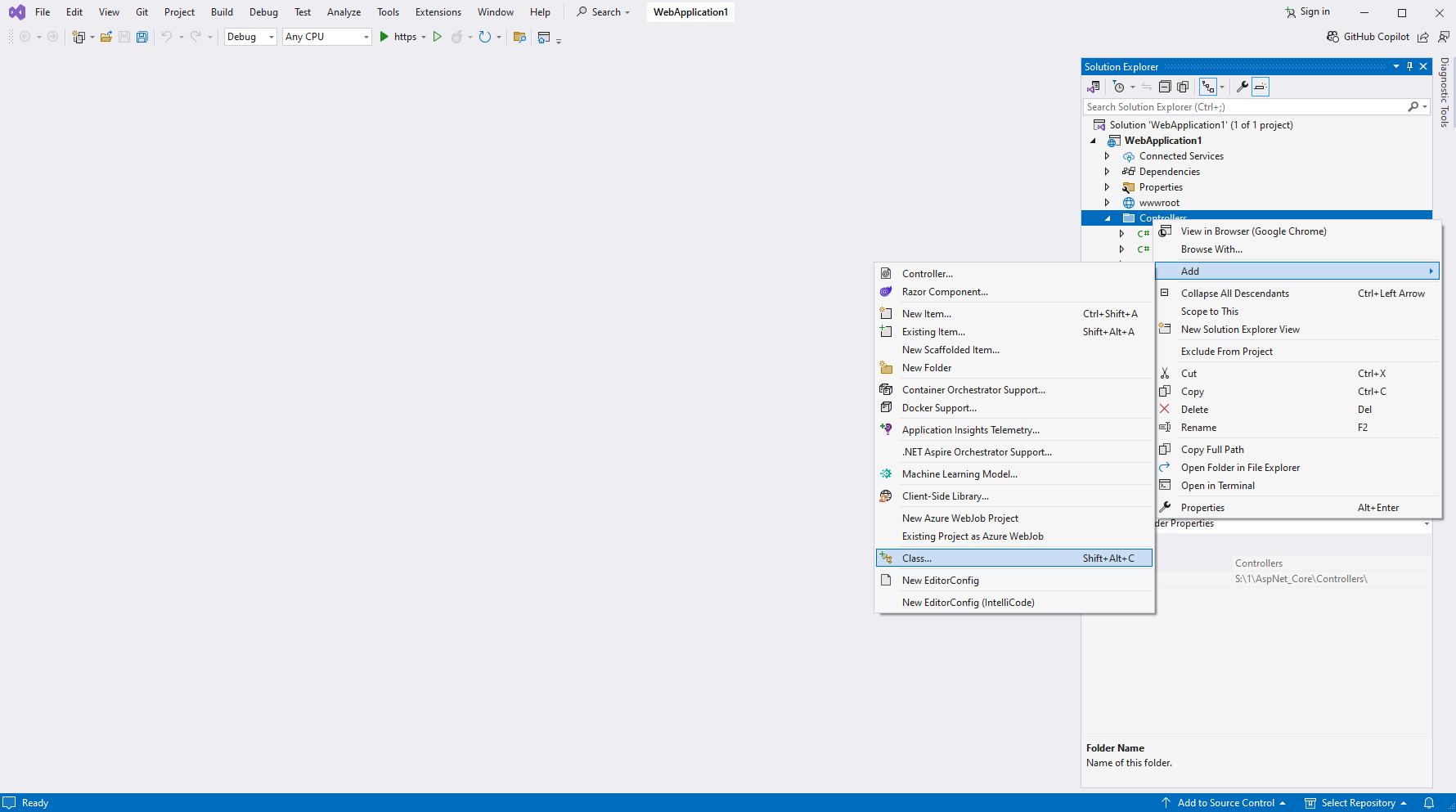
Укажите, что вы хотите создать "Class", установите имя класса "DatabaseDataStorage" и нажмите кнопку "Add".

Унаследуйте созданный класс от интерфейса Vintasoft.Data.IDataStorage.
Реализуйте метод IDataStorage.CanStore и укажите, что хранилище данных может хранить изображения в файловых потоках.

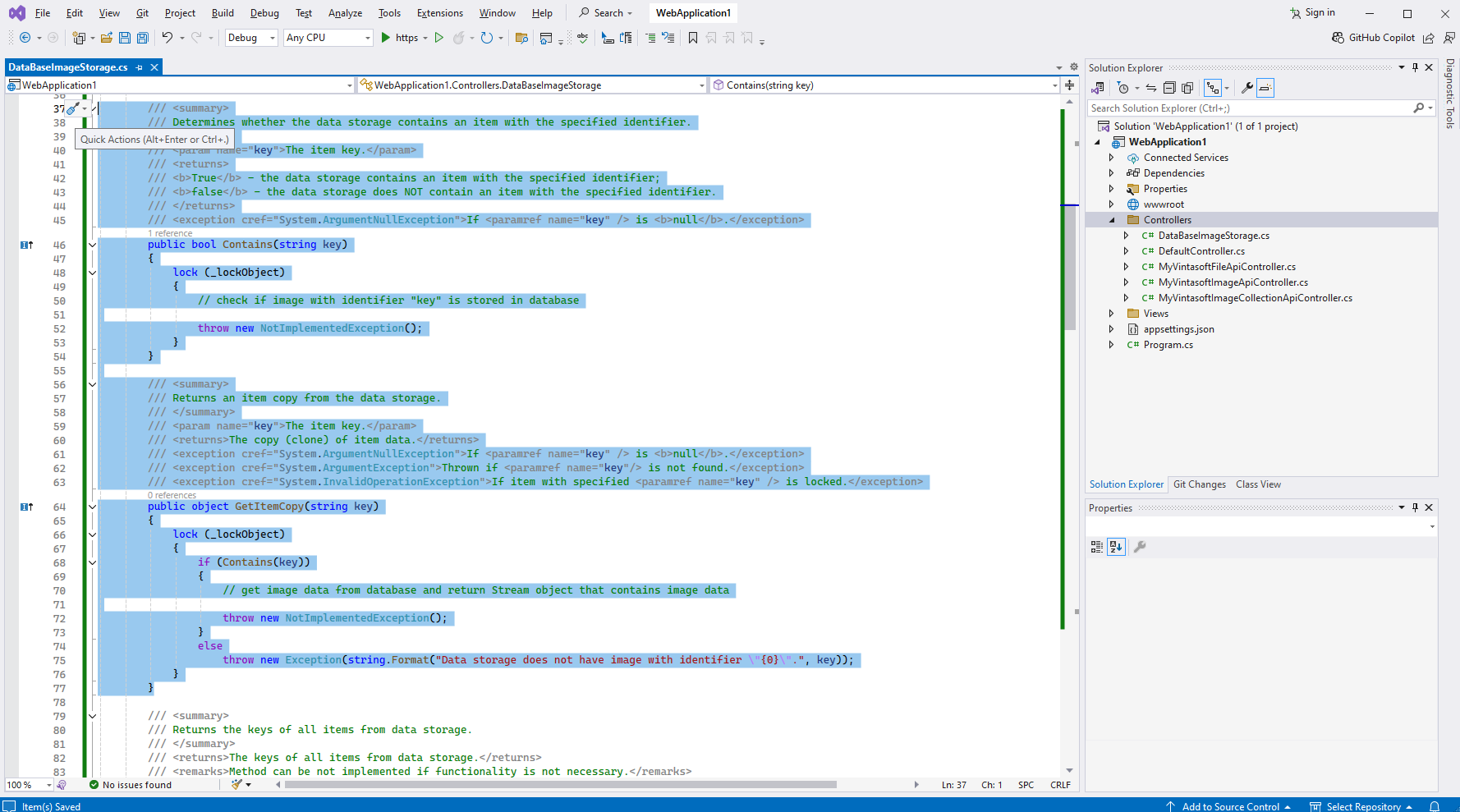
Реализуйте методы IDataStorage.Contains и IDataStorage.GetItemCopy, если ваше приложение позволяет просматривать набор существующих изображений из базы данных и не позволяет добавлять, изменять или удалять изображения.
Важно:
Идентификатор изображения в ASP.NET приложении может отличаться от идентификатора изображения в базе данных, например, идентификатор изображения в ASP.NET приложении может быть создан как объединение идентификатора ASP.NET-сеанса и идентификатора изображения в базе данных. В этом случае хранилище данных должно преобразовать идентификатор изображения в ASP.NET приложении, который передается методам хранения данных в параметре "key", в идентификатор изображения в базе данных.
Реализуйте методы IDataStorage.AddItem, IDataStorage.SetItem и IDataStorage.DeleteItem, если ваше приложение позволяет просматривать изображения из базы данных и позволяет добавлять, изменять или удалять изображения.
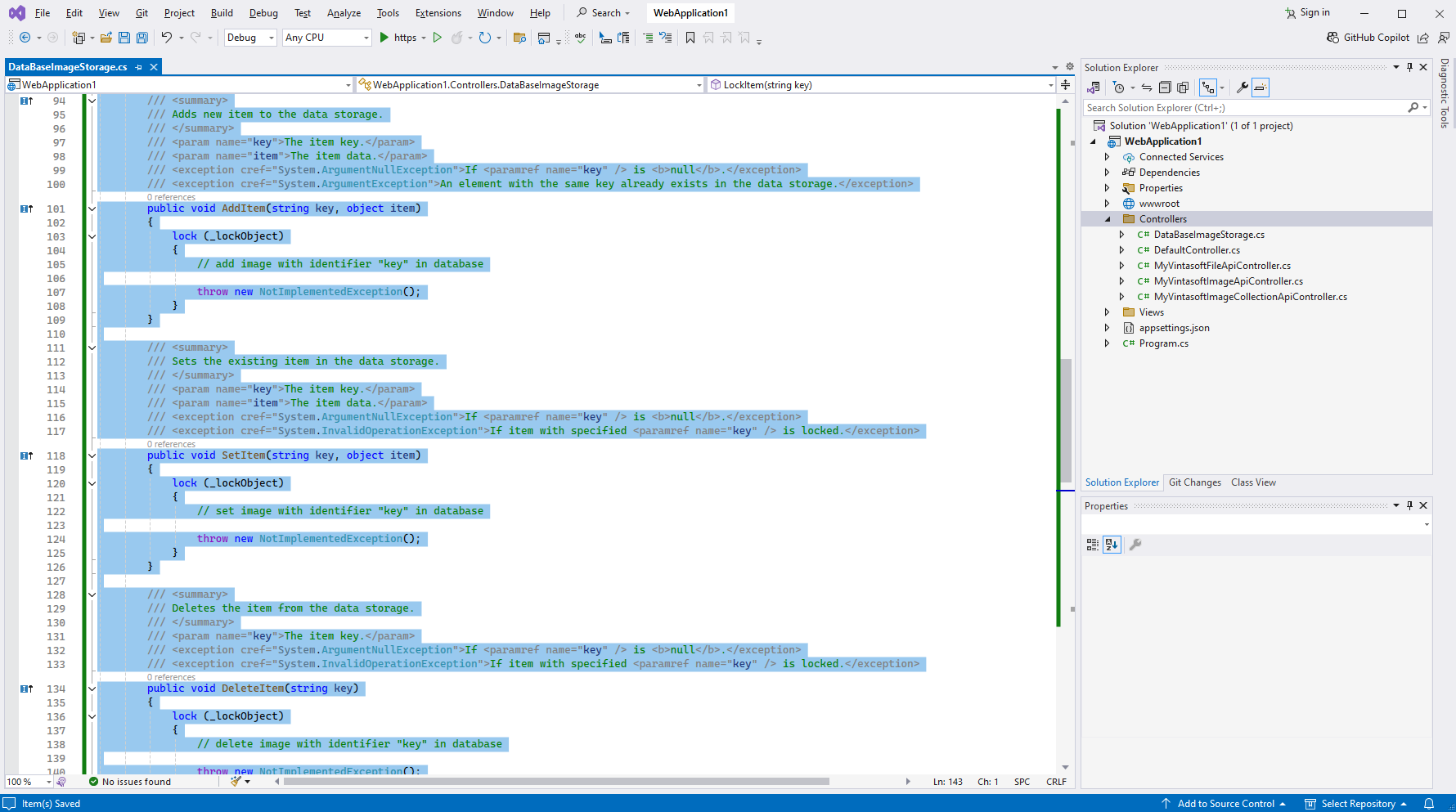
Реализуйте методы IDataStorage.LockItem и IDataStorage.UnlockItem, если ваше приложение позволяет просматривать изображения из базы данных, позволяет добавлять, изменять или удалять изображения, и изображение должно быть заблокировано во время изменения.

Вот код класса DatabaseDataStorage:
using Vintasoft.Data;

namespace WebApplication1.Controllers
{
    /// <summary>
    /// Storage that allows to store data in database.
    /// </summary>
    /// <remarks>
    /// Current data storage works in read-only mode.
    /// </remarks>
    public class DataBaseImageStorage : IDataStorage
    {

        static object _lockObject = new object();
        static string _sessionId;


        public DataBaseImageStorage(string sessionId)
            : base()
        {
            _sessionId = sessionId;
        }


        /// <summary>
        /// Determines whether the data storage can store data of specified type.
        /// </summary>
        /// <param name="type">The type of data.</param>
        /// <returns>
        /// <b>True</b> if data storage can store data of specified type;
        /// otherwise, <b>false</b>.
        /// </returns>
        /// <exception cref="System.ArgumentNullException">If <paramref name="type" /> is <b>null</b>.</exception>
        public bool CanStore(Type type)
        {
            // specify that data storage can work only with images, which are stored in Stream objects

            if (typeof(Stream).IsAssignableFrom(type))
                return true;
            else
                return false;
        }

        /// <summary>
        /// Determines whether the data storage contains an item with the specified identifier.
        /// </summary>
        /// <param name="key">The item key.</param>
        /// <returns>
        /// <b>True</b> - the data storage contains an item with the specified identifier;
        /// <b>false</b> - the data storage does NOT contain an item with the specified identifier.
        /// </returns>
        /// <exception cref="System.ArgumentNullException">If <paramref name="key" /> is <b>null</b>.</exception>
        public bool Contains(string key)
        {
            lock (_lockObject)
            {
                // check if image with identifier "key" is stored in database

                throw new NotImplementedException();
            }
        }

        /// <summary>
        /// Returns an item copy from the data storage.
        /// </summary>
        /// <param name="key">The item key.</param>
        /// <returns>The copy (clone) of item data.</returns>
        /// <exception cref="System.ArgumentNullException">If <paramref name="key" /> is <b>null</b>.</exception>
        /// <exception cref="System.ArgumentException">Thrown if <paramref name="key"/> is not found.</exception>
        /// <exception cref="System.InvalidOperationException">If item with specified <paramref name="key" /> is locked.</exception>
        public object GetItemCopy(string key)
        {
            lock (_lockObject)
            {
                if (Contains(key))
                {
                    // get image data from database and return Stream object that contains image data

                    throw new NotImplementedException();
                }
                else
                    throw new Exception(string.Format("Data storage does not have image with identifier \"{0}\".", key));
            }
        }

        /// <summary>
        /// Returns the keys of all items from data storage.
        /// </summary>
        /// <returns>The keys of all items from data storage.</returns>
        /// <remarks>Method can be not implemented if functionality is not necessary.</remarks>
        public string[] GetKeys()
        {
            lock (_lockObject)
            {
                // get identifiers ("keys") of all images stored in database

                throw new NotImplementedException();
            }
        }

        /// <summary>
        /// Adds new item to the data storage.
        /// </summary>
        /// <param name="key">The item key.</param>
        /// <param name="item">The item data.</param>
        /// <exception cref="System.ArgumentNullException">If <paramref name="key" /> is <b>null</b>.</exception>
        /// <exception cref="System.ArgumentException">An element with the same key already exists in the data storage.</exception>
        public void AddItem(string key, object item)
        {
            lock (_lockObject)
            {
                // add image with identifier "key" in database

                throw new NotImplementedException();
            }
        }

        /// <summary>
        /// Sets the existing item in the data storage.
        /// </summary>
        /// <param name="key">The item key.</param>
        /// <param name="item">The item data.</param>
        /// <exception cref="System.ArgumentNullException">If <paramref name="key" /> is <b>null</b>.</exception>
        /// <exception cref="System.InvalidOperationException">If item with specified <paramref name="key" /> is locked.</exception>
        public void SetItem(string key, object item)
        {
            lock (_lockObject)
            {
                // set image with identifier "key" in database

                throw new NotImplementedException();
            }
        }

        /// <summary>
        /// Deletes the item from the data storage.
        /// </summary>
        /// <param name="key">The item key.</param>
        /// <exception cref="System.ArgumentNullException">If <paramref name="key" /> is <b>null</b>.</exception>
        /// <exception cref="System.InvalidOperationException">If item with specified <paramref name="key" /> is locked.</exception>
        public void DeleteItem(string key)
        {
            lock (_lockObject)
            {
                // delete image with identifier "key" in database

                throw new NotImplementedException();
            }
        }


        /// <summary>
        /// Locks an item in data storage and returns the item.
        /// </summary>
        /// <param name="key">The item key.</param>
        /// <returns>The locked item from data storage.</returns>
        /// <exception cref="System.ArgumentNullException">Thrown if <paramref name="key" /> is <b>null</b>.</exception>
        /// <exception cref="System.InvalidOperationException">Thrown if item with specified <paramref name="key" /> is already locked.</exception>
        /// <seealso cref="UnlockItem(string, object)"/>
        /// <remarks>Method must be implemented if image must be locked during changing.</remarks>
        public object LockItem(string key)
        {
            lock (_lockObject)
            {
                // lock image with identifier "key" in database

                throw new NotImplementedException();
            }
        }

        /// <summary>
        /// Unlock the locked item in data storage.
        /// </summary>
        /// <param name="key">The item key.</param>
        /// <param name="item">Locked item.<br />
        /// The item will be overrwritten if item differs from the item returned by the <see cref="LockItem"/> method.</param>
        /// <exception cref="System.ArgumentNullException">Thrown if <paramref name="key" /> is <b>null</b>.</exception>
        /// <exception cref="System.InvalidOperationException">Thrown if item with specified <paramref name="key" /> is not locked.</exception>
        /// <seealso cref="LockItem(string)"/>
        /// <remarks>Method must be implemented if image must be locked during changing.</remarks>
        public void UnlockItem(string key, object item)
        {
            lock (_lockObject)
            {
                // unlock image with identifier "key" in database

                throw new NotImplementedException();
            }
        }

        /// <summary>
        /// Releases all resources used by the <see cref="DataBaseImageStorage"/>.
        /// </summary>
        public void Dispose()
        {
            throw new NotImplementedException();
        }

    }
}
Созданный класс DatabaseDataStorage можно использовать в следующих ASP.NET Core API-контроллерах: VintasoftImageApiController, VintasoftImageCollectionApiController, VintasoftFileConverterApiController, VintasoftFileApiController, VintasoftImageProcessingApiController, VintasoftImageProcessingDocCleanupApiController, VintasoftAnnotationCollectionApiController, VintasoftPdfApiController, VintasoftOfficeApiController и Vintasoft.Barcode.AspNetCore.ApiControllers.VintasoftBarcodeApiController.
Если ваше приложение - это приложение ASP.NET MVC 5, вы можете использовать класс DatabaseDataStorage в контроллере VintasoftImageApi2Controller и т. д.
Если ваше приложение является ASP.NET WebForms приложением - вы можете использовать класс DatabaseDataStorage в HTTP обработчике Vintasoft.Imaging.Web.HttpHandlers.VintasoftImageHandler и т. д.
-
Серверная сторона: Используйте "DatabaseDataStorage" в ASP.NET Core API контроллерах.
Для этого вам необходимо переопределить метод CreateSessionDataStorage во всех VintaSoft ASP.NET Core API контроллерах, используемых в вашем приложении:
using Vintasoft.Data;

namespace WebApplication1.Controllers
{
    public class MyVintasoftImageApiController : Vintasoft.Imaging.AspNetCore.ApiControllers.VintasoftImageApiController
    {

        public MyVintasoftImageApiController(IWebHostEnvironment hostingEnvironment)
            : base(hostingEnvironment)
        {
        }


        /// <summary>
        /// Creates a data storage for current session.
        /// </summary>
        /// <param name="sessionId">The session identifier.</param>
        /// <returns>The data storage.</returns>
        /// <remarks>
        /// <b>Important:</b> The overridden method must return data storage that can store <see cref="Stream"/> objects.
        /// </remarks>
        protected override IDataStorage CreateSessionDataStorage(string sessionId)
        {
            return new DataBaseImageStorage(sessionId);
        }

    }
}

-
Клиентская сторона: Откройте изображение из базы данных и отобразите изображение в веб просмотрщиках.
Для этого вам нужно вызвать функцию "openFile" коллекции изображений веб просмотрщика изображений и передать идентификатор изображения в функцию "openFile":
imageViewer.get_Images().openFile("database-key");








